Heero
AI cover letter generatorCover letters from job descriptions
Highlights
What you can do with it
- Draft a personalized cover letter for a specific job posting
- Rebuild an old PDF resume into an editable format
- Check a draft against the keywords in a job description
How to use it
- 1 Visit the Heero website.
- 2 Select the AI Cover Letter Generator.
- 3 Enter the job description and your personal information.
- 4 Click Generate Cover Letter, then edit the draft as needed.
- 5 Save the finished letter and use it in your application.
Who it is for
Pros
- Cover letter generation is free of charge
- Turns a job description into a starting draft in one step
- Keyword scanning shows gaps between your draft and the posting
- PDF resumes can be converted instead of retyped
Limitations
- Free access today does not guarantee the same pricing later
- Generated text still needs a personal edit before you send it
- The tool covers letters and resumes, not interview prep or salary research
- There is no published guide for the resume builder beyond the letter flow
What Heero is
Heero is an AI career development tool with a cover letter generator at its center. You enter a job description and your own information, and the tool drafts a professional cover letter that you can edit and save before an application. The same account covers resume work: you can build a resume from scratch or convert an existing PDF into an editable format, then edit sections and fill in content tailored to your work experience. Cover letter generation is described as free of charge, so trying the core writing step is free. The product is positioned as a practical aid for job seekers who want a usable first draft rather than a blank page, and it adds summary and keyword views so you can judge the draft against the posting.
What you can do with it
- Generate a cover letter from a job description and your details
- Read an AI-generated summary and keyword scan of the letter
- Create a resume from scratch or convert an existing PDF
- Edit resume sections and tailor content to your experience
Who it is for
- Job seekers who need a cover letter quickly
- People turning an old PDF resume into an editable document
- Applicants who want to check a draft against a job posting
What to watch out for
The letter you get is a draft. It reflects the job description and the information you type, so thin input produces a thin letter, and you should rewrite anything that does not sound like you. Free cover letter generation is the current offering, and pricing for other features can change without notice. The tool does not prepare you for interviews, research salaries, or apply on your behalf, so it covers one slice of a job search. Check every claim about your own history before sending, because a hallucinated responsibility is worse than a boring sentence.
FAQ
Is Heero free to use?
The site describes its AI cover letter generation as free of charge. Other parts of the product may follow different terms.
What do I need to provide to get a letter?
You enter the job description and your personal information, then click Generate Cover Letter.
Can it work with an existing resume?
Yes. Heero can convert existing PDFs into resumes and lets you edit sections and fill in content based on your experience.
Why it is free
What the official page says: free of charge
Free limits, trial length and features are decided by the official site and can change at any time.
Product preview
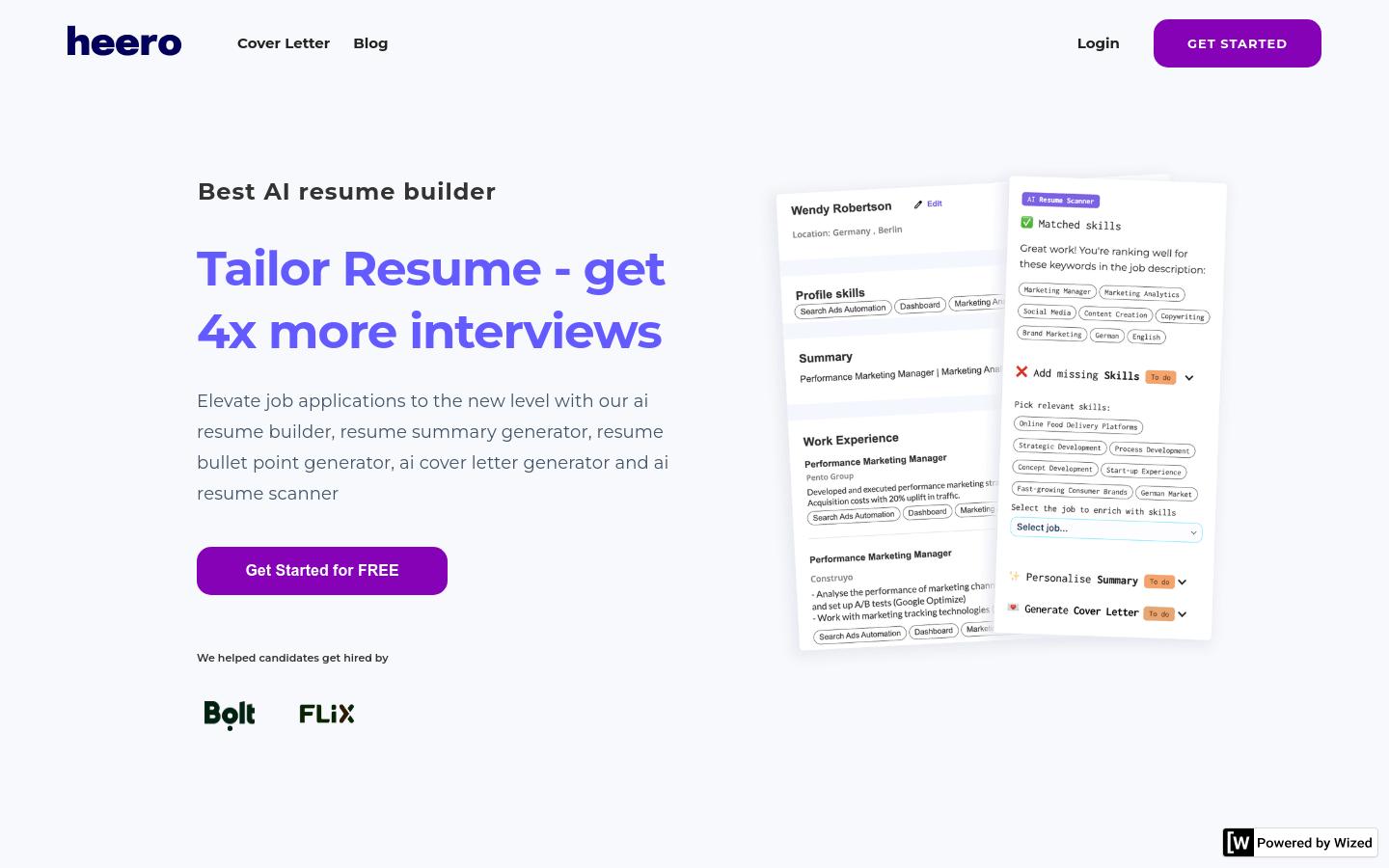
Screenshot archived from the listing page, for preview only.