hearsub
Chrome extension for bilingual YouTube subtitlesReal time subtitles and AI voiceovers
Highlights
What you can do with it
- Understand foreign language videos while watching
- Learn a language with bilingual subtitles
- Follow talks and tutorials without full transcripts
How to use it
- 1 Install the HearSub extension from the Chrome store
- 2 Open a foreign language video on YouTube
- 3 Turn on bilingual subtitles or AI voiceover
- 4 Watch as subtitles and audio sync in real time
Who it is for
Pros
- Free for personal use with no usage limits
- No upload or download step
- Keeps background audio while adding voiceover
Limitations
- Personal free use may not cover commercial use
- Depends on YouTube playback and can break with site changes
- Recognition quality varies with audio and speakers
What hearsub is
HearSub is a Chrome extension designed for foreign language videos on YouTube. Its key feature is generating bilingual subtitles in real time and adding AI voiceover in your native language, synchronized with video playback. Because it processes as you watch, there is no need to upload the entire video, no download step, and no waiting for a full file to be processed before you can start. The extension supports multiple speaker recognition, which helps when a video has several people talking, and it preserves background audio so the original sound does not disappear under the voiceover. It was created to help users understand foreign language video content more easily and break language barriers, and it is currently free for personal use with no usage limits. For a learner, the combination of subtitles and voiceover in your own language makes authentic content usable long before you could follow it unaided.
What you can do with it
- Watch foreign language YouTube with bilingual subtitles
- Hear an AI voiceover in your own language as the video plays
- Follow multi speaker videos with speaker recognition
- Keep the original background audio intact
- Use it for learning, research, and creative inspiration
Who it is for
- Language learners who want real world content
- Researchers and students following foreign talks
- Anyone who wants to understand global video in their language
- Viewers who follow creators in other languages
What to watch out for
The free tier covers personal use with no usage limits, but commercial use is a different matter, so check the terms if you plan to use it for work. As a browser extension it depends on YouTube's player and page structure, and site updates can break extensions until they are patched. Recognition quality varies with audio quality, accents, and overlapping speech, so important details deserve a second pass. Voiceover is AI generated, so nuance and tone may not match the original speaker exactly. Because processing happens live, a slow computer or a heavy tab load can affect how smoothly subtitles appear, so close what you do not need.
FAQ
What does HearSub do?
It adds real time bilingual subtitles and AI voiceover to YouTube videos.
Do I need to upload the video?
No, it works during playback without uploading the file.
Is it free?
It is free for personal use with no usage limits.
What is it good for?
Learning, research, and getting creative inspiration from foreign language video.
Why it is free
What the official page says: 免费
Free limits, trial length and features are decided by the official site and can change at any time.
Product preview
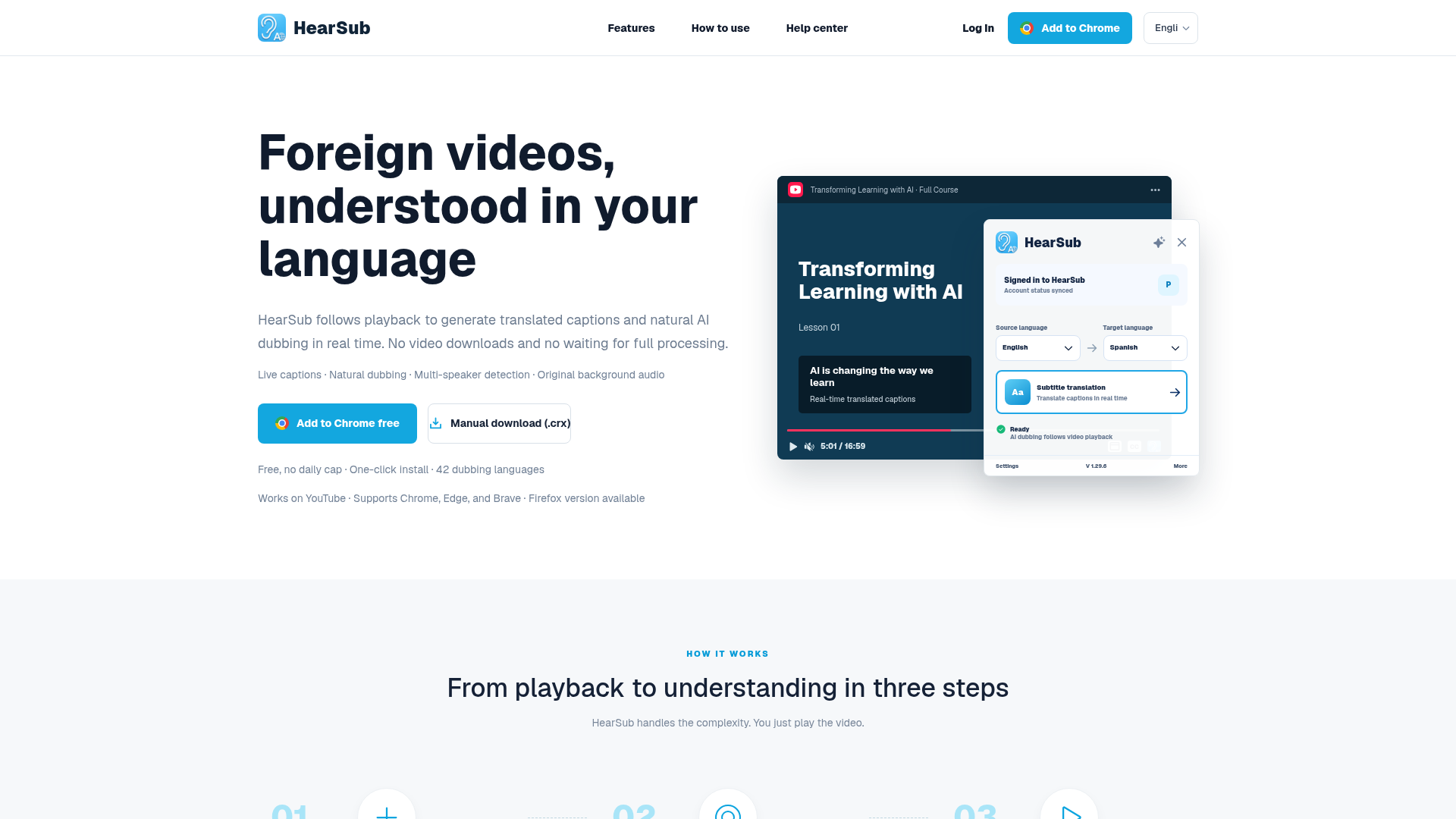
Screenshot archived from the listing page, for preview only.