
happyhorse video studio
AI short video generatorText or image in, short video out
Highlights
What you can do with it
- A product promo short for a new launch
- A film-style story clip for a personal portfolio
- Animating a fashion photo for social media
How to use it
- 1 Describe the scene or upload a reference image
- 2 Pick the aspect ratio, duration and style
- 3 Generate the clip, then preview and download
Who it is for
Pros
- No install, runs in a browser
- Structured controls reduce wasted generations
- Prompt library helps when you are stuck
- Several formats and styles in one place
Limitations
- Free plan is for personal experiments and adds watermarks
- Commercial use requires a paid plan
- Young product, so output quality is uneven
What HappyHorse Video Studio is
HappyHorse Video Studio is a browser-based AI video workspace. You describe a scene or upload a reference image and it produces a short clip. The emphasis is on structured controls rather than open-ended prompting, so you set the aspect ratio, duration and style before generating, which the vendor says reduces wasted credits. Free trial credits exist, but the free plan is positioned for personal experiments and adds watermarks.
What you can do with it
- Turn a written scene description into a short film-style clip.
- Animate a still image into a short video.
- Choose between 16:9, 9:16 and 1:1 with durations around 6, 8 and 10 seconds.
- Pick from film, anime, realistic and product advertising styles.
- Start from a tested prompt in the built-in library.
Who it is for
Creators making short-form video, marketers who need social ad cuts quickly, and social content teams that produce at volume across several formats.
What to watch out for
The free plan is explicitly for personal experiments and watermarks the output, so anything client-facing needs a paid plan with commercial rights. As a young product, results vary run to run and you should expect to regenerate. Clip length is short by design, so longer narratives need editing afterwards. Behavior may vary across browsers and devices, so test before production use and consult the help docs if errors appear. Features and interface details may change between versions, so review the latest notes on the page before you start. Free tiers and usage limits can change, so check the current rules on the official page before relying on it long term. Processing speed depends on file size and network conditions, so retry later if a task stalls during peak hours.
FAQ
Is HappyHorse free?
There are free trial credits, but the free plan is for personal experiments and outputs carry watermarks. Commercial rights come with the paid Starter, Creator and Pro plans.
What inputs does it accept?
Text prompts and reference images, either of which can be turned into a short video.
What formats are supported?
Aspect ratios such as 16:9, 9:16 and 1:1, with durations of roughly 6, 8 and 10 seconds and styles including film, anime, realistic and product advertising.
Is there help with writing prompts?
Yes, there is a built-in prompt library of tested prompts you can use as a starting point.
Why it is free
What the official page says: free trial
Free limits, trial length and features are decided by the official site and can change at any time.
Product preview
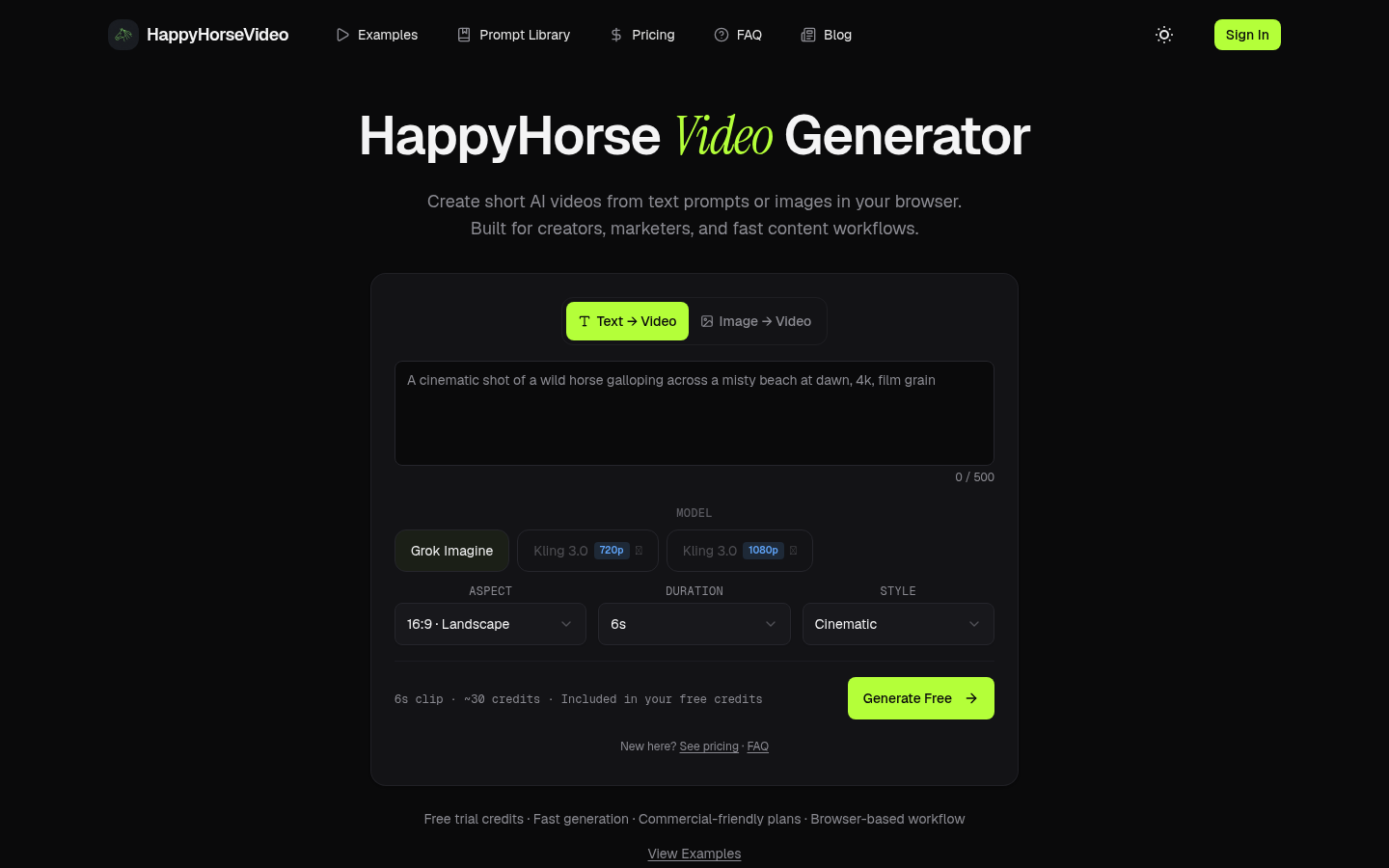
Screenshot archived from the listing page, for preview only.











