Gptimg2 AI
One-stop AI video and image studioText and images to video in one workspace
Highlights
What you can do with it
- E-commerce brands generating product advertising videos
- Marketing teams creating social content from templates
- Start-ups producing brand promotion videos
How to use it
- 1 Pick a model such as GPT Image 2, Veo 3, Seedance 2 or Kling 3.0
- 2 Write the prompt or upload reference images to guide style and composition
- 3 Generate, compare results across models and iterate
Who it is for
Pros
- Several models reachable without switching tools
- Comparison view shows model differences before you commit
- Templates give a faster starting point than a blank prompt
Limitations
- The free trial is limited and a paid plan follows, so check current pricing
- Output quality varies by model, so expect to iterate
- The 50% discount is a limited-time offer and can disappear
- Generated footage still needs review for brand and factual accuracy
What Gptimg2 AI is
Gptimg2 AI is a creation studio that gathers several AI video and image models into one workspace. Instead of signing up for each model separately, you work in a single interface where text-to-video and image-to-video are both available. You can also upload images or clips as references, which is useful when you already have material you want built on. A comparison view shows what different models do with the same prompt, so you can judge the differences yourself rather than trusting a marketing claim. Templates for product ads, hero videos and poster concepts give you a starting point, and the iteration flow is aimed at people who publish social and short-form content regularly. Access starts with a free trial, and the vendor mentions a limited-time discount on next-generation video creation.
What you can do with it
- Turn a text prompt into video using several available models
- Turn a still image into video, or a video into a new video
- Upload references to steer style, theme, text and composition
- Compare model outputs side by side in one workspace
- Start from templates for product ads, hero videos and poster concepts
Who it is for
- Marketing teams producing advertising and promotional content
- E-commerce brands that need product visuals and demo clips
- Start-ups and creative workers building brand videos with small budgets
What to watch out for
The free trial is limited and paid usage follows, so confirm what a generation actually costs before you build a campaign around it. Model output is uneven: the same prompt can produce a usable clip or a miss, so budget time for iteration rather than expecting one perfect take. The advertised discount is time-limited and may not apply when you sign up. Finally, generated video can look convincing while being factually wrong about your product, so review every asset before it goes live.
FAQ
Is Gptimg2 AI free?
It offers a free trial. The vendor also advertises a limited-time 50% discount on next-generation AI video creation, which is a promotion rather than a permanent price.
Which models can I use?
The site lists models such as GPT Image 2, Veo 3, Seedance 2 and Kling 3.0, with more image and video models available in the same workspace.
Can I start from my own images?
Yes. You can upload images or videos as references for image-to-image, image-to-video and video-to-video workflows.
Why it is free
What the official page says: free trial
Free limits, trial length and features are decided by the official site and can change at any time.
Product preview
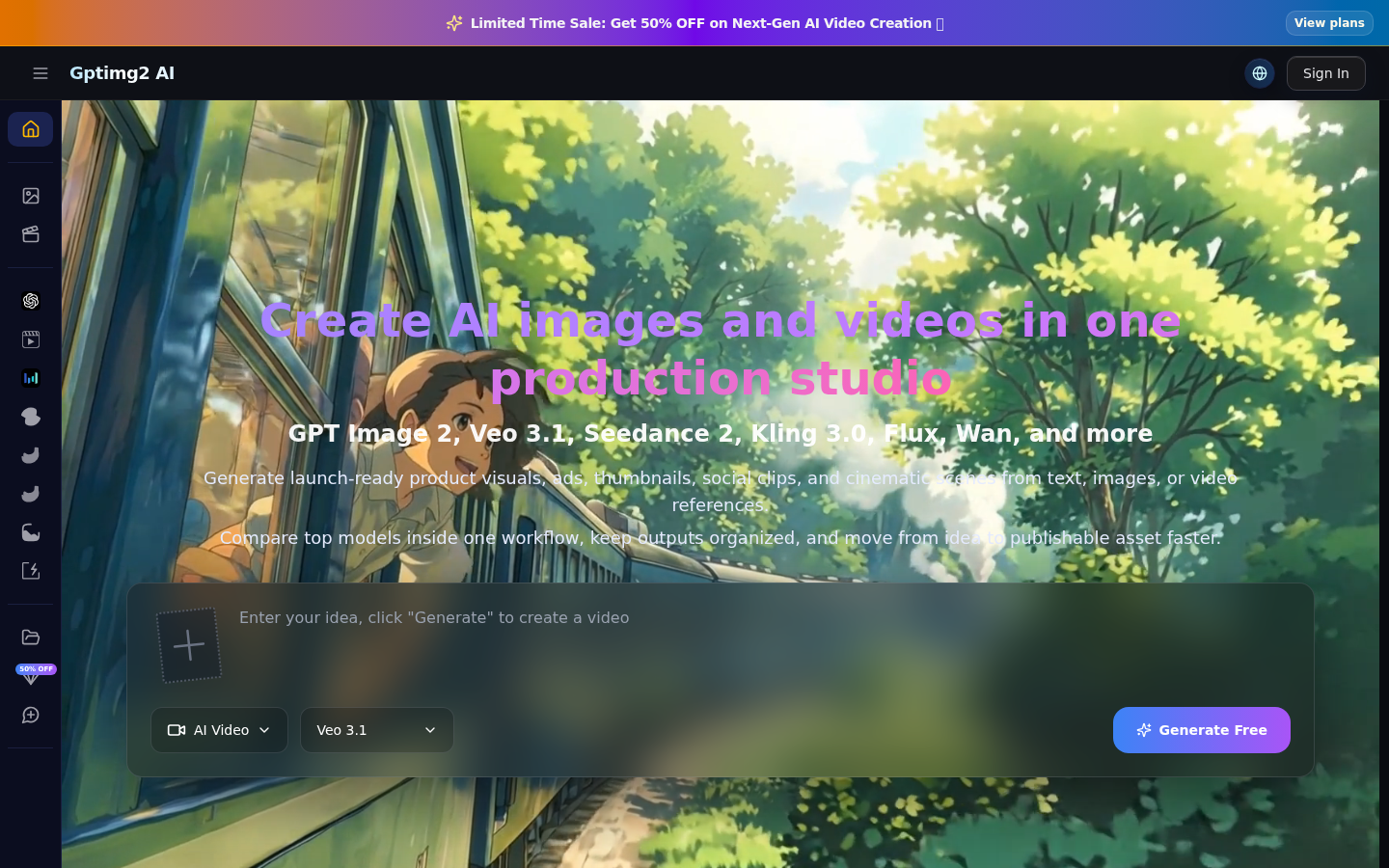
Screenshot archived from the listing page, for preview only.











