
GPTImg AI
AI image generation and editing powered by GPT Image 2Describe it, edit it, and get production-ready images fast
Highlights
What you can do with it
- A marketing team generates product advertisement images to attract consumers and lift sales.
- A design team uses style fusion to create a unique promotional poster for a brand event.
- An e-commerce merchant creates high-quality catalog images that show product detail.
How to use it
- 1 Go to gptimg.ai, register an account, and log in.
- 2 Upload a reference image or describe the image you want in natural language, such as a watercolor-style mountain sunset scene.
- 3 Click Generate Image to start creating.
- 4 If the result is not right, edit it in natural language, for example by adjusting colors or removing objects.
- 5 When you are happy, download the image for commercial or other use.
Who it is for
Pros
- Natural language control, so you do not need complex editing software
- High-resolution output up to 4K for print-quality work
- Keeps a subject consistent across scenes, outfits, or poses
- Style fusion and reference mixing for creative looks
- A free trial quota lets you test it before paying
Limitations
- The free trial only gives a limited quota, so ongoing use means a paid plan, and trial terms can change, so check current details before you commit
- Natural-language editing is powerful but not magic: unclear prompts give unclear results, so expect some iteration as a mild learning cost
- The 4K output is an upgrade rather than the default
- Final images may still need touch-ups before they go live in a campaign
What GPTImg AI is
GPTImg AI is an image generation platform powered by GPT Image 2, built with marketing, design, e-commerce, and content teams in mind. You describe what you want in plain language, upload a reference, or mix materials, and it produces images you can then edit the same way. It aims at production-level output: clear 2K images by default, with a 4K option for print quality, plus strong text rendering and consistent styles. The platform has a free trial quota and paid plans, and it is positioned for commercial use.
What you can do with it
- Generate images from a text description or a reference image.
- Edit photos with natural language, such as adjusting colors, removing objects, or changing lighting.
- Output high-resolution images, from 2K up to an optional 4K for print work.
- Lock a face or object so a subject stays recognizable across scenes, outfits, or poses.
- Fuse multiple references or apply a style, for example turning a daytime photo into film noir.
Who it is for
- Marketing teams that need product and campaign visuals quickly.
- Design teams that want natural-language editing and style fusion for posters and concepts.
- E-commerce teams creating product visuals and catalog images.
- Content teams that need illustrations for articles and blogs.
What to watch out for
The free trial only gives a limited quota, so ongoing use means moving to a paid plan, and trial terms can change, so check current details before you commit. Natural-language editing is powerful but not magic: unclear prompts give unclear results, and you will iterate to get what you want, which is a mild learning cost. The 4K output is an upgrade rather than the default, and final images may still need touch-ups before they go live in a campaign.
FAQ
What powers GPTImg?
It is powered by GPT Image 2.
What resolution can it output?
Clear 2K images quickly, with an option to upgrade to 4K for print quality.
Can I keep a subject consistent?
Yes, you can lock a face or object from a reference photo so it stays recognizable across scenes, clothing, or poses.
Is there a free trial?
Yes, the platform has a free trial quota alongside its paid plans.
Why it is free
What the official page says: free trial
Free limits, trial length and features are decided by the official site and can change at any time.
Product preview
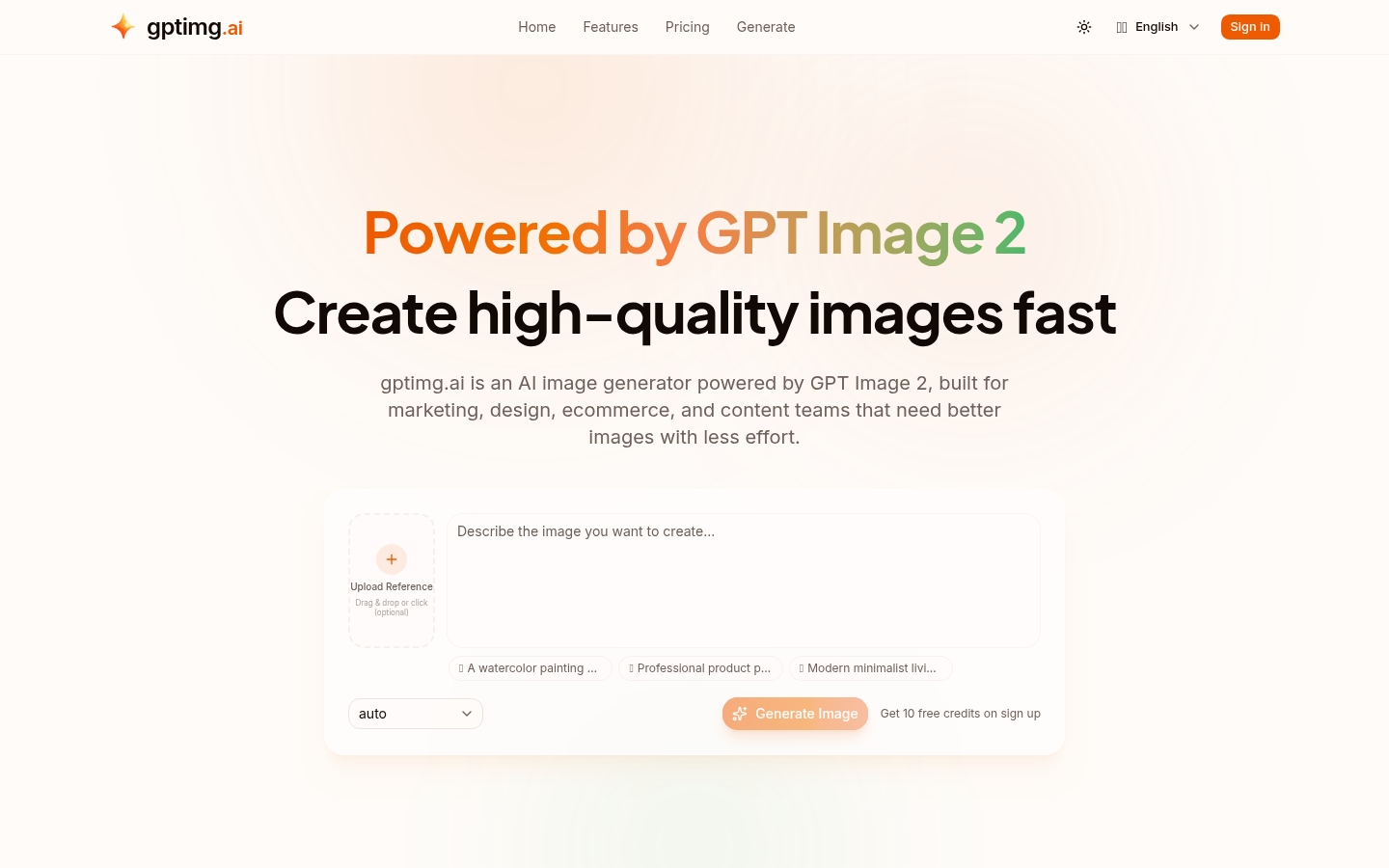
Screenshot archived from the listing page, for preview only.











