GPT Image 2 — Turn Words into Stunning Images
AI image generation toolWords and photos into sharp images
Highlights
What you can do with it
- An advertising team generates product images for promotion posters
- A game team keeps characters and scenes visually consistent
- A blogger creates illustrations to accompany an article
How to use it
- 1 Open the website and choose Create Image or Edit Image
- 2 For creation, enter a text description of the content and style
- 3 For editing, upload the image and describe the change in plain language
- 4 Pick a preset style such as cartoon, 3D, oil painting, or science fiction
- 5 Click generate, review the result, and download
Who it is for
Pros
- Free trial before buying a package
- Plain-language editing lowers the barrier for non-editors
- Consistency features suit repeated series work
Limitations
- Free trial limits are not itemized, and paid package pricing is not in the listing
- 4K output depends on the super-resolution option, not the default pass
- Generated images still need a human check for detail errors
What GPT Image 2 is
GPT Image 2 is an AI platform for generating and editing images. On the generation side, a text description becomes an image; on the editing side, you upload a photo and describe the change in everyday language, for example adjusting colors or removing an object. The system respects the main subject while it fills in depth and redesigns the surroundings. Default output is 2K, with an optional 4K super-resolution pass for when more detail matters. For series work it can lock a character's facial features and object appearance so a set of images stays visually consistent, and it supports fusing elements from several reference images or applying one style to another. A free trial is available alongside paid packages.
What you can do with it
- Generate an image from a text description
- Edit an existing photo using natural language instructions
- Raise output to 4K with the super-resolution option
- Keep characters and styles consistent across a series
- Fuse multiple reference images or transfer a style
- Retry quickly when a result is not right
Who it is for
The named audiences are creators such as illustrators, designers, and photographers who need high-quality images fast; marketers producing advertising and brochure material; and content creators such as bloggers and social media operators who publish image content continuously. The use cases are an advertising company building product promotion posters, a game development team keeping characters and scenes coordinated, and a blogger generating illustrations for an article. If you publish visuals on a schedule, the consistency and retry features are the parts that earn their place.
What to watch out for
Free trial limits are not itemized and paid package pricing is not in the listing, so cost for regular use is an open question you should resolve on the site. The 4K output is an option rather than the default, so do not assume every render comes back at that resolution. Generated images still need a human check for the usual failure points, and the listing gives no accuracy guarantee. Editing in natural language is convenient but imprecise, so complex compositing work may still need a traditional editor. Check the licensing terms before using output commercially.
FAQ
Is there a free trial?
Yes, the listing mentions a free trial along with paid packages.
What resolution does it output?
2K by default, with an optional 4K super-resolution pass.
How do I edit an image?
Upload it and describe the change in natural language, such as adjusting colors or removing objects.
Can it keep a character consistent?
Yes, it can lock facial features and object appearance so a series stays consistent.
Why it is free
What the official page says: free trial
Free limits, trial length and features are decided by the official site and can change at any time.
Product preview
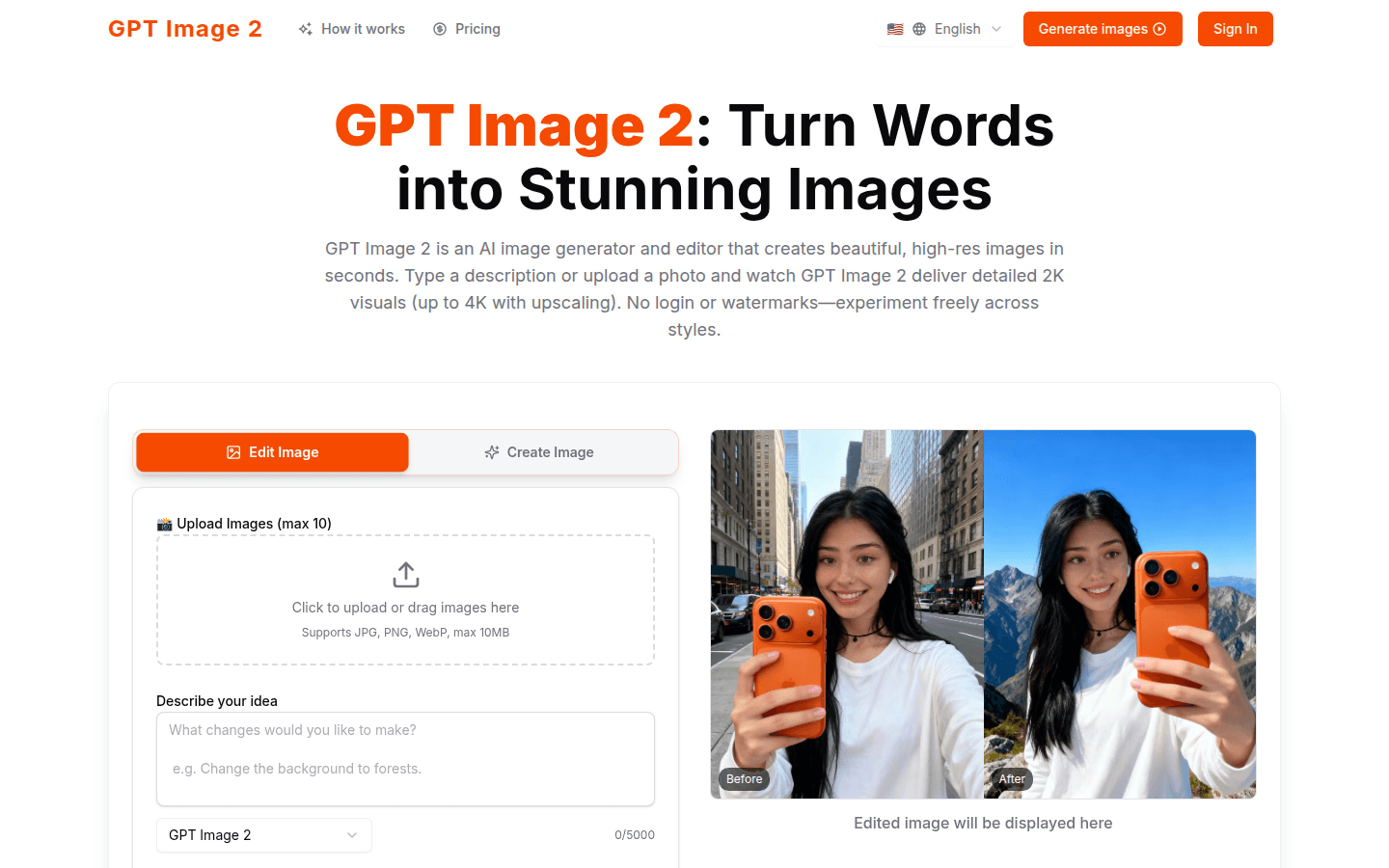
Screenshot archived from the listing page, for preview only.











