Google AI Studio
Google's Gemini workbenchFree tier to try Gemini models
Highlights
What you can do with it
- Integrating the Gemini API into apps
- Validating product ideas from a prompt
- Trying image, video and music generation
How to use it
- 1 Sign in to Google AI Studio with a Google account
- 2 Pick a model and experiment in the prompt interface
- 3 Create an API key
- 4 Integrate with your app using the official SDK
- 5 Monitor usage and quotas in the console
Who it is for
Pros
- A free tier for trying Gemini models in the browser
- Many model types in one workbench
- Official SDKs and clear key management
Limitations
- Free quotas and rate limits are set by Google and can change
- Production use means moving from the browser to billing
- The wide model range can be confusing at first
What Google AI Studio is
Google AI Studio is Google's browser-based workbench for the Gemini model family, with the stated goal of going from prompt to production. You can experiment with Gemini 3 and a range of generative models, including Nano Banana for images, Veo for video, Gemini TTS for speech, Gemini Live for real-time voice and video interaction, Omni for video editing and Lyria for music. Developers get one place to create and manage API keys and monitor resource usage, official SDKs for Python, JavaScript, Go, Java and C++, support for function calling and native tools such as Search and Maps grounding, and remixable sample projects for prototyping. Free quotas and rate limits are set by Google and can change.
What you can do with it
- Try Gemini 3 and many generative models in the browser
- Create and manage API keys in one place
- Use official SDKs and function calling in your app
- Prototype quickly with remixable sample projects
Who it is for
- AI developers and engineers shipping Gemini-powered apps
- Founders validating product ideas from a prompt
- Creators who need image, video or music generation
Grounding tools such as Search and Maps can pull in current information, which helps with factual prompts.
What to watch out for
Free quotas and rate limits are set by Google and can change, so check current limits before building on the free tier. Moving from browser experiments to production means API billing and its own rules. With this many models in one place, it takes time to learn which model fits which task. As with any generative model, review outputs for accuracy before they reach real users, and keep an eye on quota usage as traffic grows.
FAQ
What is Google AI Studio?
Google's browser-based workbench for experimenting with Gemini models and shipping them, with API key management and official SDKs.
Which models can I try?
Gemini 3 plus generative models such as Nano Banana for images, Veo for video, Gemini TTS, Gemini Live, Omni and Lyria for music.
Is it free?
A free tier exists. Free quotas and rate limits are set by Google and can change.
Why it is free
What the official page says: free tier
Free limits, trial length and features are decided by the official site and can change at any time.
Product preview
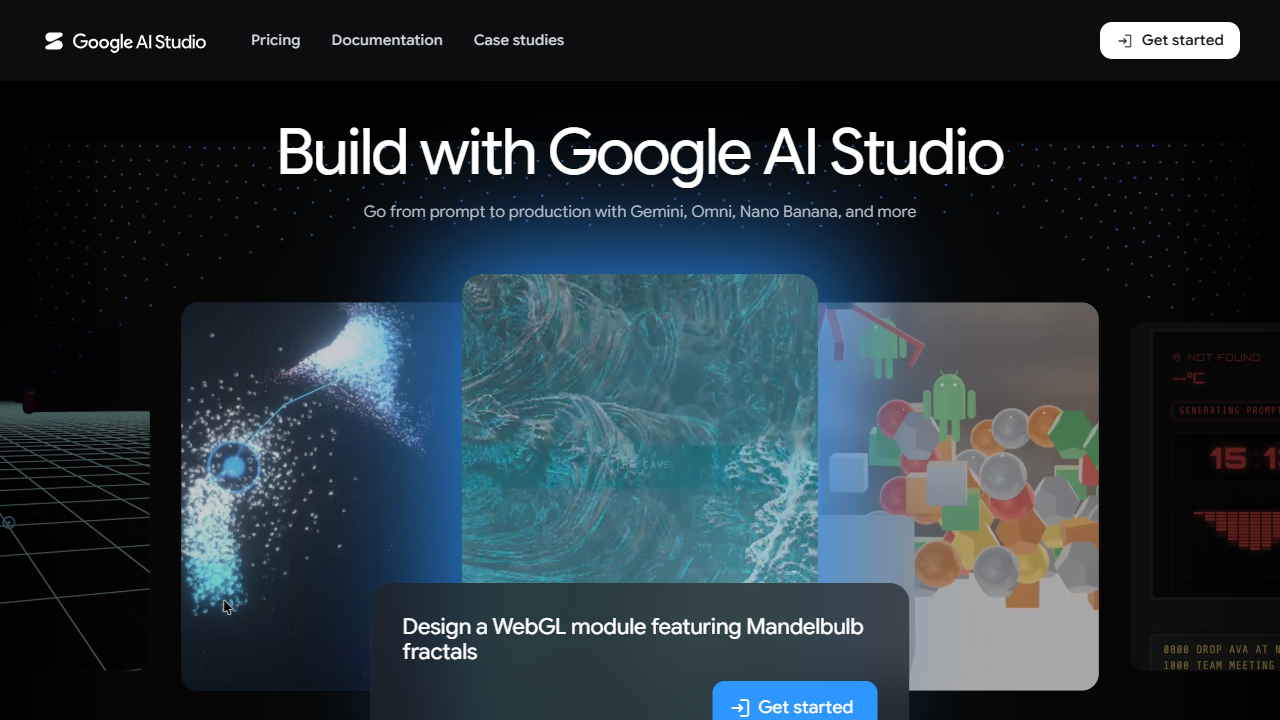
Screenshot archived from the listing page, for preview only.