Godview
Map and data visualisation platformPresent geographic data on accurate, editable maps
Highlights
What you can do with it
- Urban geographic analysis and planning.
- Route optimisation and delivery area division.
- Collecting geographic data for environmental assessment.
How to use it
- 1 Visit the Godview site and register.
- 2 Start the free trial.
- 3 Choose the map display and view regional data.
- 4 Use the visualisation tools to present the information graphically.
- 5 Edit the map or submit feedback where accuracy needs work.
Who it is for
Pros
- Multiple map styles and accurate underlying data.
- Visualisation built in rather than bolted on.
- A feedback loop lets users improve the maps.
Limitations
- The free offer is a trial, and pricing requires inquiry.
- Map accuracy depends on upstream providers, so errors propagate.
- Editing rights and how feedback is moderated are not described.
- It is not a replacement for a full GIS on heavy analysis work.
What Godview is
Godview is a map service and data visualisation platform. It integrates data from Mapbox and OpenStreetMap to deliver accurate map display across several styles, and it presents geographic information graphically rather than as rows in a table, which is the difference between a map people understand and a dataset they skip. Users can edit maps and submit feedback to improve accuracy, which gives the platform a correction loop rather than a one way feed. Access is through the web, so it works across devices without an install, and map data updates in real time. The listed audiences are urban planners, logistics teams, and environmental monitoring groups, and a free trial is offered with pricing available on inquiry.
What you can do with it
- Display high precision maps in several styles.
- Present geographic data graphically for readability.
- Edit maps and submit corrections.
- Work from the browser on any device.
Who it is for
- Urban planners analysing geographic information.
- Logistics teams optimising routes and dividing delivery areas.
- Environmental teams collecting and assessing location data.
What to watch out for
The free offer is a trial, and pricing requires inquiry, so you cannot budget from this listing alone. Map accuracy also depends on upstream providers, and errors in the underlying data appear in your visualisation whether or not you notice them, so verify anything consequential against another source. Editing rights and the way feedback is moderated are not described, which matters if several people need to work on the same map. Finally, this is a presentation and light analysis platform, not a full geographic information system, and heavy spatial analysis will need dedicated tooling behind it.
FAQ
Is Godview free?
It offers a free trial, and specific pricing requires further inquiry, so contact the provider for current figures.
Where does the map data come from?
The listing says it integrates data from Mapbox and OpenStreetMap.
Can I correct a map error?
Yes. The platform supports map editing and a user feedback mechanism to improve accuracy.
Why it is free
What the official page says: free trial
Free limits, trial length and features are decided by the official site and can change at any time.
Product preview
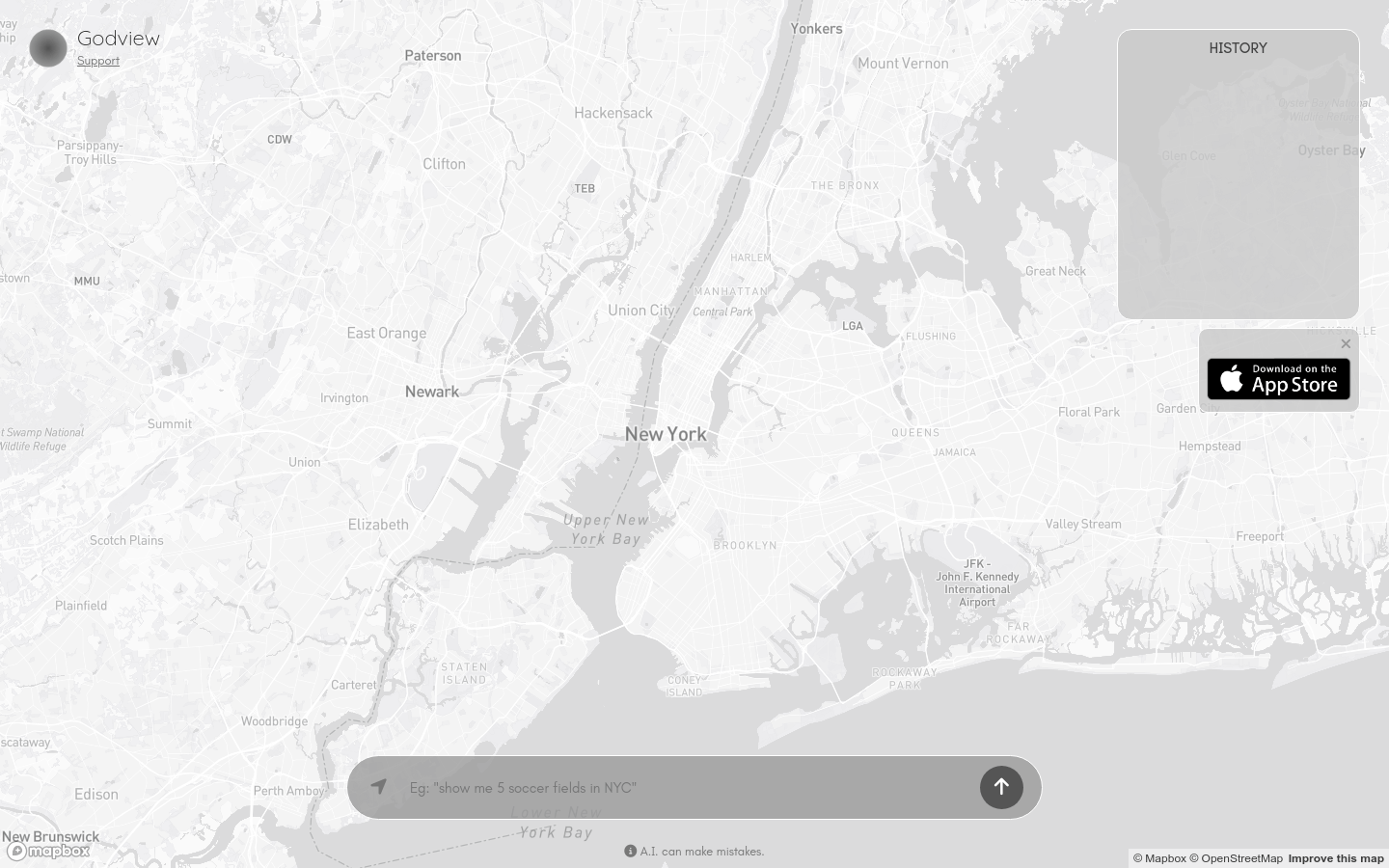
Screenshot archived from the listing page, for preview only.