
GitPodcast
Turns GitHub repositories into podcasts for quick project overviewsTurn any GitHub repo into a podcast
Highlights
What you can do with it
- Developers get a fast overview of an open-source project before reading code
- Project managers assess a tech stack or check whether a repo fits their plans
- Programming beginners learn project structure by listening first
How to use it
- 1 Visit gitpodcast.com in your browser.
- 2 Pick an example repository or paste a GitHub URL.
- 3 Listen to the generated podcast to grasp the project core.
- 4 Replace "hub" with "podcast" in a GitHub address to open it directly.
- 5 Share the link or use the API endpoints for integration.
Who it is for
Pros
- Free to use with no account or install required
- Works with any public GitHub repository
- Provides example repos so you can try it immediately
Limitations
- Free access can change at any time
- Episode depth depends on how much written material the repo has
- Audio is one-way, so you cannot ask follow-up questions
- Depends on GitHub staying reachable and public
What GitPodcast is
GitPodcast is a free online tool that turns any GitHub repository into a podcast. Instead of scrolling through file trees and README documents, you can listen to a spoken overview of a code project and pick up its core ideas in a few minutes. The tool was built by BandarLabs and runs entirely in the browser, so there is nothing to download or install. The site describes the product as currently free and designed to make code projects more comprehensible and engaging through a podcast format. It sits at the meeting point of developer tooling and audio learning, offering a new way to explore code without opening an editor.
What you can do with it
- Convert a public GitHub repository into a podcast episode with a few clicks.
- Try built-in example repositories such as FastAPI, Streamlit, and Click3 before working with your own links.
- Use the URL trick: replace "hub" with "podcast" in a GitHub address to open the podcast version directly.
- Share a generated podcast link with teammates, or use the provided API endpoints to integrate the function into your own tools.
Who it is for
- Developers who want a fast overview of an open-source project before reading the source code.
- Project managers who need to assess a tech stack or check whether a repository fits their plans.
- Programming beginners who find long documentation hard to get through and would rather listen first.
What to watch out for
The podcast summarizes whatever written material the repository already contains, so a project with a thin README will produce a thinner episode. GitPodcast is free today, but free access can change at any time, and the service depends on GitHub remaining reachable and public. Audio is also a one-way format: you cannot ask follow-up questions the way you would in a chat, and the spoken summary will not cover implementation details. Treat the podcast as a starting point for learning, not a replacement for reading the actual code, issues, and commit history.
FAQ
Is GitPodcast free?
The site states the product is currently free. Free access can change, so check the site for current terms.
How do I convert a repository?
Open gitpodcast.com, choose an example repository, or paste a GitHub URL. You can also replace "hub" with "podcast" in the GitHub address.
Do I need to install anything?
No. It is a web tool that runs in the browser, so there is nothing to download or install.
Can I use it with my own private repository?
The page describes converting GitHub repositories and offers public examples. Check the site for details on which repositories are supported.
Why it is free
What the official page says: 免费
Free limits, trial length and features are decided by the official site and can change at any time.
Product preview
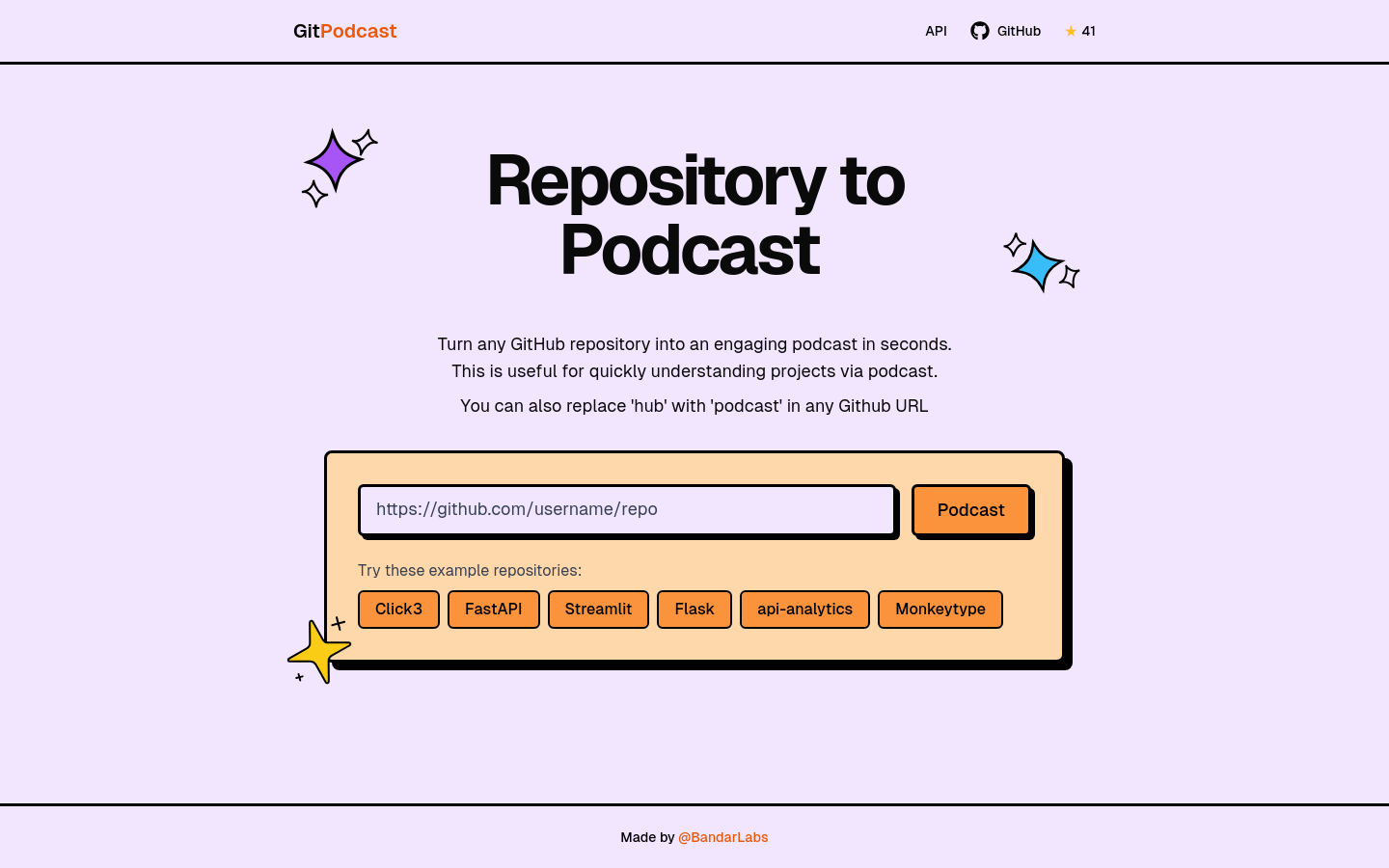
Screenshot archived from the listing page, for preview only.











