
Gimme Summary AI
Free article summarizer browser extensionSummarize any article with a hotkey
Highlights
What you can do with it
- Summarizing a long article before reading it
- Getting the gist of news quickly
- Filtering research material for relevance
How to use it
- 1 Install the extension from the Chrome web store
- 2 Open an article you want to summarize
- 3 Trigger the summary with the hotkey or button
- 4 Read the summary and decide whether to continue
Who it is for
Pros
- Free and quick to install
- Works on any website in Chromium browsers
- Hotkey activation keeps it out of the way
- Summaries help triage before committing
Limitations
- Free availability can change
- Summary quality varies with article structure
- Summaries can miss nuance or omit key caveats
- Scope is summarization, not note-taking
What Gimme Summary AI is
Gimme Summary AI is a free Chrome extension that uses ChatGPT AI to generate summaries of articles on web pages. It works in Chrome and other Chromium-based browsers, and the listing says it supports all websites, so the limit is your browser rather than the site you are reading. Customisable hotkeys let you trigger a summary without breaking your reading flow, and the extension is described as completely free and privacy-protected. The purpose is triage: before committing twenty minutes to a long piece, you get the main points and decide whether it is worth it. For research, news, and general reading, that filter is the entire value.
What you can do with it
- Summarize an article on the page you are reading
- Trigger the summary with a keyboard shortcut
- Triage long reads before committing time
- Use it on any site in a Chromium browser
Who it is for
- Heavy readers who screen many articles daily
- Researchers filtering material for relevance
- News readers who want the gist quickly
What to watch out for
Free availability is the stated position and can change, and extensions sometimes add accounts or limits later, so check before you depend on it. Summary quality varies with article structure, and paywalled, heavily formatted, or dynamically loaded pages may not summarise well. A summary can flatten nuance or drop a caveat that mattered, so read the original before quoting or acting on anything important. Scope is summarization; it does not save notes, tag articles, or sync across devices, and page content is sent for processing, which is worth knowing for sensitive reading.
FAQ
Is it free?
The listing describes it as completely free, though terms can change.
Which browsers work?
Chrome and other Chromium-based browsers are listed.
Does it work on every site?
The listing says it supports all websites.
Can I use a keyboard shortcut?
Yes, customisable hotkeys for activating the plugin are listed.
Why it is free
What the official page says: 免费
Free limits, trial length and features are decided by the official site and can change at any time.
Product preview
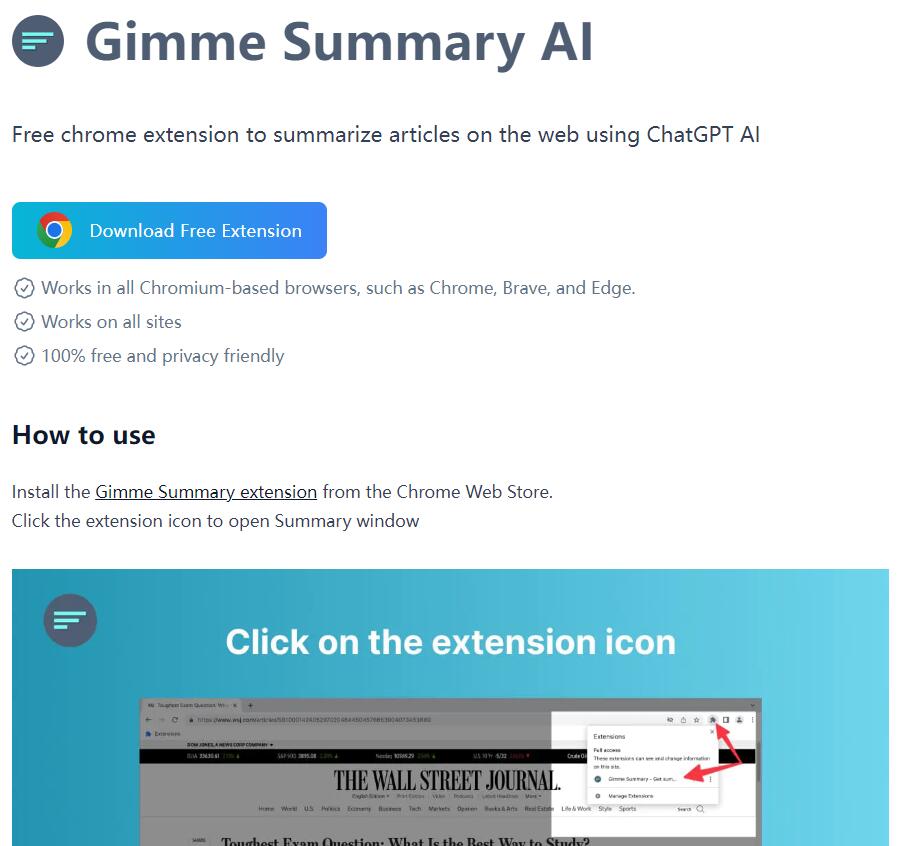
Screenshot archived from the listing page, for preview only.











