
GenVideo AI
AI video generator with text-to-video and image-to-video workflows.Text or image in, a finished short video in minutes.
Highlights
What you can do with it
- Product marketers converting product photos into e-commerce short videos
- Creators generating vertical TikTok videos from text prompts
- Brands turning promotional posters into dynamic campaign videos
How to use it
- 1 Visit genvideo.app and register or log in
- 2 Choose text-to-video or image-to-video and provide your description or image
- 3 Adjust settings such as resolution and duration
- 4 Check credits, click Generate, keep the page open, then preview and download
Who it is for
Pros
- Both text and image starting points cover common needs
- Daily free trials let you test before buying credits
- Commercial-ready plans for marketing workflows
Limitations
- Free usage is limited to small daily trials
- Generation time varies with model and queue length
- Model availability can differ by tool page and plan
What GenVideo AI is
GenVideo AI is a tool focused on video generation, offering two complementary workflows. With text-to-video, you describe the theme, camera movements, actions, emotions, and aspect ratio, and the system generates a short video from that description. With image-to-video, you upload product photos, character images, concept art, or promotional visuals and describe the motion you want, converting static assets into moving content. Most videos generate in about 1 to 3 minutes, depending on the model, queue, and settings, and you simply keep the page open while waiting. The business model is credit-based: free users can log in daily to receive limited trial opportunities, while complete generation and higher usage require purchased video credits. Paid plans are designed for commercial workflows, including product demonstrations, advertising ideas, landing page videos, and social campaigns. The tool is positioned for creators, marketers, brands, and production teams that need fast video creation without a traditional production pipeline.
What you can do with it
- Generate short videos from detailed text descriptions including camera movement and emotion
- Animate product photos, posters, and concept art with described motion
- Produce vertical social videos and e-commerce product clips quickly
- Test ideas with free daily trials before committing credits to production
Who it is for
- Content creators who need fast social clips from text or images
- Product marketers converting product photos into listing and landing page videos
- Brands generating advertising concepts and promotional videos
- Video production teams that want a quick generation step in their workflow
What to watch out for
The free tier is deliberately small: daily trial opportunities are enough to sample quality, but real production requires purchased credits, and costs scale with usage, so estimate your volume before committing. Generation times depend on model and queue, and outputs vary in quality between models and prompts, so plan for regeneration attempts. Model availability may differ depending on the tool page and plan, which matters if you need a specific look consistently. As with any credit-based service, pricing and free allowances can change, so check current terms. Finally, review generated videos for unintended likenesses, brand safety, and artifacts before publishing, and confirm the commercial licensing terms of your plan for client work.
FAQ
Is GenVideo AI free?
Free users can log in daily to get limited video trial opportunities. Full generation and higher usage require purchasing video credits.
How long does generation take?
Most videos take about 1 to 3 minutes depending on the model, queue, and settings; keep the page open while waiting.
Can I use it commercially?
Yes. Paid plans are designed for commercial workflows including product demonstrations, advertising ideas, and social campaigns.
Why it is free
What the official page says: free trial
Free limits, trial length and features are decided by the official site and can change at any time.
Product preview
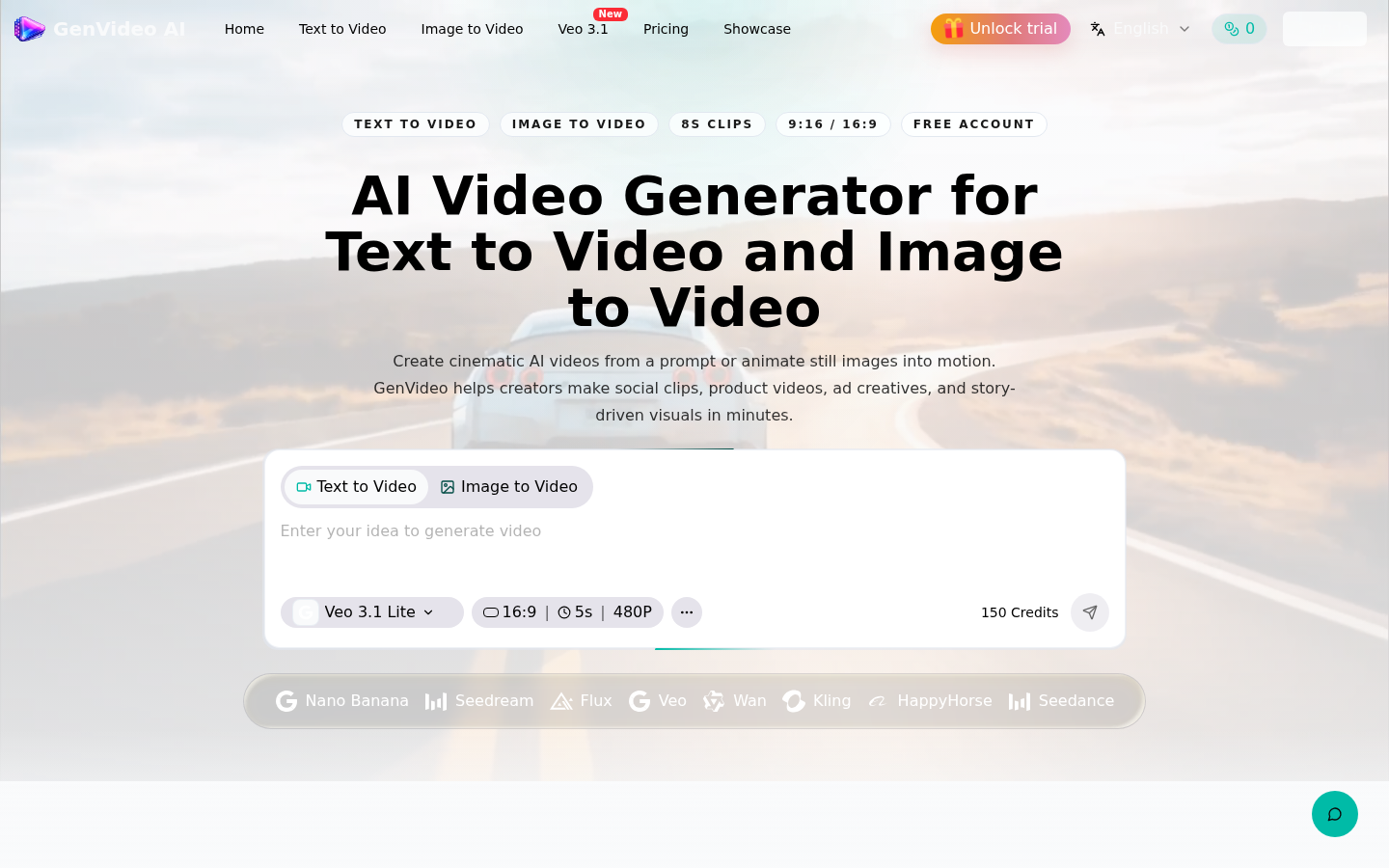
Screenshot archived from the listing page, for preview only.











