Geekflare Connect
Connect multiple AI provider APIs in one workspaceOne workspace for many AI models and prompts
Highlights
What you can do with it
- A marketing team brainstorms ad copy across several models
- A support team analyzes a competitor page with web access
- A product team compares model answers to pick feature copy
How to use it
- 1 Create an account and register for the service
- 2 Add API keys from one or more providers in settings
- 3 Start a chat and pick or compare connected models
- 4 Organize work in folders and use the prompt library
- 5 Invite teammates to collaborate in a shared workspace
Who it is for
Pros
- Free trial to test the multi-provider workspace
- Side-by-side comparison speeds up model choice
- Usage analytics help keep token spend visible
Limitations
- You still pay each provider for API usage
- A platform fee applies on top of provider costs
- Requires managing your own API keys and access
What Geekflare Connect is
Geekflare Connect is a workspace for people who use more than one AI model. Instead of jumping between provider dashboards, you connect your API keys from services such as OpenAI, Google, and Anthropic in one place and work from a single interface. You can run a prompt on several models and compare the answers side by side, which makes it easier to pick the best output for a task. The platform can also give models real-time web access for research, organize conversations in folders, and show usage analytics so a team can see token consumption across every connected provider. A curated prompt library and a shared team workspace round it out. The listing describes a free trial, with API usage billed by the providers and a platform fee from Geekflare.
What you can do with it
- Connect API keys from multiple AI providers in one console.
- Compare responses from models like GPT-4, Gemini, and Claude.
- Give the assistant real-time web access for up-to-date research.
- Organize chats in folders and reuse a curated prompt library.
- Track token usage and collaborate in a team workspace.
Who it is for
- Marketers and writers who switch between models for different jobs.
- Teams that want shared prompts and clear visibility into usage.
- Founders and managers trying to streamline a scattered AI workflow.
What to watch out for
Two costs stack up here: you pay each AI provider for the API tokens you use, and you also pay Geekflare a platform fee, so the total can be more than a single-provider plan. You are responsible for managing your own API keys and provider access, which adds some setup and security considerations. The free trial is a way to evaluate the workflow, but ongoing use is a paid commitment, so confirm the current pricing and make sure the side-by-side comparison and analytics justify the extra layer for how you work.
FAQ
Is Geekflare Connect free?
It offers a free trial. After that, you pay a platform fee, and your AI providers bill API usage separately.
Which providers can I connect?
The listing mentions OpenAI, Google, and Anthropic, among others.
Who is it for?
Marketers, writers, support and product teams, and managers who work across multiple AI models.
Why it is free
What the official page says: free trial
Free limits, trial length and features are decided by the official site and can change at any time.
Product preview
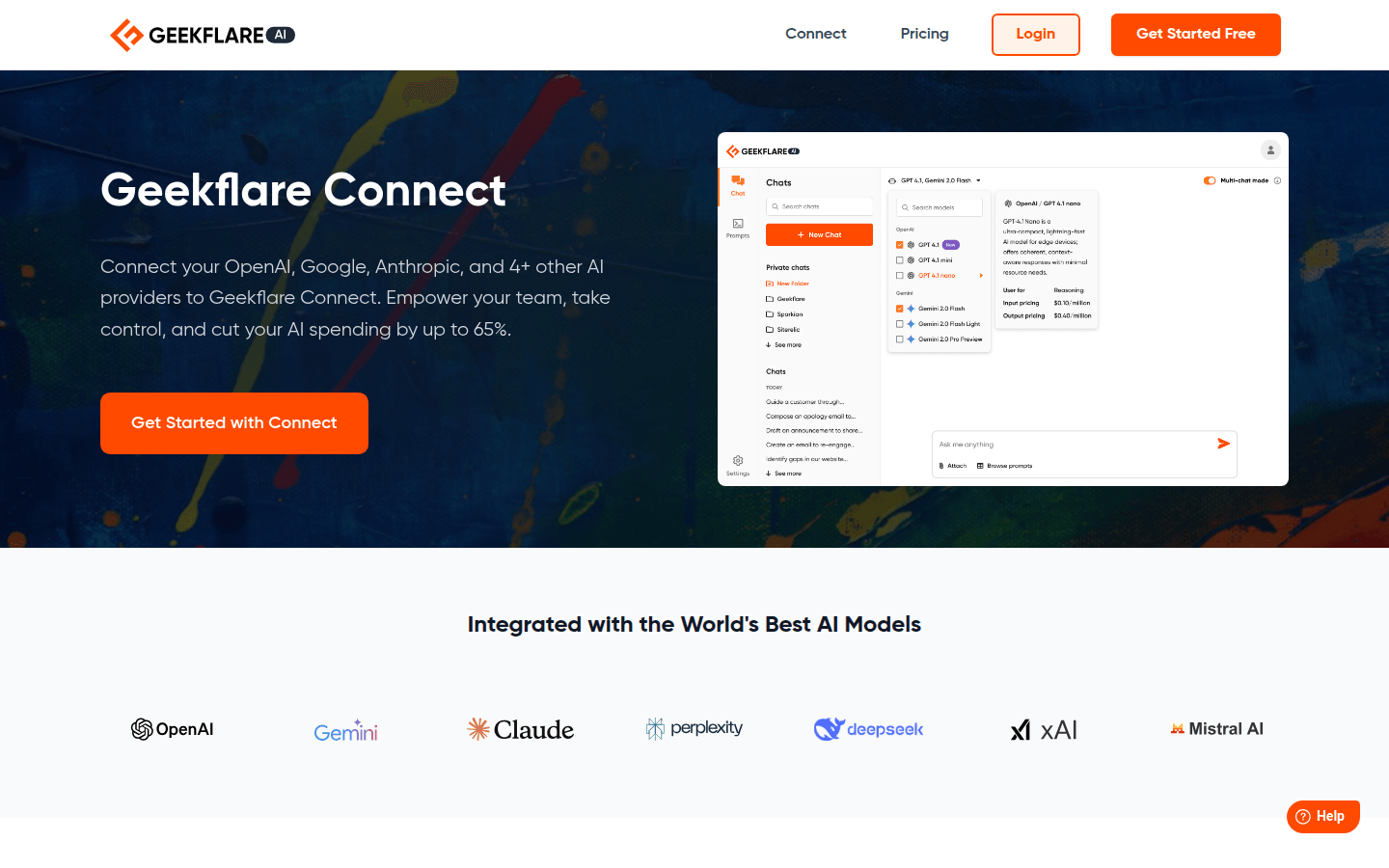
Screenshot archived from the listing page, for preview only.