
FreeParser
Free AI document parsing tool for many file formatsExtract key data from PDFs, images, and more
Highlights
What you can do with it
- Finance teams parse invoices and receipts to pull amounts and dates
- HR departments batch process resumes and capture candidate details
- Researchers extract data from large volumes of academic literature
How to use it
- 1 Visit the FreeParser website and register for an account
- 2 Upload the documents you want to parse, including batch uploads
- 3 Configure custom extraction fields or prompts if needed
- 4 Click Parse and let the tool process the documents automatically
- 5 Review the results and export them as JSON or CSV
Who it is for
Pros
- Supports a long list of common file formats in one place
- Custom prompts let you target exactly the fields you need
- Free trial lets you test parsing accuracy before paying
Limitations
- Free usage is limited to a trial; long term use requires a paid plan
- Accuracy on handwritten or very poor scans may vary
- Large batch jobs still need a manual review pass before data is trusted
What FreeParser is
FreeParser is an AI powered document parsing tool for people who need structured data out of documents without manual retyping. It accepts a long list of file types, including PDF, DOCX, PPTX, XLSX, images such as JPG, PNG, BMP, and TIFF, plus plain text and Markdown files. Under the hood it combines optical character recognition with large language model technology: the OCR layer reads text even from low quality scans, and the model layer identifies the fields that matter, such as amounts, dates, names, or line items. Users can define custom prompts and fields so extraction targets exactly the data they need, then export results as raw data, JSON, or CSV. The platform is built for both business and individual document workloads, and the interface is designed to be simple enough that no technical training is required. A free trial is available alongside on demand pricing plans, so accuracy can be verified on real documents before committing budget.
What you can do with it
- Upload single files or batch documents across PDF, Office, image, and text formats
- Use OCR to pull text from low quality scans and photos
- Define custom prompts and fields so extraction targets your exact data points
- Export parsed results as raw data, JSON, or CSV for downstream systems
Who it is for
- Finance professionals who process invoices and receipts at volume
- HR teams that screen many resumes and need consistent candidate fields
- Researchers extracting data from large collections of academic literature
What to watch out for
The free option is a trial rather than a permanent free tier, so continuous use will eventually require a paid plan, and current pricing should be confirmed on the official site. Extraction quality depends heavily on source quality; handwritten notes, faded scans, and unusual layouts can produce errors that need manual review. Because processing happens on hosted infrastructure, sensitive documents should be handled according to your organization's data rules before upload.
FAQ
What file formats does FreeParser support?
It handles PDF, DOCX, PPTX, XLSX, JPG, PNG, BMP, TIFF, TXT, MD, and more, including batch uploads.
Is there a free option?
FreeParser offers a free trial along with on demand pricing plans, so you can try the tool before buying a plan.
What output formats are available?
You can export parsed data as raw data, JSON, or CSV files.
Why it is free
What the official page says: 免费
Free limits, trial length and features are decided by the official site and can change at any time.
Product preview
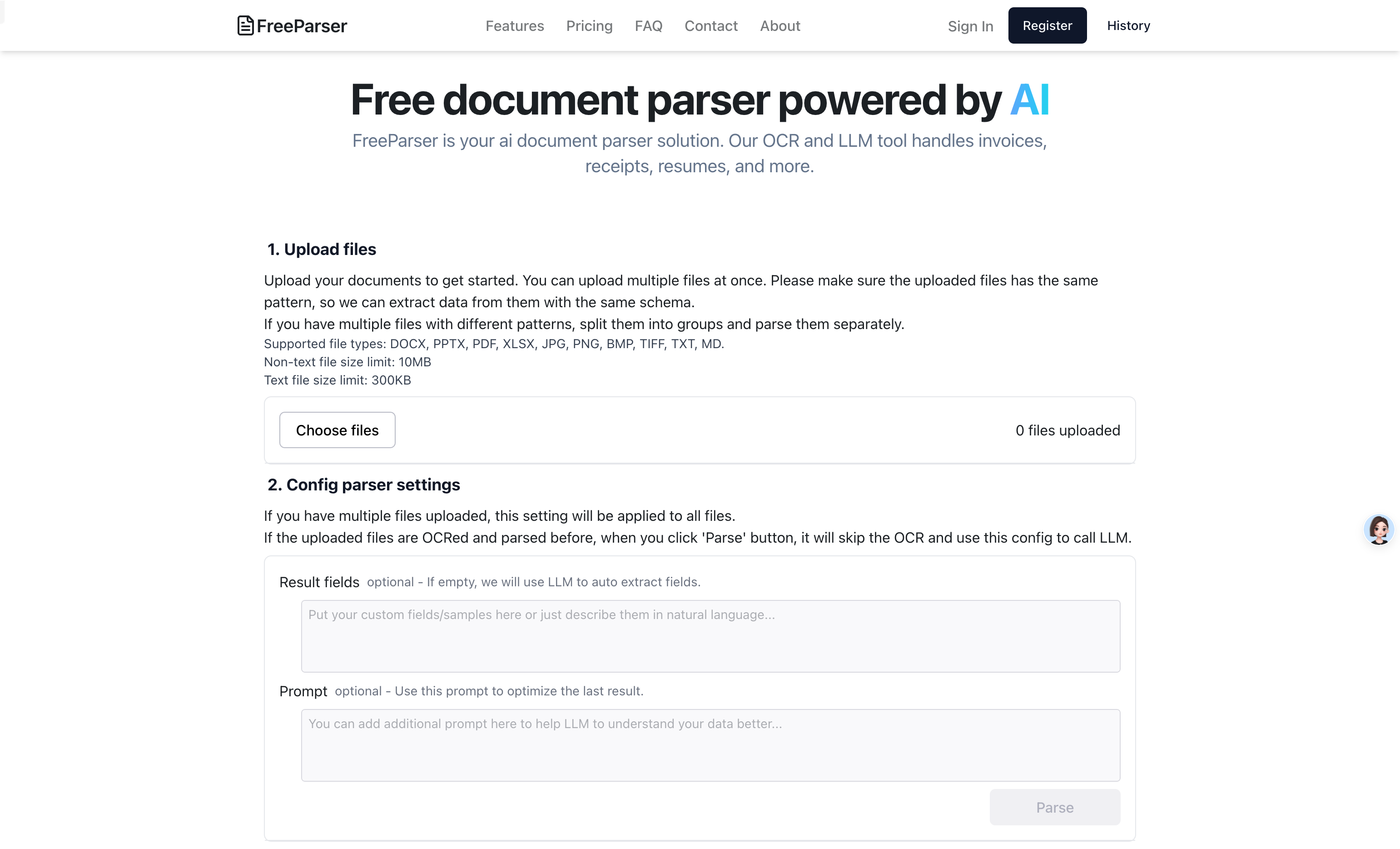
Screenshot archived from the listing page, for preview only.











