
FreeMake is a free AI image generation and processing platform
Free multi-model image generatorSeveral image models, no signup, no watermark
Highlights
What you can do with it
- Sci-fi style product posters for promotion
- Illustrations matched to an article topic
- Personal avatars and wallpapers
How to use it
- 1 Open freemake.cc in your browser
- 2 Find the image generation input box
- 3 Type a description of the image you want
- 4 Pick a model such as GPT Image 2 or Gemini 3 Pro
- 5 Click generate and wait
- 6 Adjust the prompt or model if needed, then save
Who it is for
Pros
- No signup and no VPN needed
- Several models behind one box
- No watermark on output
- Up to 4K resolution
Limitations
- Free access on a small site can change or disappear
- Model availability may rotate without notice
- No published detail on commercial licensing
What FreeMake is
FreeMake is an online AI image generator that puts several image models behind a single input box. You type a description, pick a model, and generate. The site lists GPT Image 2, Gemini 3 Pro, Qwen Image 2.0 and Seedream 4.5 among the options, and states that no registration or VPN is needed, output carries no watermark, and resolution reaches up to 4K.
What you can do with it
- Generate images from a text description with no account.
- Switch between several well-known image models.
- Produce watermark-free output.
- Export at up to 4K resolution.
- Iterate by adjusting the prompt or changing model.
Who it is for
Designers who need a visual quickly, content creators illustrating an article, and ordinary users making avatars or wallpapers.
What to watch out for
Free access with no signup on a small site is convenient but fragile; availability and model line-up can change without notice. There is no published detail on commercial licensing of the output, so confirm terms before using images in paid work. Model quality and queue times also vary between the underlying providers. Processing speed depends on file size and network conditions, so retry later if a task stalls during peak hours. Run one full task end to end first, then expand once you are comfortable with the workflow and the result quality. Run one full task end to end first, then expand once you are comfortable with the workflow and the result quality. Behavior may vary across browsers and devices, so test before production use and consult the help docs if errors appear. Start with a small sample to confirm the output meets your expectations before processing the full batch.
FAQ
Do I need to register?
No. The site says you can use it without registration, and without a VPN.
Which models can I use?
The site names GPT Image 2, Gemini 3 Pro, Qwen Image 2.0 and Seedream 4.5 among the available models.
Are the images watermarked?
No. The vendor states the generated images carry no watermark.
What resolution can I get?
Up to 4K, according to the site.
Why it is free
What the official page says: for free
Free limits, trial length and features are decided by the official site and can change at any time.
Product preview
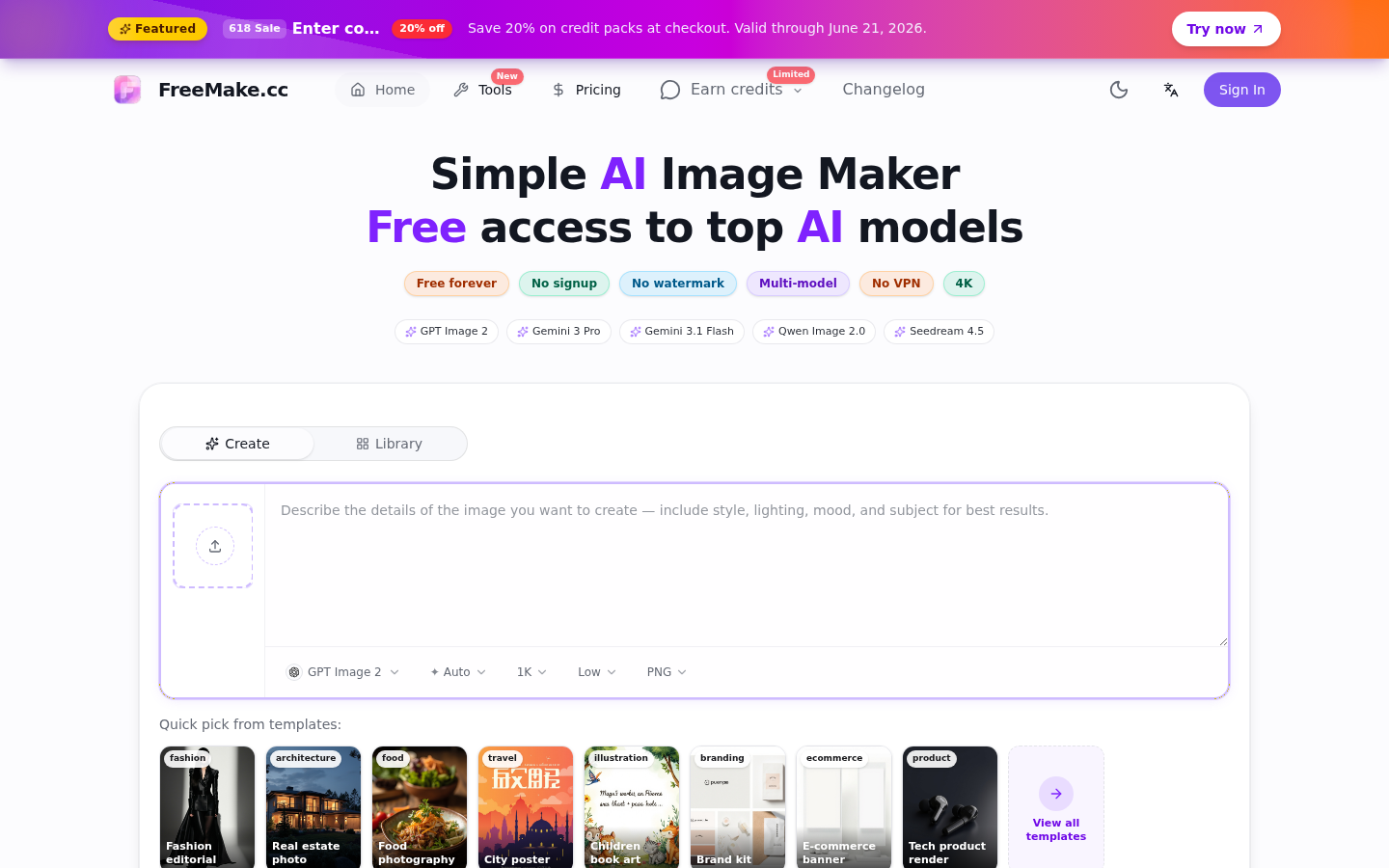
Screenshot archived from the listing page, for preview only.











