
Free Image to Video AI Generator | ImageToVid AI
Free AI image-to-video generator with no watermarkTurn still photos into HD video, watermark-free
Highlights
What you can do with it
- Marketers turn product photos into video ads with motion and audio
- Content creators transform daily photos into social videos
- Users animate old photos by describing the action they want
How to use it
- 1 Upload a JPG, PNG, or WEBP image
- 2 Describe the actions, emotions, or camera moves you want
- 3 Click generate and wait a few seconds
- 4 Pick a resolution and download the watermark-free video
Who it is for
Pros
- 100 free credits for new users with no mention of a card
- Watermark-free high-definition output
- Simple upload, describe, download flow
- Templates cover social, marketing, and story use cases
Limitations
- Free credits last 7 days, and continued use costs money; free rules can change
- You must register to keep a personal creation space
- Saved videos are kept for 30 days, so download what matters
- Motion quality depends on your description and the source image
What ImageToVid AI is
ImageToVid AI is a free AI image-to-video generator. You upload a still picture, describe what should happen, and the tool produces a short video. It is built for people who want motion content without editing skills. The site says new users get 100 free credits that are valid for 7 days and support unlimited exploration of the core features. Output is described as high-definition and completely watermark-free, and registered users get a personal space where generated videos are kept for 30 days. The workflow is upload, describe, generate, download, with preset templates for social media, product marketing, and storytelling.
What you can do with it
- Convert portraits, product photos, and digital art into moving video
- Set the start and end positions, duration, and resolution yourself
- Add audio to the finished clip
- Start from preset templates built for social media, product marketing, and storytelling
- Describe the actions, emotions, or camera movement you want and let the AI render it
Who it is for
- Creators who want video output without learning an editor
- Marketers who need product video ads for social campaigns
- Storytellers who turn a set of stills into a short visual narrative
- Anyone with a folder of photos who wants them to move
What to watch out for
The 100 free credits are valid for 7 days, so treat them as a trial window rather than a permanent free tier, and expect to pay after they run out. You need to register to keep a personal creation space, and saved videos only stay for 30 days, so download anything you want to keep. Motion quality depends heavily on your written description and on the source image, so a weak prompt gives a weak clip. Because generation happens on their servers, do not upload images you cannot share.
FAQ
Is ImageToVid free?
New users get 100 free credits valid for 7 days; after that it is a paid service.
Does the video have a watermark?
The site says output is completely watermark-free.
What formats can I upload?
Common formats such as JPG, PNG, and WEBP are supported.
How long are my videos stored?
Registered users have a personal space where videos are saved for 30 days.
Why it is free
What the official page says: free credits
Free limits, trial length and features are decided by the official site and can change at any time.
Product preview
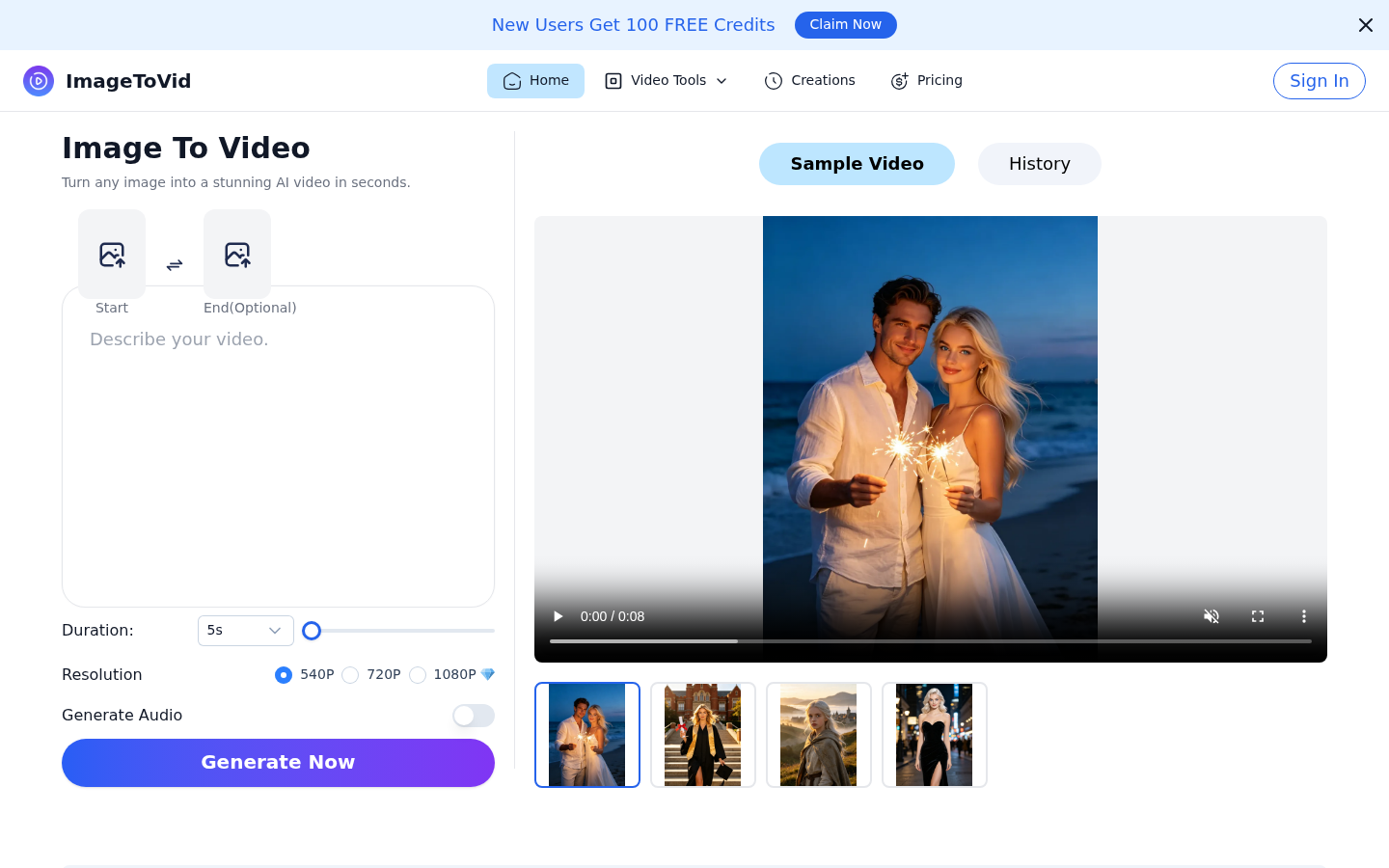
Screenshot archived from the listing page, for preview only.











