Free AI Video Upscaler
Browser-based AI video upscalerNo install, no signup, just clearer video
Highlights
What you can do with it
- Enhancing personal home videos
- Improving social media video quality before posting
- Quick clarity pass on raw footage
How to use it
- 1 Open the Free AI Video Upscaler site in your browser
- 2 Upload the video you want to enhance
- 3 Wait for processing to finish
- 4 Download the enhanced result
Who it is for
Pros
- Nothing to install or configure
- No account required
- Faster than heavier enhancement software
- Simple upload and download flow
Limitations
- Fewer features than dedicated enhancement software
- Free availability and limits can change
- Browser processing depends on your machine and connection
- No fine control over enhancement settings
What Free AI Video Upscaler is
Free AI Video Upscaler enhances video using AI, and it does so inside your browser. There is no registration, no installation, and no configuration, which is the whole appeal: open the page, upload a clip, wait, download the result. The listing is candid that the tool is not as feature-rich as other AI enhancement software, and positions faster processing as the trade you accept for that simplicity. That framing is useful, because it sets expectations correctly. Typical uses are personal home videos, social media clips where quality affects engagement, and a quick clarity pass on raw footage before real editing starts.
What you can do with it
- Upscale and clean up a video without installing software
- Improve personal or family footage
- Raise the quality of a social media clip before posting
- Do a fast clarity pass on raw footage
Who it is for
- People improving home videos with no technical setup
- Social media creators who need a quick quality lift
- Editors who want a fast pass before detailed work
What to watch out for
Feature depth is limited by design, so if you need frame-level control, denoise, colour correction, or batch processing, look elsewhere. Free availability and any file size or length limits can change without notice, so do not build a workflow that assumes unlimited free use. Browser processing depends on your machine and connection, and large files will take longer. Check the output before publishing, since upscaling improves apparent detail rather than recovering information that was never captured. Start with a small sample to confirm the output meets your expectations before processing the full batch.
FAQ
Do I need to install anything?
No. The listing says it works in the browser with no registration, installation, or configuration.
How does it compare to other tools?
The listing says it is not as feature-rich as other AI enhancement software but processes faster.
What can I use it for?
Personal videos, social media clips, and quick clarity passes on raw footage.
Is it free?
The tool is presented as free, though free terms and limits can change, so check the site.
Why it is free
What the official page says: no registration
Free limits, trial length and features are decided by the official site and can change at any time.
Product preview
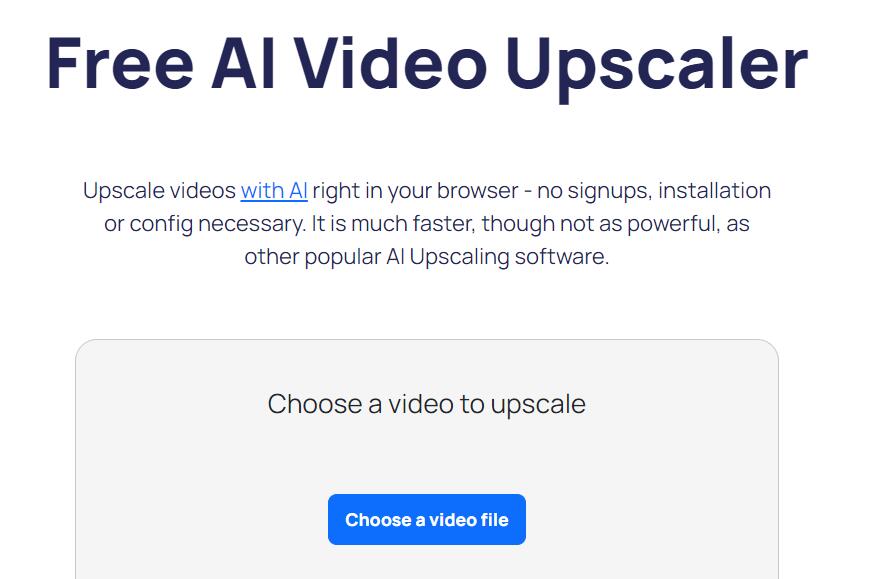
Screenshot archived from the listing page, for preview only.