
Free AI Video Maker & Generator
Free AI video generator from text or imagesTurn prompts or pictures into 5-second videos, no sign-up
Highlights
What you can do with it
- Marketers create short product promotion videos for campaigns
- Content creators produce short social clips and share them on platforms
- Educators build short teaching videos to support lessons
How to use it
- 1 Open the Free AI Video Maker & Generator website
- 2 Choose a text description or upload a picture
- 3 Click the generate button
- 4 Wait for the AI to finish rendering the clip
- 5 Download and share your video
Who it is for
Pros
- Free to use without registration for basic generation
- Simple five-step workflow with no editing skills required
- Output is safety-screened and watermark-free
Limitations
- Free output is limited to 5 seconds at 480p
- 720p, multi-task, and commercial rights sit behind paid plans
- Depends on upstream models such as Wan 2.2, so availability can change
What Free AI Video Maker & Generator is
Free AI Video Maker & Generator is a free online tool that turns text prompts or uploaded pictures into short video clips. According to the site, it can generate 5-second videos at 480p, and you do not need to register an account to use the core generator. It states that this basic generation stays free permanently, which is the main reason it shows up in free tool directories. Under the hood it uses AI models such as Wan 2.2 to create smooth, realistic motion from a short prompt or a still image. Every clip goes through a safety screening before it is returned to you, and the downloaded files come out without watermarks. Paid plans exist for people who want higher resolution or commercial rights, but the free path is open to anyone who visits the page and clicks generate. The whole design favors speed and simplicity over deep editing control.
What you can do with it
- Type a text description and turn it into a 5-second video clip
- Upload a picture and let the AI animate it into a short scene
- Download the finished video without a watermark and share it anywhere
- Upgrade to paid plans for 720p output, multi-task runs, and commercial rights
Who it is for
- Marketers who need quick product promotion clips for campaigns
- Content creators producing short videos for social platforms
- Educators building short teaching aids to support lessons
- Anyone who wants video output without professional editing skills
What to watch out for
The free version is narrow. Clips are capped at 5 seconds and 480p, so anything longer or sharper requires a paid plan, and that rules out most long-form projects. Commercial usage rights are also listed as a paid upgrade, so check the license before you use a clip in client or paid work. The service depends on upstream models such as Wan 2.2, which means output quality and availability can shift outside your control when those models change. Generation also takes time, and not every prompt produces a usable result on the first try. Like many free web tools, the current free rules may change over time, so treat the permanent-free claim as the site's own description rather than a guarantee.
FAQ
Do I need to sign up to use it?
No. The site says you can generate videos without registering an account.
What length and quality does the free version produce?
The free generator creates 5-second videos at 480p resolution.
Can I use the videos commercially?
Commercial usage rights are listed as a paid upgrade option on the site.
Are the videos watermarked?
The site says generated videos are screened for safety and output without watermarks.
Why it is free
What the official page says: 免费
Free limits, trial length and features are decided by the official site and can change at any time.
Product preview
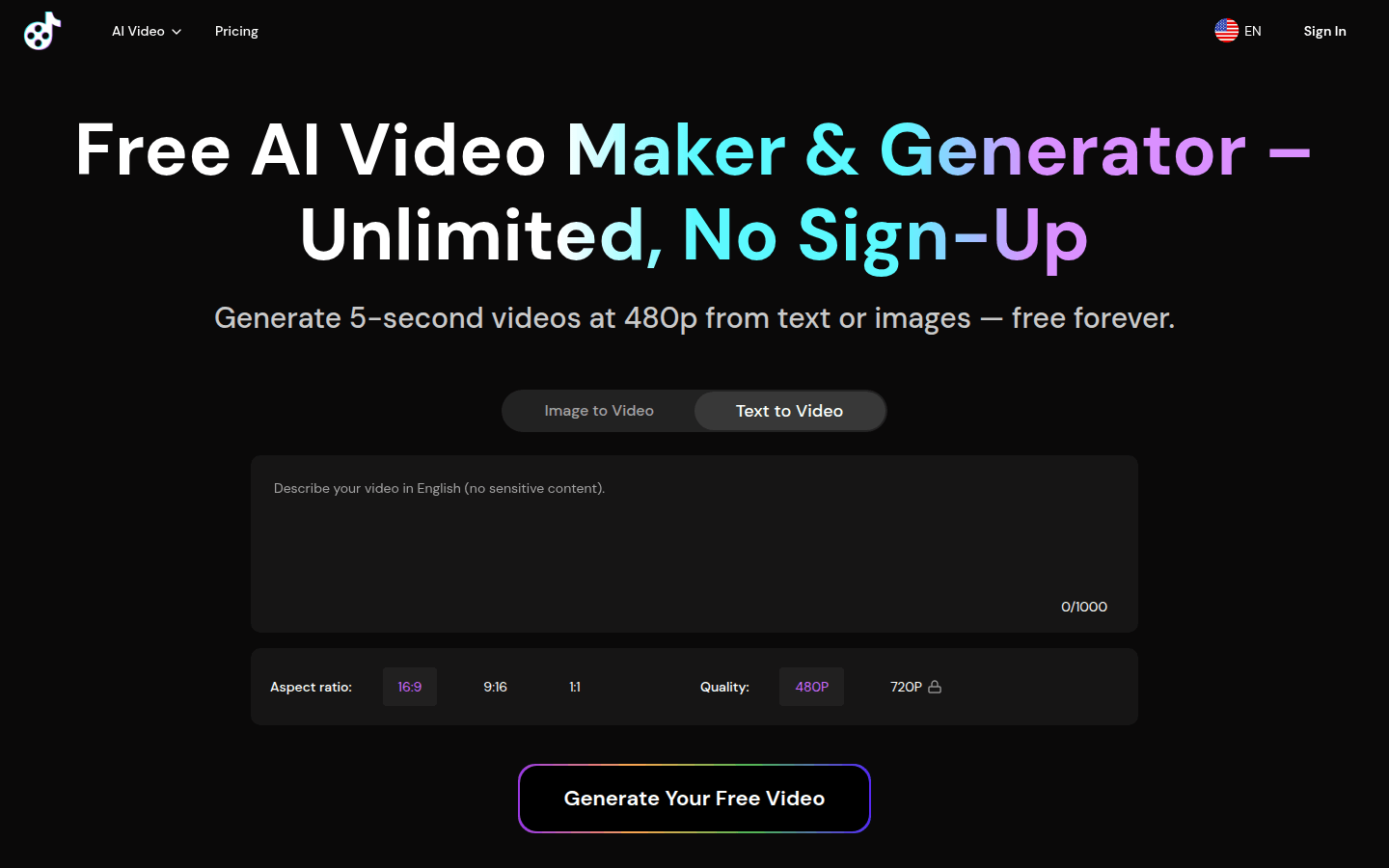
Screenshot archived from the listing page, for preview only.











