
Free AI Image Combiner
Blend multiple photos into one realistic compositeMerge 2 to 4 photos into a natural scene
Highlights
What you can do with it
- Combine separate family photos into one group portrait
- Place a product photo into a lifestyle scene for an online listing
- Preview furniture inside a real room before buying
How to use it
- 1 Open the site and sign in, or start with the free option.
- 2 Upload 2 to 4 clear, well-lit images, each under 16MB.
- 3 Describe positions, poses, background and lighting in the prompt box.
- 4 Pick an output ratio such as 1:1, 16:9 or 3:4.
- 5 Generate, preview, then adjust the prompt or swap images if needed.
- 6 Download the high-resolution result when you are happy.
Who it is for
Pros
- Blending handles shadows, edges and color automatically
- No design software or masking skills required
- Fast cloud generation with no local GPU
- Commercial rights included on output
Limitations
- Free use is limited, and heavier work needs a paid plan, so pricing terms can change
- Results depend on input quality; dark or low-resolution photos blend worse
- The tool needs an internet connection because processing happens in the cloud
- Composites of real people should only be made with their consent
What Free AI Image Combiner is
Free AI Image Combiner, presented on the web as Tancky AI, is a browser tool that merges several photos into one believable image. Instead of a collage or a simple overlay, it reads the subjects, lighting, depth and perspective in each upload and then rebuilds shadows, edges, color temperature and reflections so the pieces sit in the same scene. It runs in the cloud, so there is nothing to install and no local graphics card required. The service offers a free starting point and paid plans for heavier use.
What you can do with it
- Merge 2 to 4 images and describe positions, poses, background and lighting in plain text.
- Keep faces, hair and product labels intact, including text and logos on packaging.
- Choose a custom aspect ratio for a social cover, an e-commerce main image or print.
- Generate results in the browser in tens of seconds and refine the prompt to retry.
Who it is for
- E-commerce sellers who need lifestyle product shots without a studio.
- Content creators who want covers, thumbnails and social visuals from existing photos.
- Families and couples who cannot be in the same place for a photo.
What to watch out for
The free entry point is limited, and continued or high-volume use pushes you toward a paid plan, so check the current terms before relying on it for regular work. Output quality tracks input quality: dark, blurry or heavily compressed photos blend poorly, and unusual angles can produce seams. Because processing happens online, you need a stable connection, and your images are uploaded to a remote service, which matters if they are sensitive. Finally, compositing images of real people raises consent questions. Only combine photos of people who have agreed to it, and do not use the tool to manufacture misleading images of anyone.
FAQ
How many photos can I combine?
The tool supports 2 to 4 reference images per generation.
What formats and sizes are accepted?
JPG, PNG and WebP files, each no larger than 16MB.
Do I need to mask or cut out anything?
No. The engine handles subject separation and edge blending automatically.
Can I use the results commercially?
The site states that generated high-resolution images come with full commercial usage rights.
Why it is free
What the official page says: for freefree trial
Free limits, trial length and features are decided by the official site and can change at any time.
Product preview
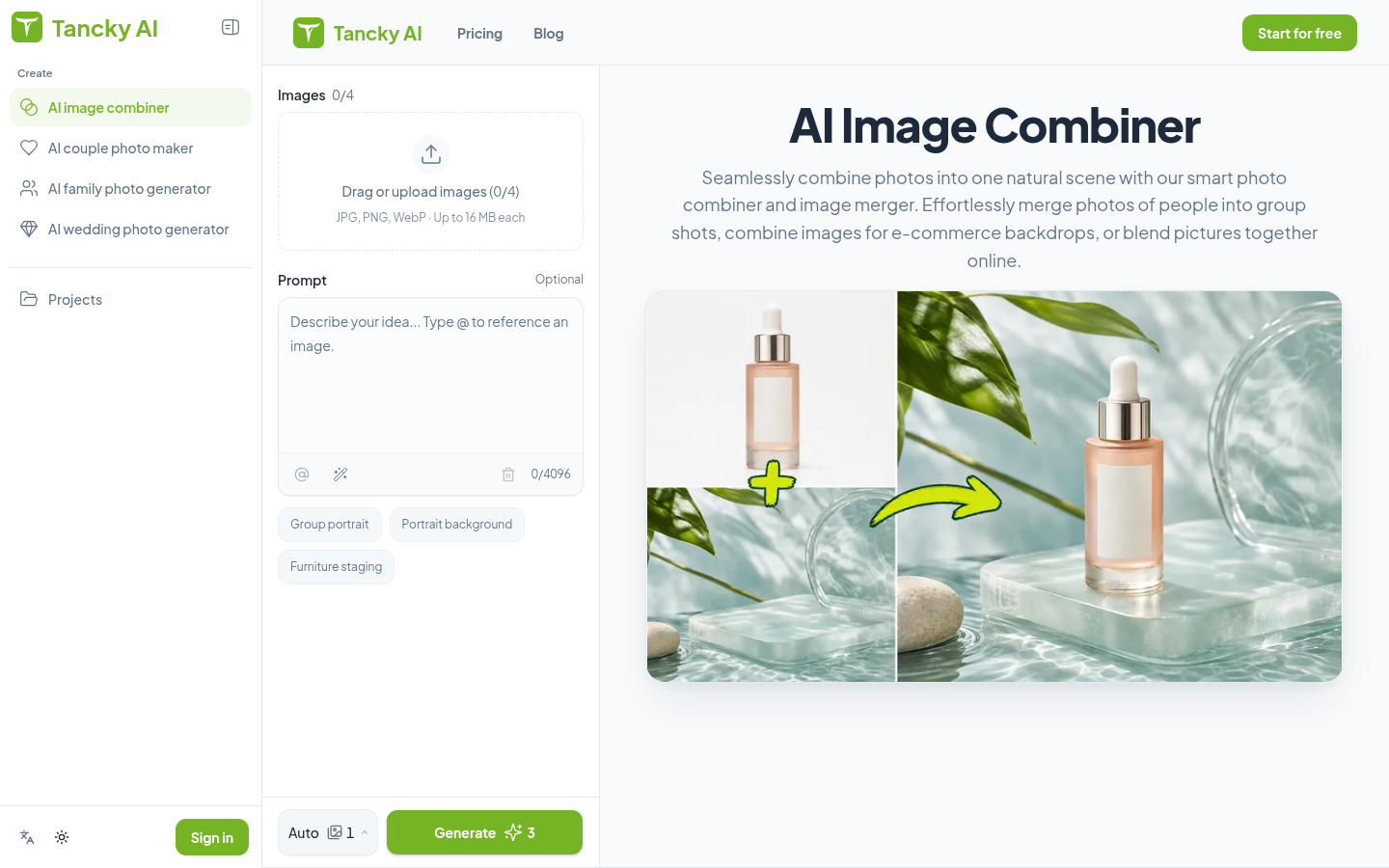
Screenshot archived from the listing page, for preview only.











