
Flyne AI
AI image and video generator with a free trialTurn text and images into videos and art
Highlights
What you can do with it
- Marketers create product promotion posters and videos
- Photographers restore old photos for clients
- Students produce learning videos and images
- Creators make social media visuals quickly
How to use it
- 1 Visit flyne.ai and start a free trial by registering
- 2 Choose the image or video generation function
- 3 Enter a text description or upload an image
- 4 Select a model and set parameters, then click generate
- 5 Download or further edit the finished result
Who it is for
Pros
- Covers both images and videos in one place
- Multiple generation models to choose from
- Free trial lowers the entry barrier
- Rich editing features from avatars to photo repair
Limitations
- Some functions are paid, so the free trial is limited
- Free access rules may change over time
- Fees depend on model and duration, so cost is not fixed
- Result quality can vary by model and input
What Flyne AI is
Flyne AI is an AI image and video generation platform that works in your browser. It is backed by technologies such as Nano Banana and Seedream, and it turns text prompts or reference images into finished visuals. You can generate still images, edit images with image-to-image tools, build AI avatars, restore old photos, and create short videos from text or images. The platform offers a free trial so you can try the core generation tools before deciding whether to pay. Some functions require payment, with costs set by the model and duration you pick. It is a single place for both still images and moving video.
What you can do with it
- Generate images from a text description or an uploaded reference image
- Turn text or images into animated short videos
- Create AI avatars and restore old photos with detail repair
- Choose from multiple generation models for different styles and results
Who it is for
Flyne AI suits creative workers, self-media creators, and ordinary users who need to make visuals quickly. Marketers can build product posters and promotional videos to attract attention. Photographers can restore old photos for their clients. Students can turn ideas into learning videos and images for class projects. If you want one tool that covers both images and videos, this platform fits that workflow without switching between apps.
What to watch out for
The free trial only covers the entry experience. Advanced features require payment, and the price depends on the model and duration you choose, so the cost is not fixed. Free access rules may change over time as the product evolves. Result quality can also vary by model and by the quality of your input, so you may need to try several settings. Keep expectations modest until you see how each model handles your prompts, and test the free trial before you commit to a paid plan.
FAQ
Is Flyne AI free to use?
Flyne AI offers a free trial so you can try it before paying. Some advanced functions require payment, and costs depend on the model and duration you pick.
What can I create with Flyne AI?
You can generate images from text or reference images, create AI avatars, restore old photos, and turn text or images into short videos.
Do I need to register?
The workflow asks new users to register or log in so you can start the free trial and keep your results.
Which models power the generation?
The platform is described as supported by technologies such as Nano Banana and Seedream, and you can choose among multiple models.
Why it is free
What the official page says: for freefree trial
Free limits, trial length and features are decided by the official site and can change at any time.
Product preview
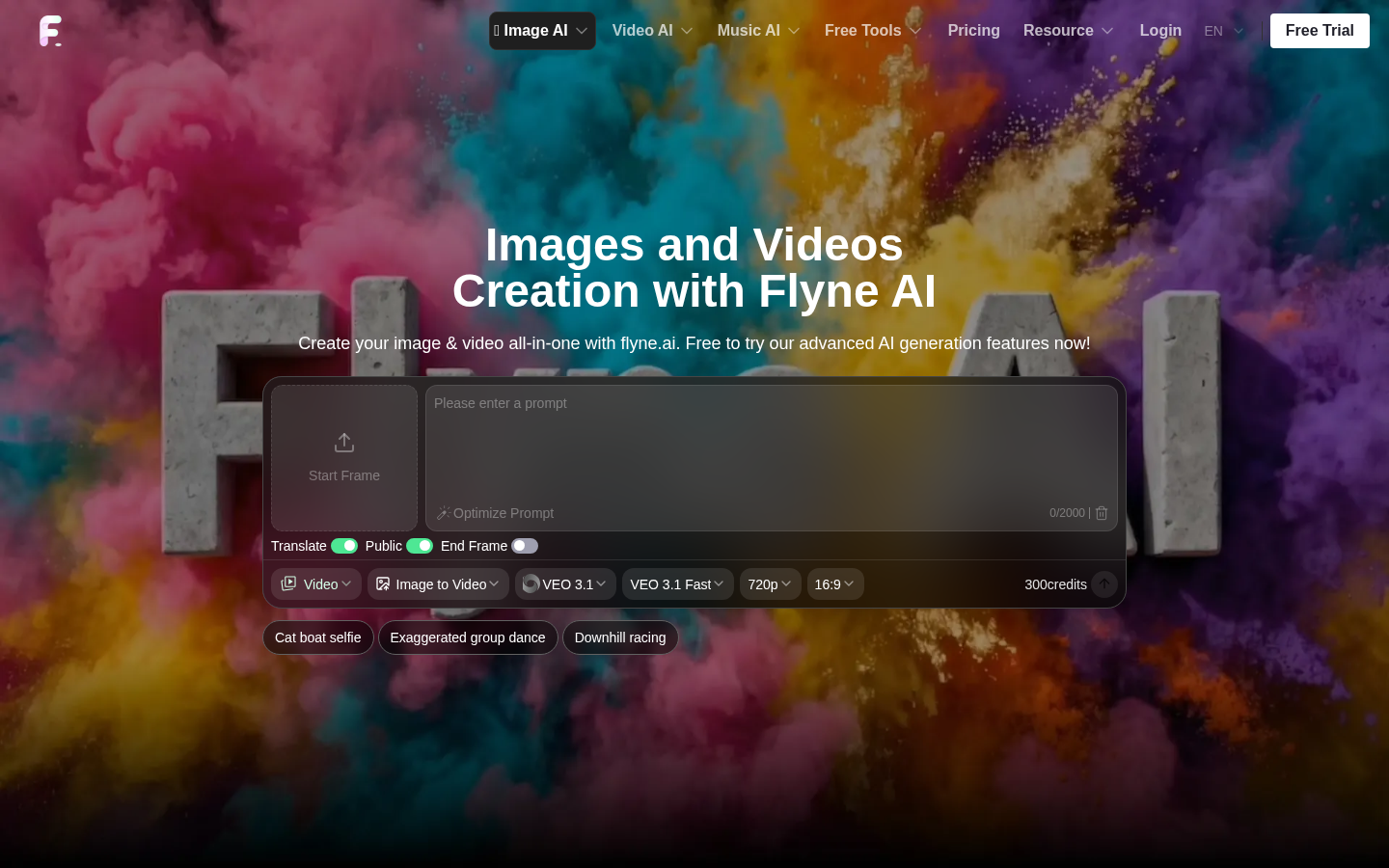
Screenshot archived from the listing page, for preview only.











