
Flux 3 AI
Browser tool for AI image and video creation across many modelsTry many AI models in one workspace, free credits to start
Highlights
What you can do with it
- A content creator replaced three tools and did image, edit, and video in one place
- A brand designer used GPT Image for hero shots and Nano Banana for fast variants
- A marketer cut creative turnaround from days to hours in one workspace
How to use it
- 1 Visit the site and register to claim free credits
- 2 Choose the AI Image or AI Video tab
- 3 Enter a prompt or upload a reference image and set style and lighting
- 4 Select a model such as Nano Banana 2 or GPT Image 2 and generate
- 5 Adjust and regenerate, then keep the result you like
Who it is for
Pros
- Many models without switching tools
- Free credits to test before paying
- Commercial licenses are offered on output
Limitations
- A free trial is offered, and pricing or limits can change
- Credits run out, so heavy use needs a paid plan
- Model quality varies, so results differ by task
What Flux 3 AI is
Flux 3 AI is a browser-based AI image and video generation tool. Its pitch is that several leading models live in one workspace, so you do not bounce between tools. The page names Flux 2, GPT Image, Nano Banana, Veo, Kling, and Seedance among the options. It supports text-to-image, image-to-image, text-to-video, and image-to-video, and it lets you control style, lighting, composition, and mood for more precise output. There is also a gallery where you can see work from other creators and the prompts behind it. New users get a free credit quota with no credit card.
What you can do with it
- Generate images from text or from a reference photo.
- Generate short video from text or images.
- Control style, lighting, composition, and mood.
- Browse community work and reuse prompts as a starting point.
Who it is for
- Content creators who want drafting, editing, and video in one place.
- Brand designers who pick a model per creative need.
- Marketers who must produce ad creative quickly.
What to watch out for
A free trial credit quota is offered, and pricing, credit amounts, or limits can change at any time. Credits are consumed as you generate, so heavy use needs a paid plan, and model quality varies by task, meaning one model may be strong for images and weak for video. Commercial licenses are offered, but read the terms for your specific use before you rely on the output in a campaign. Features and interface details may change between versions, so review the latest notes on the page before you start. For team use, agree on naming and editing conventions in advance to avoid version conflicts or duplicated work.
FAQ
What is Flux 3 AI?
It is a browser-based AI image and video generation tool that combines several models in one workspace.
Is there a free option?
New users get a free credit quota on registration with no credit card required.
Which models does it include?
The page names Flux 2, GPT Image, Nano Banana, Veo, Kling, and Seedance.
Can I use the output commercially?
The page says commercial licenses are provided, so review the license terms for your case.
Why it is free
What the official page says: free trial
Free limits, trial length and features are decided by the official site and can change at any time.
Product preview
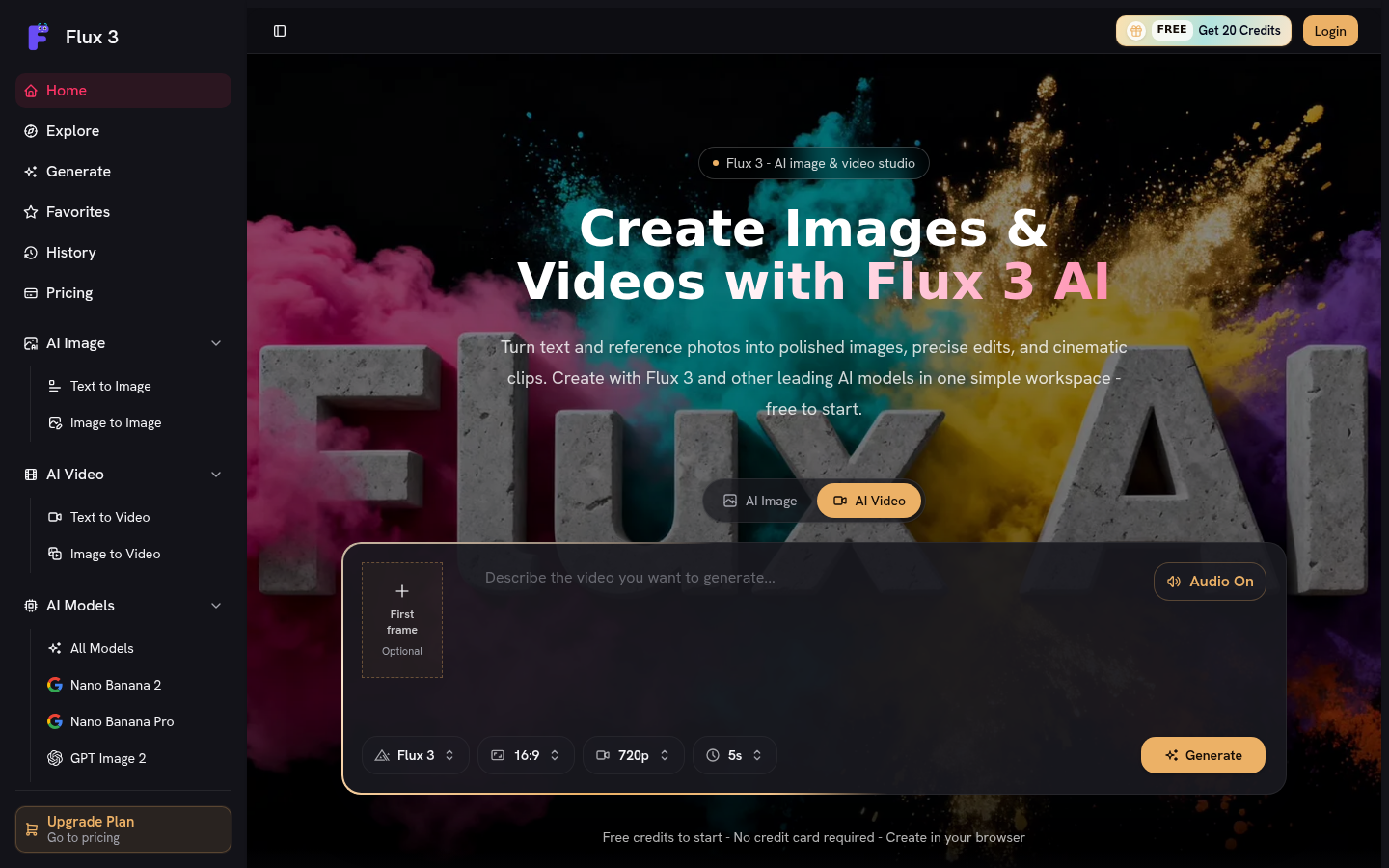
Screenshot archived from the listing page, for preview only.











