FlowSpeech
Free AI podcast generator from textTurn a document into a spoken podcast
Highlights
What you can do with it
- Turn textbook content into audio for study on the move
- Produce product promotion audio
- Convert blog posts into podcast episodes
How to use it
- 1 Register an account on the ListenHub site.
- 2 Upload your text file or enter a topic.
- 3 Select the voice type and tone.
- 4 Click generate and wait for processing.
- 5 Download the audio or listen online.
Who it is for
Pros
- Multiple input formats including PDF and TXT
- Voice output described as natural-sounding
- Downloadable audio you can publish anywhere
- A free tier is offered with credits
Limitations
- Free use is credit-based; monthly limits depend on the plan
- Voice cloning raises consent and legal issues, and cloning a voice you do not own may break platform rules or local law, with any consequences falling on you
- Speech quality varies by script, punctuation, and voice choice
- Subscription terms and credit amounts are not fully spelled out
What FlowSpeech is
FlowSpeech is a free AI podcast generator. You give it text and it returns spoken audio in a voice the page describes as natural and human-like, built on current speech synthesis technology. Input formats include PDF and TXT, so you can hand it a document rather than retyping anything. Advanced voice types and voice cloning are offered for personalization, and the finished audio can be downloaded and shared. Monthly credits depend on the subscription plan, which means heavier use moves onto a paid tier. Smart conversation features and a simple interface round out the description.
What you can do with it
- Upload a PDF or TXT file and get spoken audio back.
- Pick a voice type and tone that suits the content.
- Clone a voice for a consistent presenter, where you have the right to do so.
- Download the audio or listen online, then publish it.
Who it is for
- Educators making audio versions of course material.
- Companies that need voiceover for product promotion.
- Bloggers and creators turning written posts into episodes.
What to watch out for
Free use runs on credits, and the monthly amount depends on the plan, so the free tier is a trial rather than an unlimited supply. Voice cloning is the part that needs care. Only clone a voice you own or have explicit permission to use, because cloning someone else's voice can break platform rules and local law, and any consequences fall on you. Speech quality also varies with the script: long sentences, unusual punctuation, and mixed languages all produce awkward pacing, so expect to edit the text before generating. Finally, credit amounts and subscription terms are not fully spelled out on the page.
FAQ
What can I upload?
The page lists PDF, TXT, and other text formats.
Can I clone a voice?
Voice cloning is listed as a feature. Only use voices you have the clear right to use.
Is it free?
It is described as free, with monthly credits depending on the subscription plan.
Why it is free
What the official page says: 免费
Free limits, trial length and features are decided by the official site and can change at any time.
Product preview
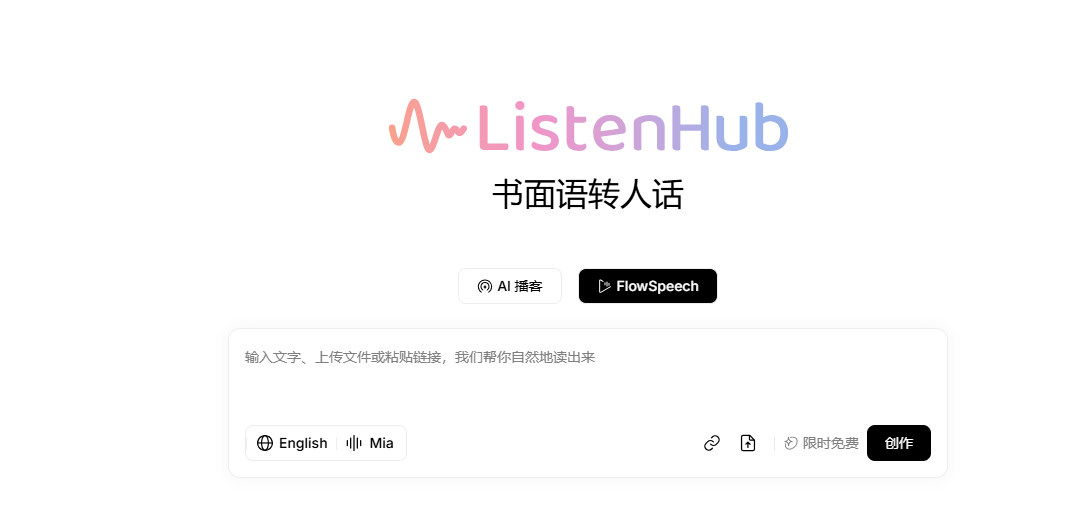
Screenshot archived from the listing page, for preview only.