
Floor Planner
Free AI floor plan generatorText to professional floor plans in seconds
Highlights
What you can do with it
- Designers presenting floor plans during client meetings
- Homeowners previewing a kitchen or room remodel
- Real estate agents adding plans to property listings
How to use it
- 1 Choose Room, House, or Custom mode
- 2 Set dimensions and layout in square meters or feet
- 3 Pick one of the ten visual styles
- 4 Generate, preview full screen, and download
Who it is for
Pros
- No registration and no stated cost
- Fast generation, usually within seconds
- Ten style options cover technical and artistic needs
- Saved history makes revisions easy
Limitations
- Free access rules can change without notice
- Results still need a human check for accuracy
- Complex or irregular buildings may need several attempts
What Floor Planner is
Floor Planner is a free online AI floor plan generator that converts text descriptions into professional floor plans in seconds. No registration is required. You pick a generation mode, set dimensions, choose a look, and the system produces a high-resolution plan you can download. Three modes cover different jobs: Room mode designs a single space such as a bedroom or kitchen, House mode creates a complete residence, and Custom mode handles special space requirements. Ten visual styles are available, ranging from technical drawing and blueprint to 3D isometric, colored 2D, hand-drawn, anime, watercolor, and marker render. The system handles dimensions and layout automatically, so no design experience is needed.
What you can do with it
- Generate 2D, 3D, or hand-drawn floor plans from text
- Set precise dimensions in square meters or square feet
- Switch between ten architectural presentation styles
- Choose output ratios like 16:9, 4:3, 1:1, or 3:4
- Reopen saved plans and adjust parameters
Who it is for
- Interior designers who need multiple versions during client meetings
- Homeowners previewing a remodel before committing
- Real estate agents and architects who need quick visuals
What to watch out for
The service is presented as free with no registration, but free access rules can change, so do not build a paid workflow around it without checking current terms. Generated plans are a starting point, not a construction document, so dimensions and code requirements should be verified by a professional. Complex or irregular buildings may need several attempts and edits before the layout looks right. The history feature stores past plans, which helps iteration, but it also means you should review what is saved before sharing a link with a client. Output resolution and aspect ratio should be checked against the destination platform before publishing.
FAQ
Does Floor Planner cost anything?
The page presents it as a free AI floor plan generator that can be used without registration.
What styles can I generate?
Ten styles including technical drawing, 3D isometric, colored 2D, blueprint, hand-drawn, anime, watercolor, and marker render.
Can I design a single room?
Yes. Room mode is for single spaces such as bedrooms and kitchens, while House mode creates a complete residence.
Are my plans saved?
The history feature automatically saves every generated floor plan so you can reopen and adjust it later.
Why it is free
What the official page says: no registration
Free limits, trial length and features are decided by the official site and can change at any time.
Product preview
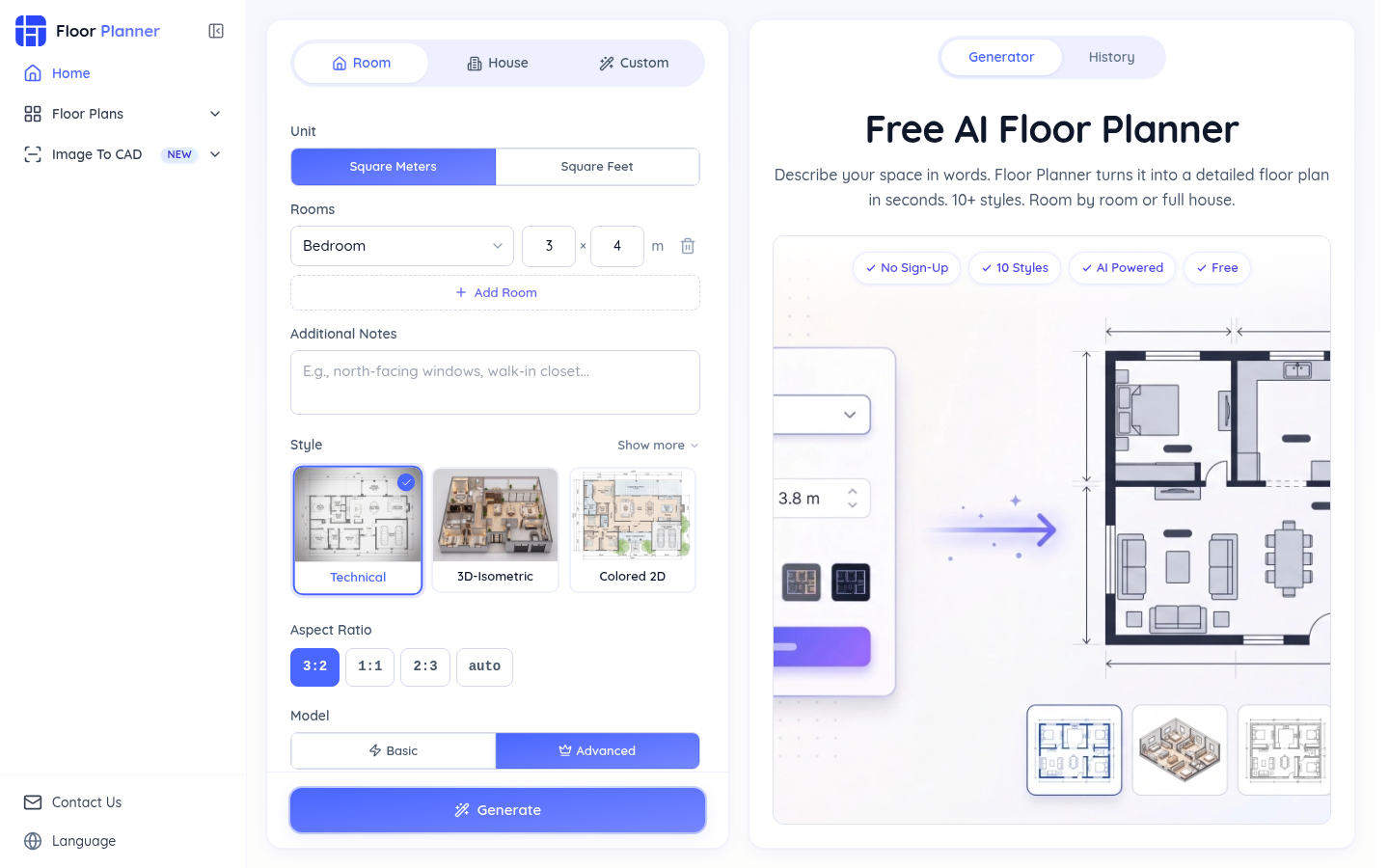
Screenshot archived from the listing page, for preview only.











