feeddub
Chrome video dubbing extensionWatch foreign video in Chinese audio
Highlights
What you can do with it
- An English tech lecture on YouTube was followed in Chinese while taking notes
- Netflix dialogue was dubbed for easier immersion without subtitles
- Anime and documentaries on Bilibili were dubbed with automatic realignment
How to use it
- 1 Install the extension from the Chrome Web Store or load the ZIP manually.
- 2 Open a supported video platform and click the microphone button in the player.
- 3 Let the extension detect the source language and start preparing the dubbing.
- 4 Keep watching while the dubbing is generated, then adjust language or voice in settings.
- 5 Drag the progress bar freely; the dubbing realigns, and replays of watched videos do not use quota.
Who it is for
Pros
- Free daily quota covers casual viewing
- Dubbing removes the need to watch subtitles constantly
- Automatic realignment after seeking keeps things usable
Limitations
- The free quota is 2 new videos a day and rules can change
- First-time viewing needs preparation time before dubbing is ready
- Not every site or video is supported
- Unlimited use needs a subscription after the login trial period
What feeddub is
feeddub is a Chrome extension for people who watch foreign-language video. On supported platforms such as YouTube, Netflix, Bilibili, TED, and Coursera, you click the microphone button and the extension lowers the original audio while playing Chinese dubbing that follows the timeline sentence by sentence. A low-latency mechanism prepares upcoming lines in advance, and if you drag the progress bar the dubbing realigns to the new position. Twenty target languages are available with male and female voices you can switch at any time. When a video has no subtitles, the extension can fall back on speech recognition where the audio is reachable. The product itself is free, with a quota of 2 new videos per day.
What you can do with it
- Dub supported video into Chinese with one click
- Keep watching without reading subtitles line by line
- Switch between 20 languages and two voice types
- Handle videos that have no subtitle track at all
- Replay previously watched videos without using quota
Who it is for
- Language learners who want listening practice with the original still audible
- Busy professionals absorbing long talks, news, and lectures
- Content creators reviewing multilingual material quickly
- Viewers who find constant subtitle reading tiring
What to watch out for
The free quota is 2 new videos a day, and after login you get three unlimited days before a $2 per month option, so the free rules can change. A first-time viewing needs preparation time before dubbing is ready, and seeking to an unprepared segment can pause playback briefly. Support is limited to the listed platforms, and not every video or site will work, especially where audio is blocked. Dubbing quality depends on the source audio, so noisy or heavily accented speech will suffer.
FAQ
Which sites work with it?
Supported players include YouTube, Netflix, Bilibili, TED, and Coursera.
How many languages are supported?
Twenty target languages, each with male and female voices.
What does it cost?
The extension is free with 2 new videos per day; after login there are three unlimited days, then a $2 per month option.
Why it is free
What the official page says: 免费
Free limits, trial length and features are decided by the official site and can change at any time.
Product preview
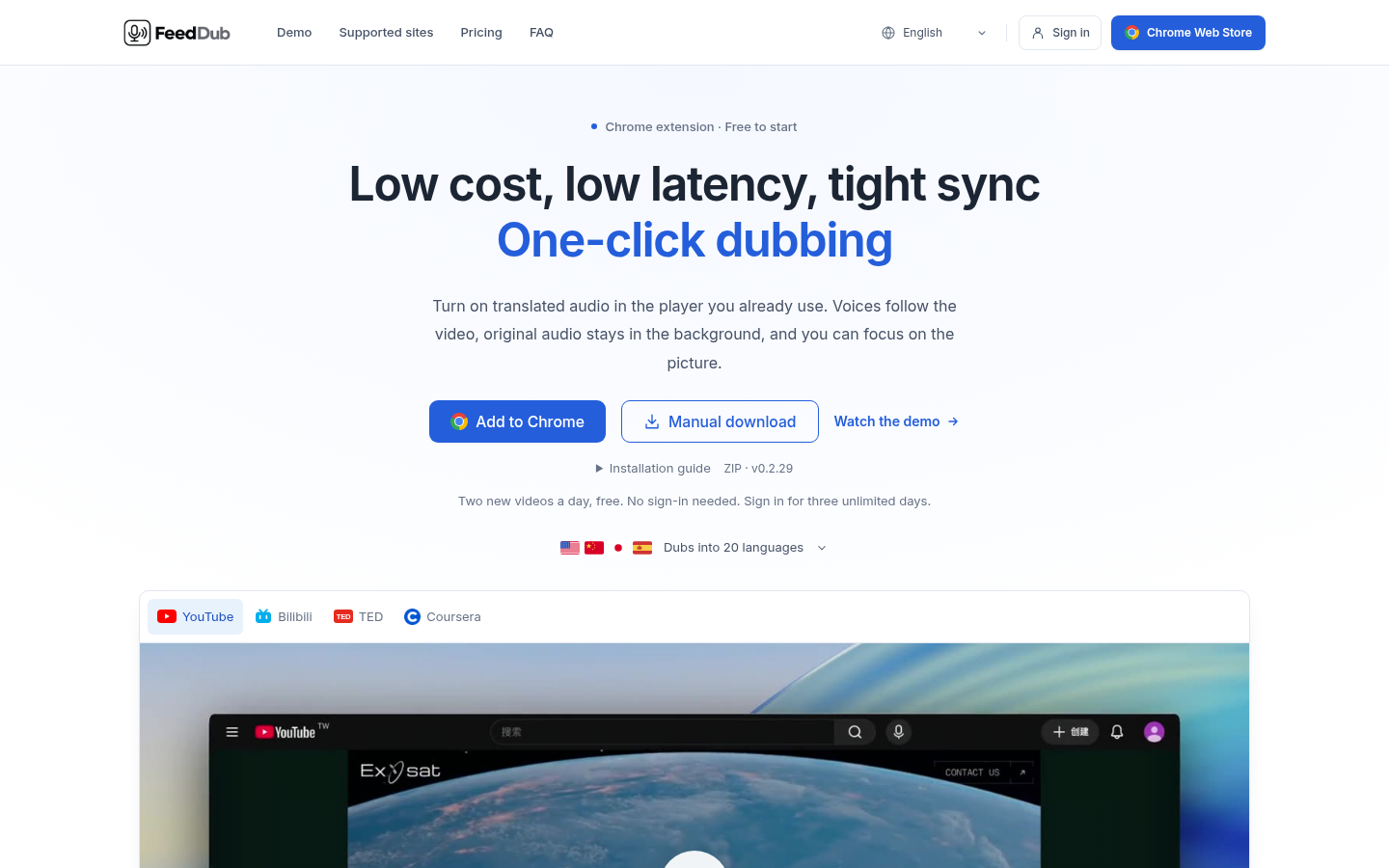
Screenshot archived from the listing page, for preview only.