
Face Studio
AI generator for realistic face photosCustom faces in seconds, free to use
Highlights
What you can do with it
- Create avatar images for profiles and mockups
- Generate NPC faces for games
- Produce placeholder portraits for design layouts
How to use it
- 1 Open facestudio.app in your browser
- 2 Select gender, age, and ethnicity
- 3 Generate the face and review the result
- 4 Save the image you want to keep
Who it is for
Pros
- Generation is quick and parameter driven
- No design skills or software required
- Free to use
Limitations
- Faces are synthetic and must not be used to impersonate real people
- Free access today is not a guarantee for the future
- Output variety depends on the available parameter set
What Face Studio is
Face Studio is an online AI tool that generates realistic looking face photos. You set a few parameters, mainly gender, age, and ethnicity, and the generator returns a matching face within seconds. The images are synthetic, meaning they are not photographs of any real person, which is what makes them usable as avatars, NPC faces, and placeholder portraits in design work.
What you can do with it
- Generate a realistic face photo from parameters
- Adjust gender, age, and ethnicity to fit a brief
- Produce avatars and virtual faces for projects
- Create NPC faces for games and mockups
Who it is for
- Game developers populating a cast of characters
- Designers who need neutral placeholder portraits
- Creators who want avatar images without a photo shoot
- Anyone who needs a fictional face quickly
What to watch out for
These are synthetic faces, so presenting one as a photograph of a real individual is misleading, and using a generated face to impersonate someone is a misuse with real consequences for the user. Free access is the current model and can change. The generator is parameter driven rather than prompt driven, so you get variety from the controls on offer instead of free-form description, and results should be reviewed before they go into anything public. Processing speed depends on file size and network conditions, so retry later if a task stalls during peak hours. Run one full task end to end first, then expand once you are comfortable with the workflow and the result quality. Save a backup of the original file before large batch jobs, and keep an exported copy of key results in case the page or service becomes temporarily unavailable.
FAQ
Is Face Studio free?
Yes, the tool is described as free to use.
Can I choose age and ethnicity?
Yes, you customize the face by selecting gender, age, and ethnicity.
What can I use the faces for?
Virtual faces, avatar creation, NPC face generation, and other creative projects.
Why it is free
What the official page says: free to use
Free limits, trial length and features are decided by the official site and can change at any time.
Product preview
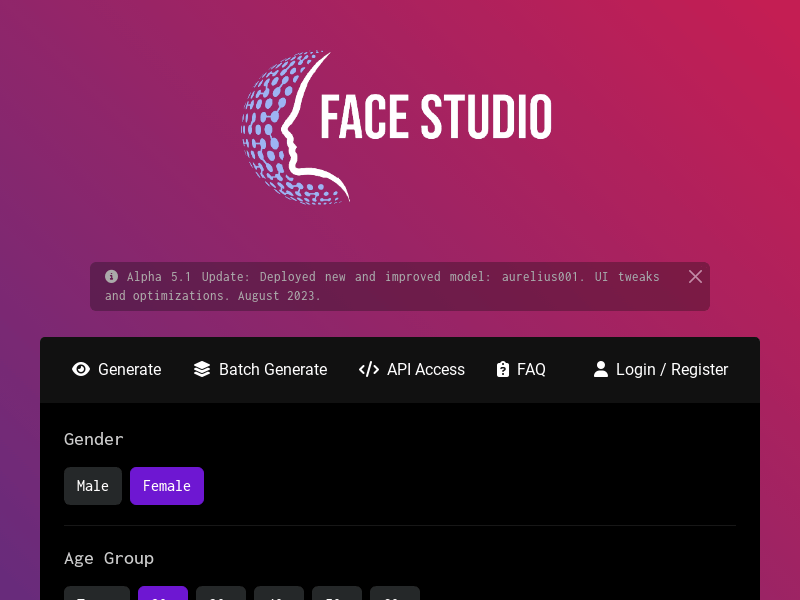
Screenshot archived from the listing page, for preview only.











