
Evai Architect Master
AI design for architectureRender and convert designs with AI
Highlights
What you can do with it
- Render an interior design concept quickly
- Build a client presentation video from images
- Turn a 2D drawing into a 3D model
How to use it
- 1 Register an account on the Evai Architect Master site.
- 2 Choose a tool such as AI rendering or image to 3D.
- 3 Upload your drawing or image.
- 4 Adjust materials or style, or edit by conversation.
- 5 Generate and download the result.
Who it is for
Pros
- Several design tools in one platform
- Editing by conversation is quick for small changes
- Free trial to test the output on your own files
Limitations
- Free trial only; paid plans follow
- Output quality depends on the quality of the input drawing
- Aimed at professional design work, so there is a learning curve
What Evai Architect Master is
Evai Architect Master is an AI design platform covering architecture, interior, home, and commercial design. It takes the work that normally sits between a drawing and a client presentation and compresses it. AI rendering converts 2D images into finished visualisations, AI video generation turns stills into dynamic presentations, and image to 3D conversion builds a model from a flat plan so a client can see the space properly. Material replacement lets you swap surfaces and see the result immediately, interior style transfer applies a different look to the same design, and AI conversation editing allows changes through plain description rather than menus. A task list helps manage projects, and a free trial is available.
What you can do with it
- Render a 2D drawing into a finished visualisation.
- Convert a flat plan into a 3D model.
- Generate a presentation video from images.
- Replace materials and preview the change in real time.
- Apply a different interior style to an existing design.
- Make edits by describing what you want in conversation.
Who it is for
- Interior designers who need to show options quickly.
- Architects and design studios producing client facing visuals.
- Design companies that want custom AI tooling for their own workflow.
- Anyone presenting a concept who cannot wait for a traditional render.
What to watch out for
The free trial is the entry point, so continued use requires a paid plan. Output quality tracks input quality: a clean, well structured drawing produces a usable result, while a rough sketch limits what the tool can do. This is professional design software, so expect a learning curve and check that the export formats fit into your existing pipeline. AI rendering is a presentation aid, not a substitute for design judgement or for checking that materials and dimensions actually work in the real space.
FAQ
What does it do?
AI rendering, video generation, image to 3D conversion, material replacement, interior style transfer, and conversational editing.
Is there a free trial?
Yes, a free trial is offered for a wide range of design industry users.
Who is it for?
Architecture, interior, home, and commercial design users, including design studios.
Why it is free
What the official page says: free trial
Free limits, trial length and features are decided by the official site and can change at any time.
Product preview
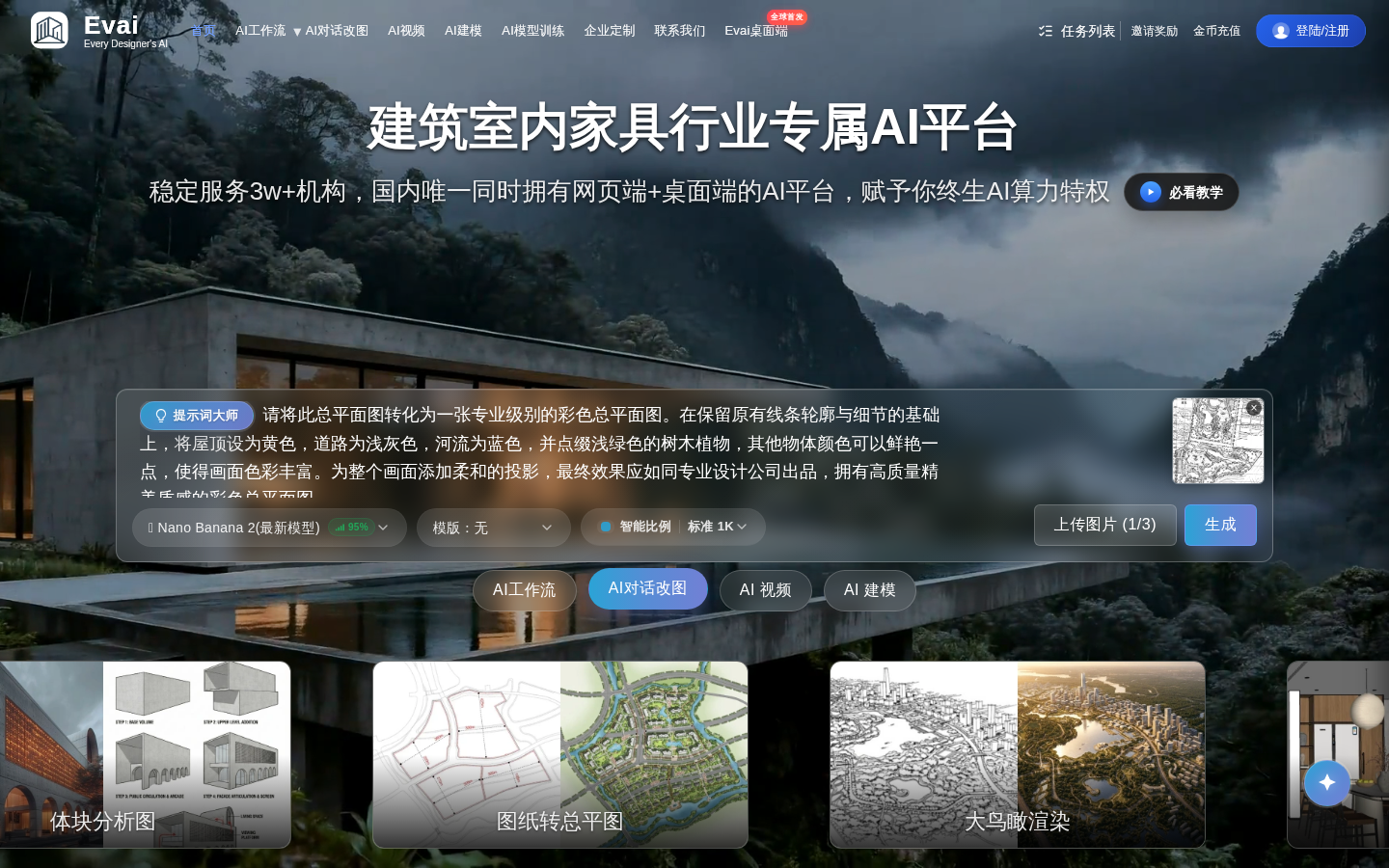
Screenshot archived from the listing page, for preview only.











