
Egaku AI
Free AI image and video generator25 models, free plan with 50 monthly credits
Highlights
What you can do with it
- Illustrators generate illustration assets from text prompts for comics
- Advertising teams turn copy into cinematic promotional video
- Bloggers use the photo booth to produce profile portraits
How to use it
- 1 Visit the official website
- 2 Register an account if you want more credits or paid features
- 3 Select a function such as text-to-image or text-to-video
- 4 Enter the prompt or upload the required image
- 5 Generate, review the result, and regenerate if needed
- 6 Save the image or video to your device
Who it is for
Pros
- A wide model list in one place, including video models
- The free plan covers basic image work every month
- No install needed and prompts work in multiple languages
- An API is available for integration into other apps
Limitations
- Video generation and custom LoRA models require a paid plan
- 50 free credits per month runs out quickly with video
- The site status record is poor, so access may be inconsistent
- Face swap and photo booth features should stay within consent and platform rules
What Egaku AI is
Egaku AI is an AI creative platform for image and video generation. It supports more than 25 models in one interface, including Flux, SDXL, Stable Diffusion 3.5, Sora 2, Veo 3, and Kling 2.5, and paid plans add custom CivitAI LoRA models. The feature list spans text-to-image, text-to-video, image-to-image conversion, style conversion, enlargement, restoration, and background removal. There is a free plan with 50 credits per month, and paid plans start at 480 yen per month with more credits and video generation included.
What you can do with it
- Generate images from text prompts using a choice of models
- Turn text into video with models such as Sora 2, Veo 3, and Kling 2.5
- Convert, enlarge, or restore an uploaded image, and remove its background
- Build portrait looks with the photo booth's preset styles
- Integrate generation into your own application through the REST API
Who it is for
- Illustrators and designers who want many models in one workspace
- Developers who need generation inside another product
- Ordinary users who want simple operations without local installs
What to watch out for
The free plan's 50 credits disappear fast once you touch video, so budget carefully or plan for a paid tier. The site status record is poor, which suggests access may be unreliable at times. Features such as face swapping and the photo booth involve real faces, so keep them within consent and platform rules, and remember that misuse of someone's likeness is your responsibility. Model availability and free plan terms are set by the operator and can change. Run one full task end to end first, then expand once you are comfortable with the workflow and the result quality.
FAQ
What does the free plan include?
The free plan gives 50 credits per month and covers text-to-image generation, image enlargement, and background removal.
Which models are supported?
The platform lists more than 25 models, including Flux, SDXL, Stable Diffusion 3.5, Sora 2, Veo 3, and Kling 2.5.
Can I use custom CivitAI LoRA models?
Custom CivitAI LoRA models are part of the paid plans rather than the free one.
Is there an API?
Yes, the platform provides REST API access so developers can integrate it into their own applications.
Why it is free
What the official page says: free plan
Free limits, trial length and features are decided by the official site and can change at any time.
Product preview
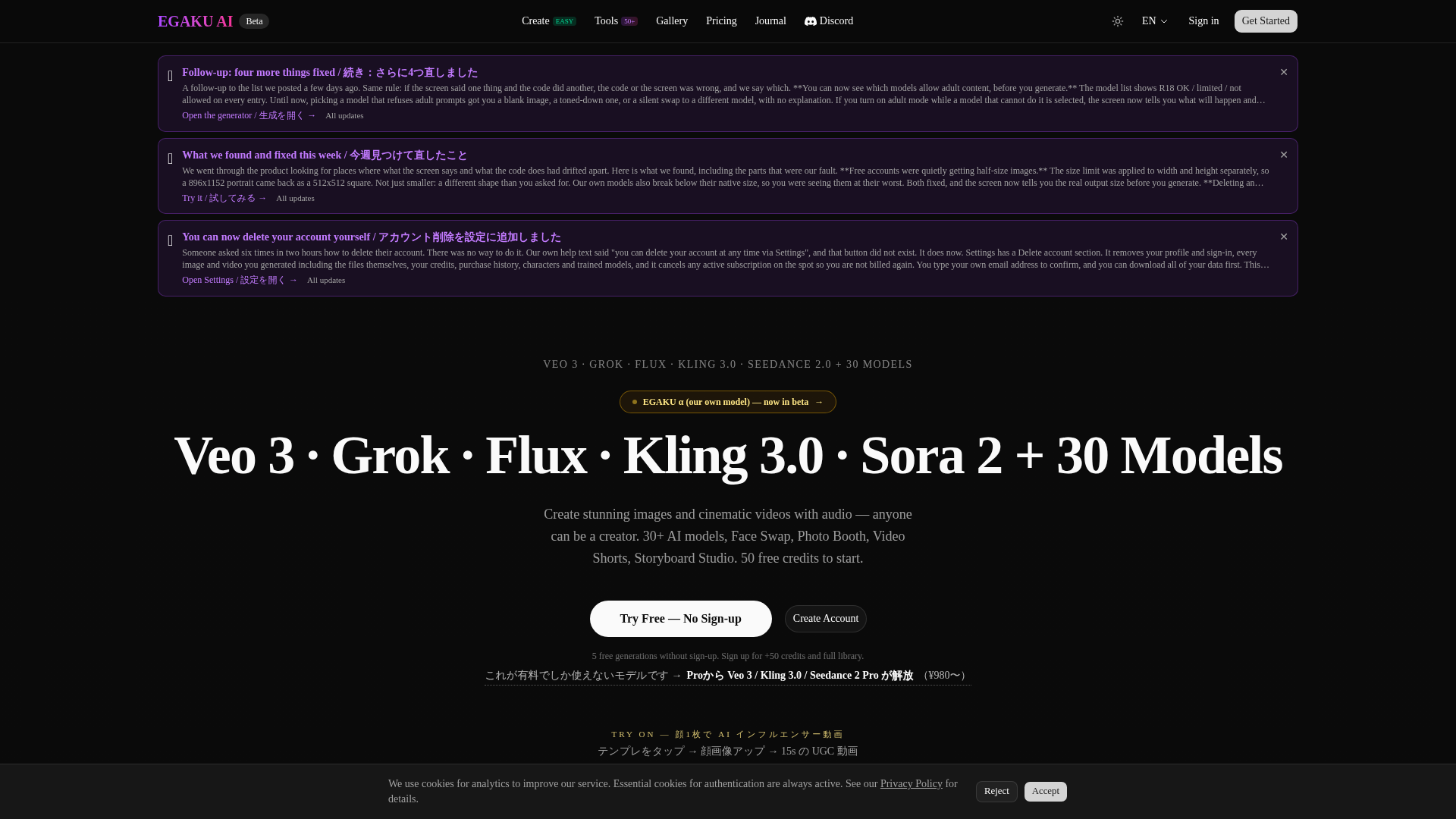
Screenshot archived from the listing page, for preview only.











