
EasyChat AI
ChatGPT app for WindowsFast ChatGPT on your desktop
Highlights
What you can do with it
- Chatting with ChatGPT in a dedicated desktop window
- Using Markdown formatting in your conversations
- Choosing a free, subscription, or perpetual license
How to use it
- 1 Download EasyChat AI for Windows
- 2 Install and open the app
- 3 Add your own OpenAI API key
- 4 Start chatting, using Markdown and dark mode as you like
- 5 Pick the license option that fits how you use it
Who it is for
Pros
- Free download option to start
- Clean interface with Markdown and dark mode
- Flexible licensing including a perpetual option
Limitations
- You need your own OpenAI API key to use it
- As a third-party app it is not made by OpenAI
- API costs and license terms are on you to track
What EasyChat AI is
EasyChat AI is a third-party application that brings a ChatGPT experience to the Windows desktop. It is built to be fast and responsive, with a clean interface, Markdown support, and a dark mode. To use it, you bring your own OpenAI API key, which means the app connects to the model through your own account rather than a bundled one. The app offers several ways to use it, including a free download, a subscription, and a perpetual license, so you can choose the access level that fits how often you chat.
What you can do with it
- Chat with ChatGPT in a dedicated desktop window
- Use Markdown formatting in your conversations
- Switch on dark mode for a softer look
- Choose between free, subscription, or perpetual licensing
Who it is for
- Windows users who want a desktop ChatGPT client
- People who prefer an app over a browser tab
- Anyone who already has an OpenAI API key
What to watch out for
You need your own OpenAI API key, which means API usage costs are separate from anything you pay for the app. Because it is a third-party client and not made by OpenAI, feature support can lag behind official changes, and you are trusting the app with your key. The free download is a starting point, while fuller access comes through a subscription or perpetual license. Review the app's current terms and your own API spend before relying on it. When quality matters, export a small draft first to confirm the result before producing the final file. Generated suggestions are for reference only, so verify anything that affects professional judgment or important data.
FAQ
Is EasyChat AI free?
It has a free download option, plus subscription and perpetual licenses.
Do I need an API key?
Yes, you use your own OpenAI API key to get started.
What platform is it for?
It is a Windows desktop application.
Why it is free
What the official page says: 免费
Free limits, trial length and features are decided by the official site and can change at any time.
Product preview
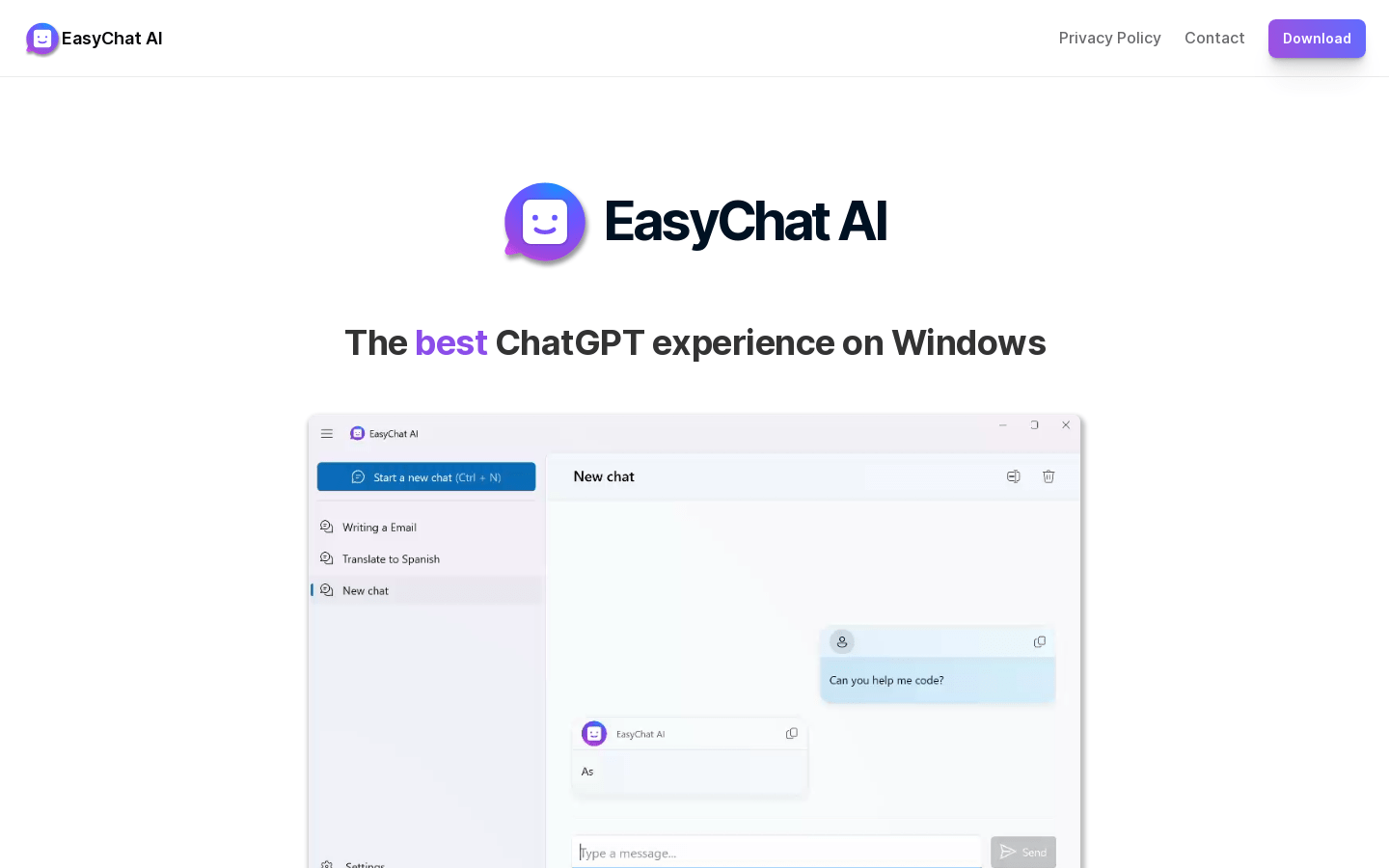
Screenshot archived from the listing page, for preview only.











