
earfee.com
Free tool that turns images, text, or code into web pagesConvert images, text, or code into web pages with AI, free
Highlights
What you can do with it
- Designers turning a mockup image into a web layout
- Developers generating starter pages from text or code
- Educators demonstrating how inputs map to web output
How to use it
- 1 Open earfee.com in your browser
- 2 Choose whether to upload an image, paste text, or provide code
- 3 Let the AI convert the input into a web page
- 4 Review the generated page or component
- 5 Copy or export the result for your project
Who it is for
Pros
- Free to use
- Accepts three input types: image, text, and code
- Supports common frameworks like HTML and Tailwind
Limitations
- Free access and output quality may change over time
- Generated pages often need manual cleanup and testing
- Complex layouts may not convert cleanly from a single input
What earfee.com is
earfee.com is an online tool that turns images, text, or code into web pages or components. Using AI, it accepts different inputs and produces web output that supports common languages and frameworks such as HTML, Tailwind, and scripts. The service is free to use and is applied in web design, development, and education. Its three core jobs are converting images to web pages, converting text to web pages, and converting code to web pages. It is meant for people who want a fast starting point instead of writing every element from scratch.
What you can do with it
- Turn an image into a web page or component
- Turn written text into a web layout
- Turn existing code into a usable web page
- Work with HTML, Tailwind, and script based output
Who it is for
- Designers who want mockups converted into layouts
- Developers who need quick starter pages
- Educators and learners exploring how inputs become web output
What to watch out for
Generated pages are a starting draft, so expect to clean up the markup, fix spacing, and test across browsers. The free status and the quality of conversion can change over time. Complex or unusual layouts may not map cleanly from a single image or block of text, so simpler inputs tend to work better. Treat the output as scaffolding that you refine before it goes live. Processing speed depends on file size and network conditions, so retry later if a task stalls during peak hours. Run one full task end to end first, then expand once you are comfortable with the workflow and the result quality.
FAQ
What does earfee.com do?
It converts images, text, or code into web pages or components using AI.
Is it free?
Yes, earfee.com is free to use.
What frameworks does it support?
It supports multiple languages and frameworks including HTML, Tailwind, and scripts.
Why it is free
What the official page says: free to use
Free limits, trial length and features are decided by the official site and can change at any time.
Product preview
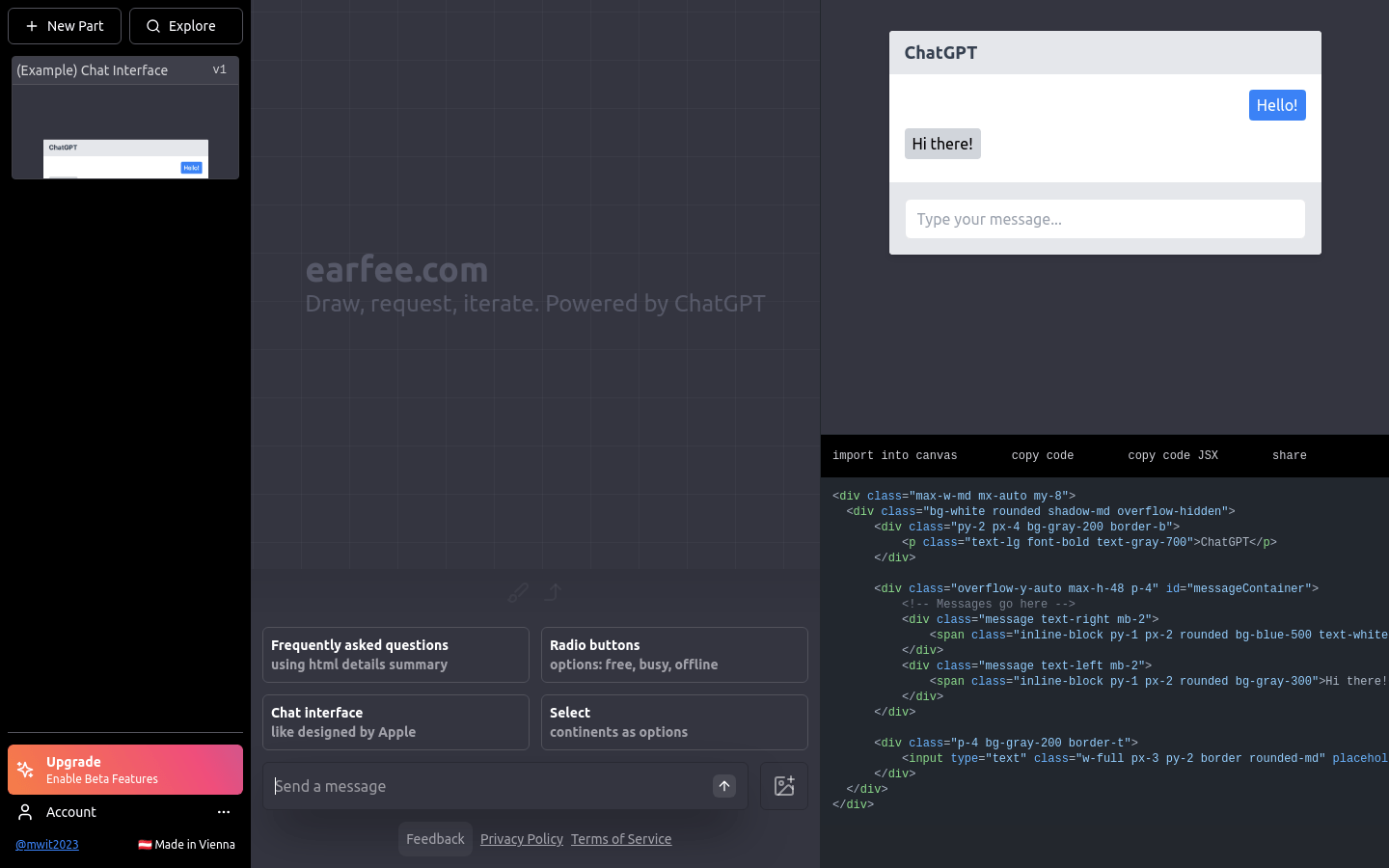
Screenshot archived from the listing page, for preview only.











