
Draf
AI task manager that sets your prioritiesLet AI sort your tasks and plan the day
Highlights
What you can do with it
- A project manager tracking team work and deadlines
- A freelancer juggling projects for several clients
- A student planning revision before exams
How to use it
- 1 Download the Draf demo from the product page
- 2 Install and open the application
- 3 Create or import your task list
- 4 Let AI prioritise the tasks and propose a schedule
- 5 Adjust as your day changes
Who it is for
Pros
- Removes the friction of ranking tasks yourself
- Plain language input for importance and scheduling
- Free trial to test the workflow
Limitations
- The listing noted the page was unreachable when last checked
- Pricing is not published on the product page
- AI priorities still need a sanity check from you
What Draf is
Draf is an AI-driven task management tool designed to take the weight out of deciding what to do next. It analyses the tasks you enter, assigns them importance using natural language processing, and then manages your schedule through a smart calendar that recommends when things should happen. The product is positioned for both individuals and teams who want to spend less time planning and more time doing. A free trial is offered for download, though the page does not publish pricing.
What you can do with it
- Let AI analyse a task list and set priorities
- Use a smart calendar that suggests an optimal schedule
- Assign importance automatically from natural language descriptions
- Adjust tasks and plans as AI recommendations come in
- Track progress continuously instead of replanning from scratch
Who it is for
- Project managers keeping a team's work ordered
- Freelancers balancing deadlines across several clients
- Students planning revision time before an exam
What to watch out for
An AI priority is a suggestion based on what you typed, not knowledge of your actual constraints. A deadline it cannot see, a colleague who needs you first, or a task that only matters to you can all make the ranking wrong, so review the order before you follow it. The listing noted the product page was unreachable when it was last checked, and pricing is not published there, so confirm the current trial terms and cost before you rely on it. There is also a learning curve in describing tasks clearly enough for the classifier to be useful. For team use, agree on naming and editing conventions in advance to avoid version conflicts or duplicated work.
FAQ
What does Draf do?
It analyses tasks, sets priorities automatically, and manages schedules with a smart calendar.
Is there a free trial?
Yes, the product page offers a free trial for download.
Who is it for?
Project managers, freelancers, students, and anyone who needs help ordering a long list of tasks.
Why it is free
What the official page says: free trial
Free limits, trial length and features are decided by the official site and can change at any time.
Product preview
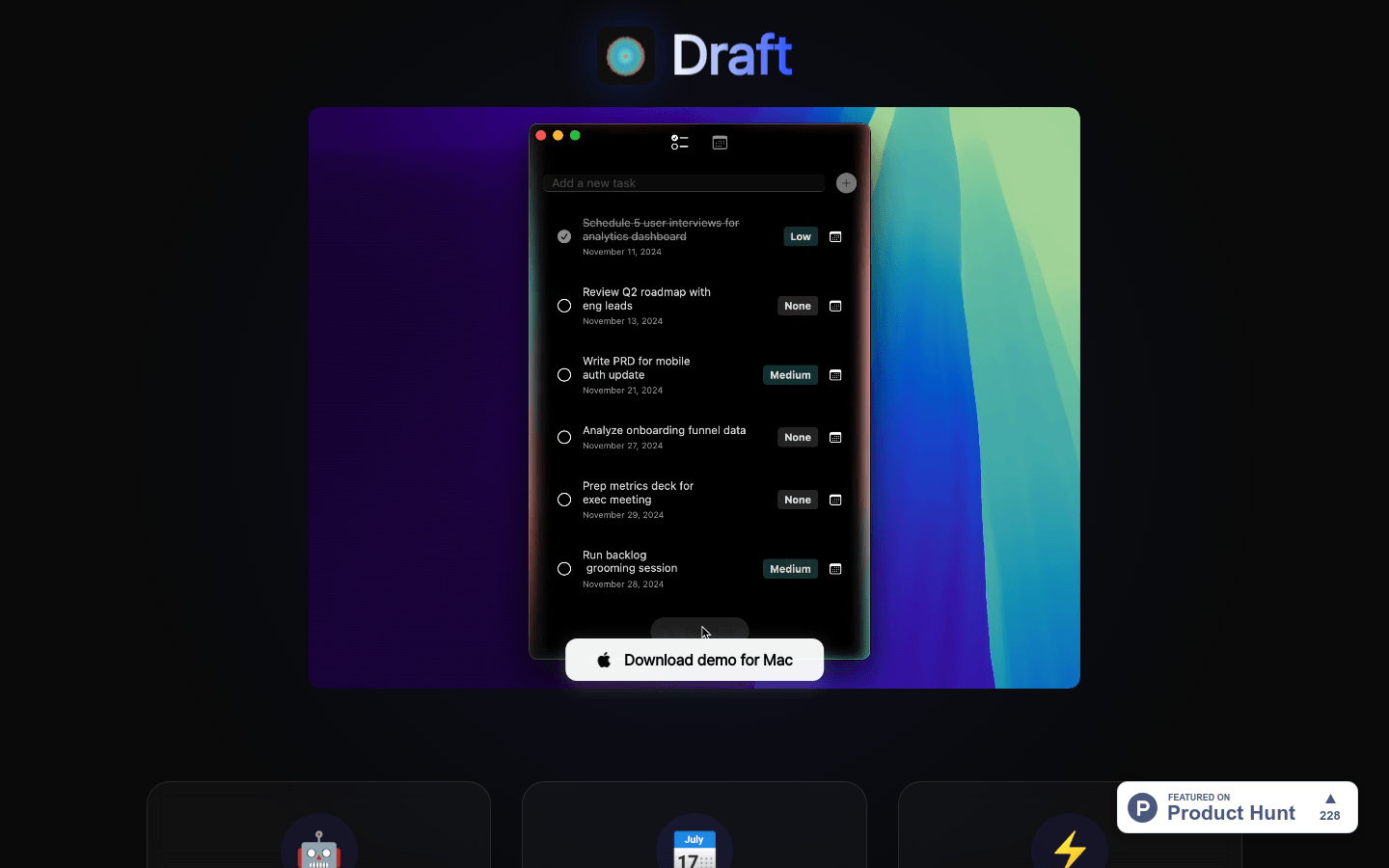
Screenshot archived from the listing page, for preview only.











