
Dock
AI workspace for teams and agentsOne canvas for humans and AI agents
Highlights
What you can do with it
- A marketing team collects market data with an AI agent and builds strategy together on one board.
- A product team drafts feature plans while an agent suggests design ideas in real time.
- An engineering team runs project work with agents helping review and optimize code.
How to use it
- 1 Visit the Dock site and start the 30-day free trial.
- 2 Register an account and sign in to the platform.
- 3 Pick a template or create a new workspace for your project.
- 4 Invite team members and AI agents into the workspace.
- 5 Plan, research, and decide together using docs, chat, and embedded media.
Who it is for
Pros
- Brings people and AI agents into one workspace instead of scattered tools.
- 30-day free trial lets you test the workflow before paying.
- Rich rendering covers docs, tables, code, tasks, and 4K video.
Limitations
- Free trial is time-limited, and paid terms after it are not spelled out here.
- Relatively new product, so workflows and agent behavior may still change.
- Getting value depends on adding AI agents and configuring the workspace, which takes setup.
What Dock is
Dock is an AI workspace built for individuals, teams, and AI agents. Its core idea is to break down the wall between human work and AI help, so agents act more like teammates than side tools. The workspace runs shared tables and documents that both people and agents can read and write, and it supports real-time chat between humans and agents as well as between agents themselves. You can start from forkable templates, embed video from YouTube, Vimeo, or Loom, and render everything from code and tasks to 4K video in one place. It is meant for teams that already use several tools and want AI woven into the same surface rather than bolted on. Dock offers a 30-day free trial, so you can try the full workflow before deciding whether to pay.
What you can do with it
- Plan and research on shared tables and documents that AI agents can edit alongside you.
- Chat in real time with agents and teammates to solve problems as they come up.
- Start fast from forkable workspace templates instead of building from scratch.
- Embed video and render 4K media, code, tasks, images, and annotations on one screen.
- Watch live workspace stats, such as the number of active sessions, to keep projects on track.
Who it is for
- Team workers who want one shared place to plan, research, and execute.
- Founders and entrepreneurs who need quick decisions backed by AI agents.
- Developers who juggle data, code, and documents and want agents in the loop.
What to watch out for
The free trial lasts 30 days, and the page does not spell out what happens to your workspace or pricing after it ends, so treat that as a moving target. Dock is a fairly new product, so features and agent behavior may still change as it develops. Getting the most out of it also means inviting agents and setting up the workspace, which takes some learning and configuration rather than working the moment you sign up. If your team is small or you do not plan to lean on agents, part of the value may not show up right away.
FAQ
Is Dock free to try?
Dock offers a 30-day free trial that you can start from its website.
What can AI agents do inside Dock?
Agents can read and write shared tables and documents and chat with people and each other to help with planning, research, and execution.
Does Dock support video and media?
Yes, it can embed YouTube, Vimeo, and Loom videos and render 4K video along with other elements.
Why it is free
What the official page says: free trial
Free limits, trial length and features are decided by the official site and can change at any time.
Product preview
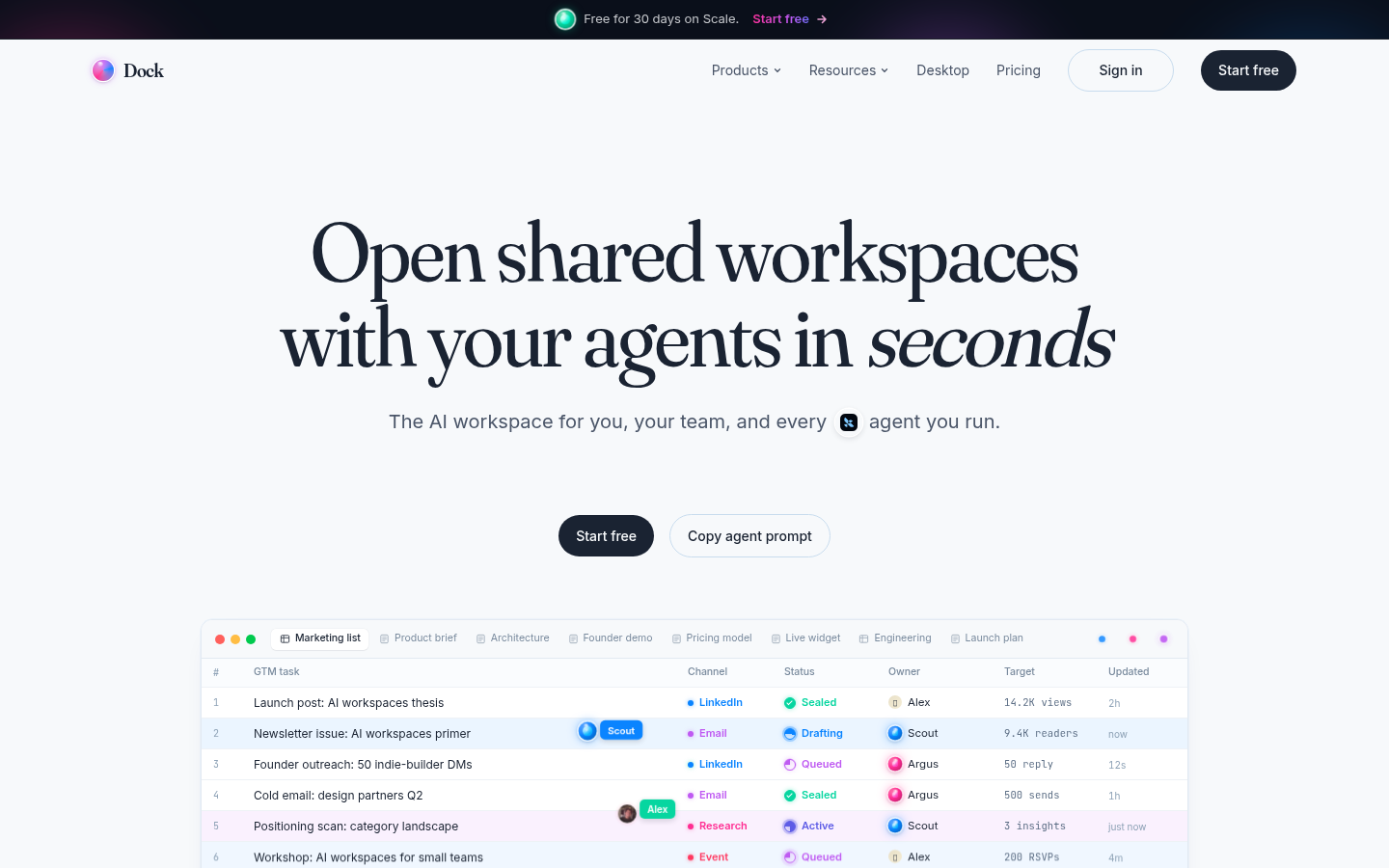
Screenshot archived from the listing page, for preview only.











