dev
Developer influence profiles with measurable metricsTurn projects into numbers, not just bullet points
Highlights
What you can do with it
- Senior backend engineers showcase quantified project results to recruiters
- Freelance developers build a polished portfolio to win client work
- Student developers present school projects and measurable wins
How to use it
- 1 Register a free account on the site
- 2 Connect your public or private GitHub repository
- 3 Edit the AI-filled project info and add evidence
- 4 Write blog posts and annotate code snippets
- 5 Set up custom domain and chat if on Pro
- 6 Publish to a public URL and check the analytics
Who it is for
Pros
- Hobby plan is free forever
- AI auto-fill saves time when setting up project pages
- Quantifiable metrics and evidence make claims credible
- Built-in analytics show who views your work
Limitations
- Pro features such as custom domain and chat cost money, and free rules can change
- Quantified metrics need real data, so thin projects stay thin
- Connecting private repos means trusting the platform with code access
- Best for developers, other roles may find it narrow
What dev is
dev-impact is an influence showcase platform built for developers. Instead of listing bullet points, it converts your projects into measurable results and shows them with quantifiable metrics and evidence. You point the AI at a GitHub repository and it fills in project descriptions, technology stacks, and relevant metrics in seconds. The site says the Hobby plan is free forever, while Pro adds higher limits, custom domains, and a chat assistant. It is aimed at developers who want recruiters and partners to see real impact rather than a plain resume, and it supports several portfolios for different roles, each with its own URL.
What you can do with it
- Auto-fill project descriptions, tech stacks, and metrics from a GitHub repo
- Attach evidence such as screenshots, video demos, and verified code snippets
- Track views, unique visitors, daily charts, regional distribution, and popular projects
- Run several portfolios for different roles, each with its own URL
- Add blog posts and annotated code snippets to explain your thinking
Who it is for
- Job-seeking developers who need to prove project impact
- Freelance developers showing past results to potential clients
- Student developers organizing school projects and measurable wins
- Tech enthusiasts sharing personal projects and experiments
What to watch out for
The free Hobby plan covers the basics, but custom domains, chat, and higher limits sit behind the paid Pro plan, and free terms can change. The platform's value depends on real data, so projects without measurable outcomes will still look thin no matter how the page is styled. Connecting private repositories means granting access to your code, so review the permissions before you link anything. It is purpose-built for developers, so people in other roles may find the format too narrow for what they want to show.
FAQ
Is there a free plan?
Yes. The site says the Hobby plan is free forever, with Pro as the paid tier.
What does the AI auto-fill do?
Point it at a GitHub repository and it generates project descriptions, tech stacks, and metrics.
Can I use my own domain?
Custom domains are a Pro feature, verified through DNS TXT records.
What analytics do I get?
Total views, unique visitors, daily charts, regional distribution, and popular projects.
Why it is free
What the official page says: 永久免费免费
Free limits, trial length and features are decided by the official site and can change at any time.
Product preview
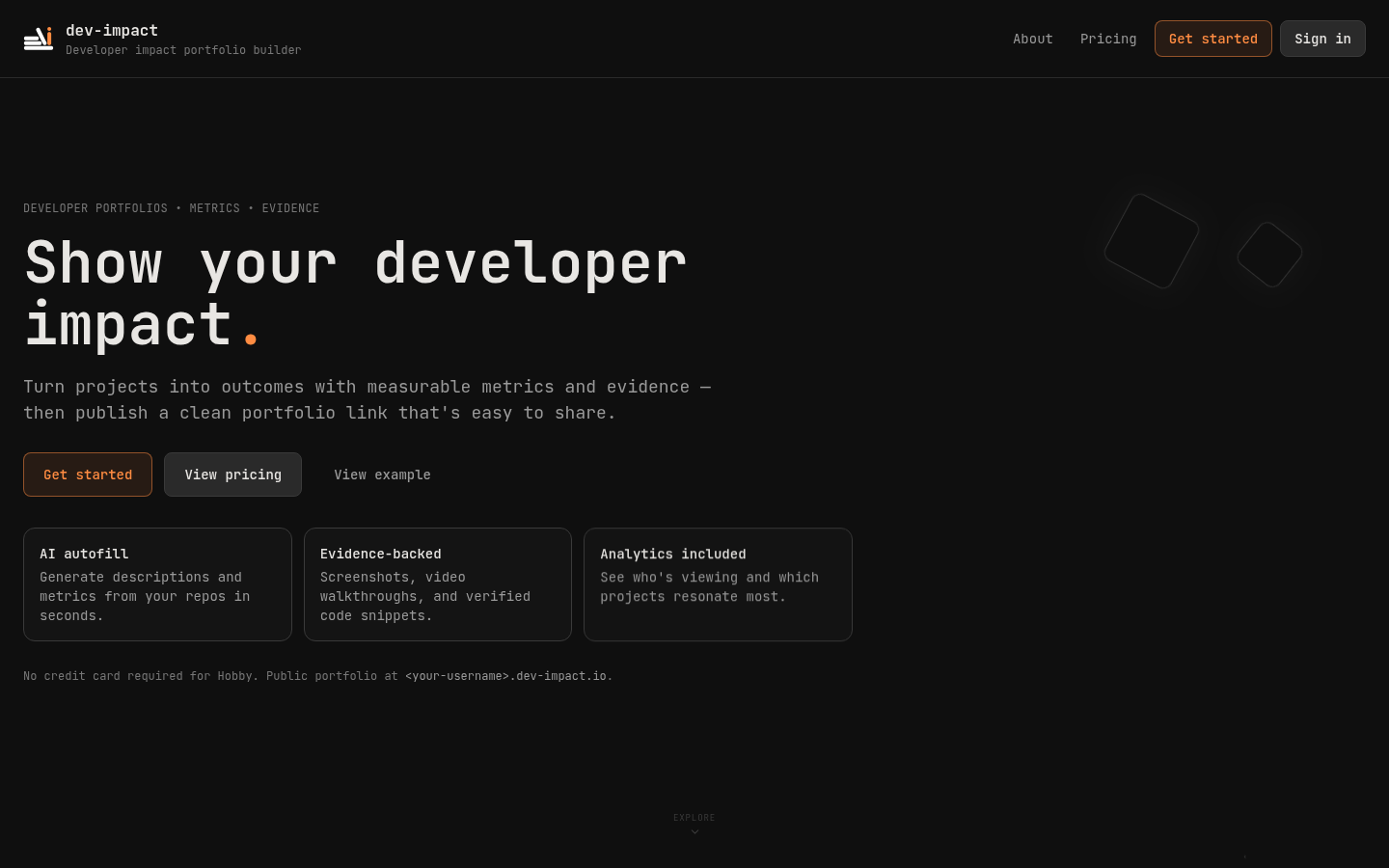
Screenshot archived from the listing page, for preview only.