Decks
Note-taking app built for learningNotes, video timestamps, and flashcards in one app
Highlights
What you can do with it
- Organizing course notes and review material
- Locating key parts of research videos quickly
- Reviewing with flashcards built from your notes
How to use it
- 1 Create an account and start the 14-day free trial.
- 2 Create or choose a deck for your subject.
- 3 Add YouTube videos and mark timestamps for key content.
- 4 Keep ChatGPT conversations inside your notes and search them.
- 5 Build flashcard decks and review them regularly.
Who it is for
Pros
- Combines video, notes, and flashcards in one place
- Strong organization with tags, decks, and search
- Free 14-day trial to test the workflow
Limitations
- Paid after 14 days at $8 per month or $79 per year
- Value depends on building a steady study habit
- Video linking relies on YouTube staying available
- ChatGPT features depend on that service as well
What Decks is
Decks is an app designed specifically for learning. It helps users master knowledge faster through a note-taking method that connects written notes to video. You can link notes directly to YouTube videos and add timestamps so you can jump back to the important part of a lecture or tutorial. The app also includes ChatGPT conversations with a search function, a multi-level organization structure using tags, chats, and decks, and flashcard decks for reinforcing memory. Users start for free, and after 14 days can choose a monthly plan at $8 or an annual plan at $79.
What you can do with it
- Create decks to organize learning material by topic.
- Add YouTube videos by URL or search and mark timestamps.
- Keep ChatGPT conversations inside your notes and search them later.
- Turn key points into flashcards for review.
- Group material with tags and a multi-level structure.
Who it is for
- Students who want course notes and review material in one place.
- Researchers who need to return quickly to specific moments in long videos.
- Lifelong learners who like interactive study rather than passive reading.
- Anyone preparing for exams who wants active recall through flashcards.
What to watch out for
After the 14-day trial, Decks costs $8 per month or $79 per year, so it is a paid tool beyond the trial. The value depends on building a steady study habit; notes alone will not create retention, and flashcards only help if you review them. Video linking relies on YouTube staying available, and ChatGPT features depend on that service as well. If you mostly read text rather than watch video, parts of the app may go unused, so test the trial with the kind of material you actually study.
FAQ
How much does Decks cost?
The site says users can start for free, and after 14 days choose a monthly plan at $8 or an annual plan at $79.
What makes Decks different from a normal notes app?
Notes link directly to YouTube videos with timestamps, and the app adds ChatGPT conversations, flashcard decks, and a multi-level organization structure.
Who is it for?
The site describes students organizing course notes, researchers locating key parts of videos, and lifelong learners exploring new knowledge.
Does it work with YouTube?
Yes. You can insert YouTube videos by URL or search and add timestamps to mark important content.
Why it is free
What the official page says: for free
Free limits, trial length and features are decided by the official site and can change at any time.
Product preview
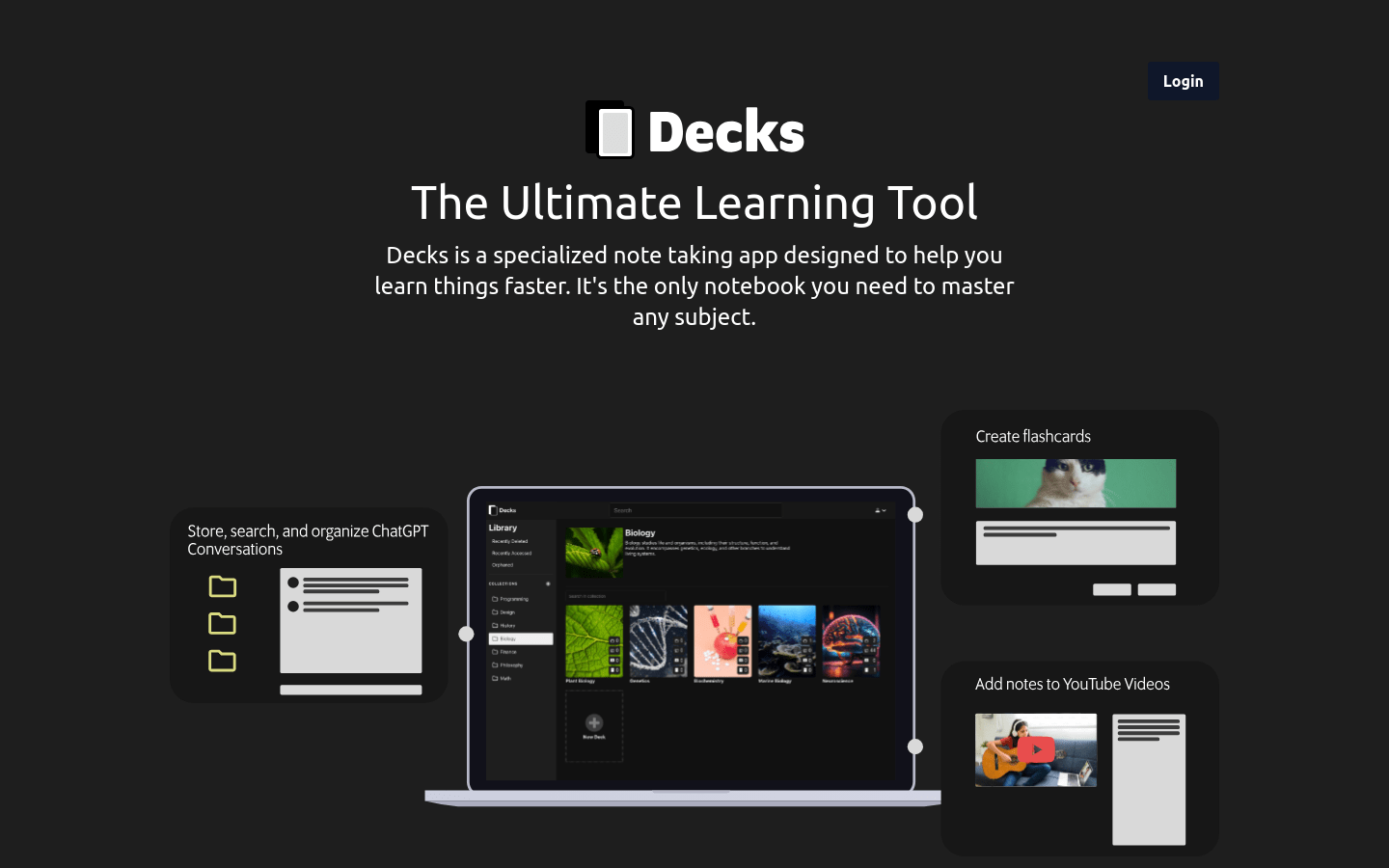
Screenshot archived from the listing page, for preview only.