
DaysToDo
Free AI travel planning assistantCustom itineraries for any destination
Highlights
What you can do with it
- Planning a multi stop holiday without researching every city
- Getting local food ideas before arriving somewhere new
- Building a day by day plan for a short break
How to use it
- 1 Visit the DaysToDo website
- 2 Describe your destination, dates, and travel style
- 3 Review the itinerary and food suggestions it returns
- 4 Adjust the plan and save it for your trip
Who it is for
Pros
- Free to use according to the listing
- Covers destinations worldwide
- Combines itinerary, food, and recommendations in one place
Limitations
- Listing shows the site unreachable at review time, so availability may change
- Itineraries are generated and still need your own checks
- No booking or payment features are described
What DaysToDo is
DaysToDo is an AI powered travel planning assistant. You tell it about a trip, and it returns a customized itinerary built around your destination and preferences. The listing describes three things it hands back: a personalized schedule, local food suggestions, and curated recommendations. That combination is meant to remove the early stage of trip planning where you have twenty tabs open and no plan. The service is presented as free, which makes it easy to try before a trip rather than after. Coverage is described as worldwide, so the same workflow applies whether you are going to a nearby city or another continent.
What you can do with it
- Generate a customized itinerary for a destination
- Get local food suggestions before you arrive
- Receive curated recommendations alongside the schedule
- Adjust the plan as your trip takes shape
Who it is for
- Travelers who want a starting plan in minutes
- Visitors to a new city who need food and activity ideas
- Anyone who would rather edit an AI draft than research from scratch
What to watch out for
The listing shows the site unreachable at review time, which means availability may have changed, so check the current state before building a trip around it. Generated itineraries are suggestions, not guarantees: opening hours, transport, and seasonal details shift, and the tool cannot verify them for you. There is no booking or payment layer described, so reservations still happen elsewhere. As a free service, its features and access can change without notice, and the depth of personalization depends on how much detail you provide at the start. Generated suggestions are for reference only, so verify anything that affects professional judgment or important data.
FAQ
Is DaysToDo free?
The listing presents it as a free travel planning assistant.
What does it produce?
Personalized itineraries, local food suggestions, and curated recommendations.
Does it cover any destination?
The description mentions destinations worldwide.
Can I book through it?
No booking features are described; it plans rather than transacts.
Why it is free
What the official page says: 免费
Free limits, trial length and features are decided by the official site and can change at any time.
Product preview
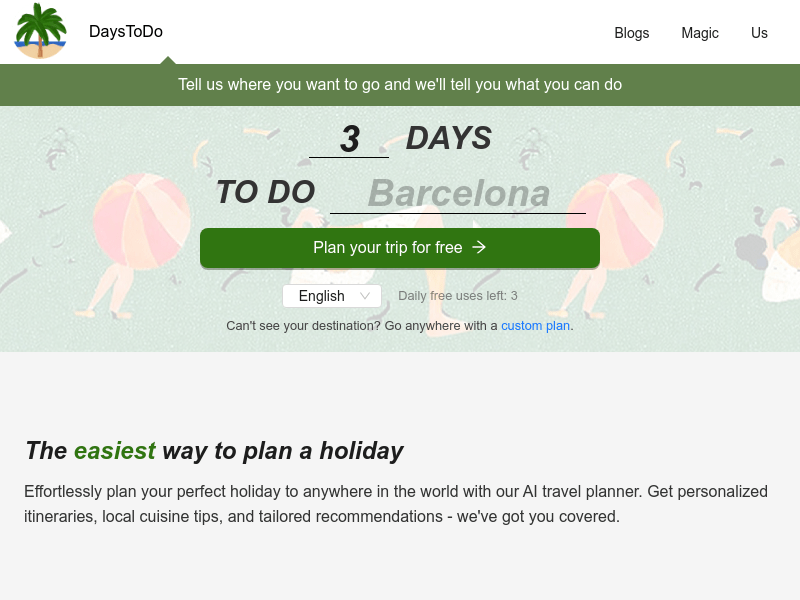
Screenshot archived from the listing page, for preview only.











