
CueTest
Browser testing that follows the user journeyTests that survive UI changes
Highlights
What you can do with it
- Catch a checkout regression after a billing UI change
- Verify login, purchase and payment flows still work
- Replace a flaky scripted test with a journey-based check
How to use it
- 1 Register on the site and log in.
- 2 Describe the test case in natural language with expected results.
- 3 Run it and let CueTest execute in a real browser.
- 4 Open the report to see findings, classification and tracking detail.
- 5 Hand the evidence to the team and fix what broke.
Who it is for
Pros
- No scripting knowledge needed to write a case
- Adapts to UI changes instead of breaking
- Detailed failure evidence speeds debugging
- Free trial without a card
Limitations
- Only 30 credits for 30 days, and paid terms can change afterwards
- Natural-language cases can be ambiguous and need clear writing
- It complements rather than replaces unit and integration tests
- Runs depend on the live site, so outages and third-party scripts cause noise
What CueTest is
CueTest is a browser testing tool built around the user journey rather than fixed selectors. You describe what a user should be able to do, in natural language, and the tool performs it in a real browser. Because the test is described by intent instead of coordinates, it keeps working when the page structure changes or a button moves, which is exactly where traditional scripted suites tend to snap. Each run records the browser state, tracks the step that failed and classifies the problem, so a developer gets evidence and context instead of a bare assertion error. It is aimed at flows that matter commercially, such as login, purchase and payment, and it produces reports the team can act on. A 30-day trial with 30 credits is available and no credit card is required.
What you can do with it
- Write a test case in plain language and run it in a real browser.
- Keep journeys working after a redesign moves controls around.
- Catch regressions in checkout, billing and signup that scripts miss.
- Collect browser state, failed-step tracking and problem classification as evidence.
Who it is for
- Development teams dealing with breakage after every UI change.
- Testers who want to write cases without deep programming knowledge.
- QA managers who need clear evidence of product quality.
What to watch out for
The trial is 30 credits over 30 days, which is enough to evaluate and little more, and the paid terms afterwards can change. Natural-language cases are only as good as their wording: vague descriptions produce vague tests, so someone still has to think carefully about the expected result. This is a complement to code testing, not a replacement; unit and integration tests remain cheaper and faster for logic that never touches a browser. Runs also depend on a live site and any third-party scripts it loads, so an outage or a slow dependency shows up as test noise rather than a real defect.
FAQ
Do I need to write code?
No, test cases are described in natural language.
What happens when the UI changes?
The tool adjusts the flow and keeps testing according to the user's intent.
Is there a free trial?
Yes, 30 days with 30 credits and no credit card required.
What does a run produce?
Browser state records, failed-step tracking, problem classification and a test report.
Why it is free
What the official page says: free trialno credit card
Free limits, trial length and features are decided by the official site and can change at any time.
Product preview
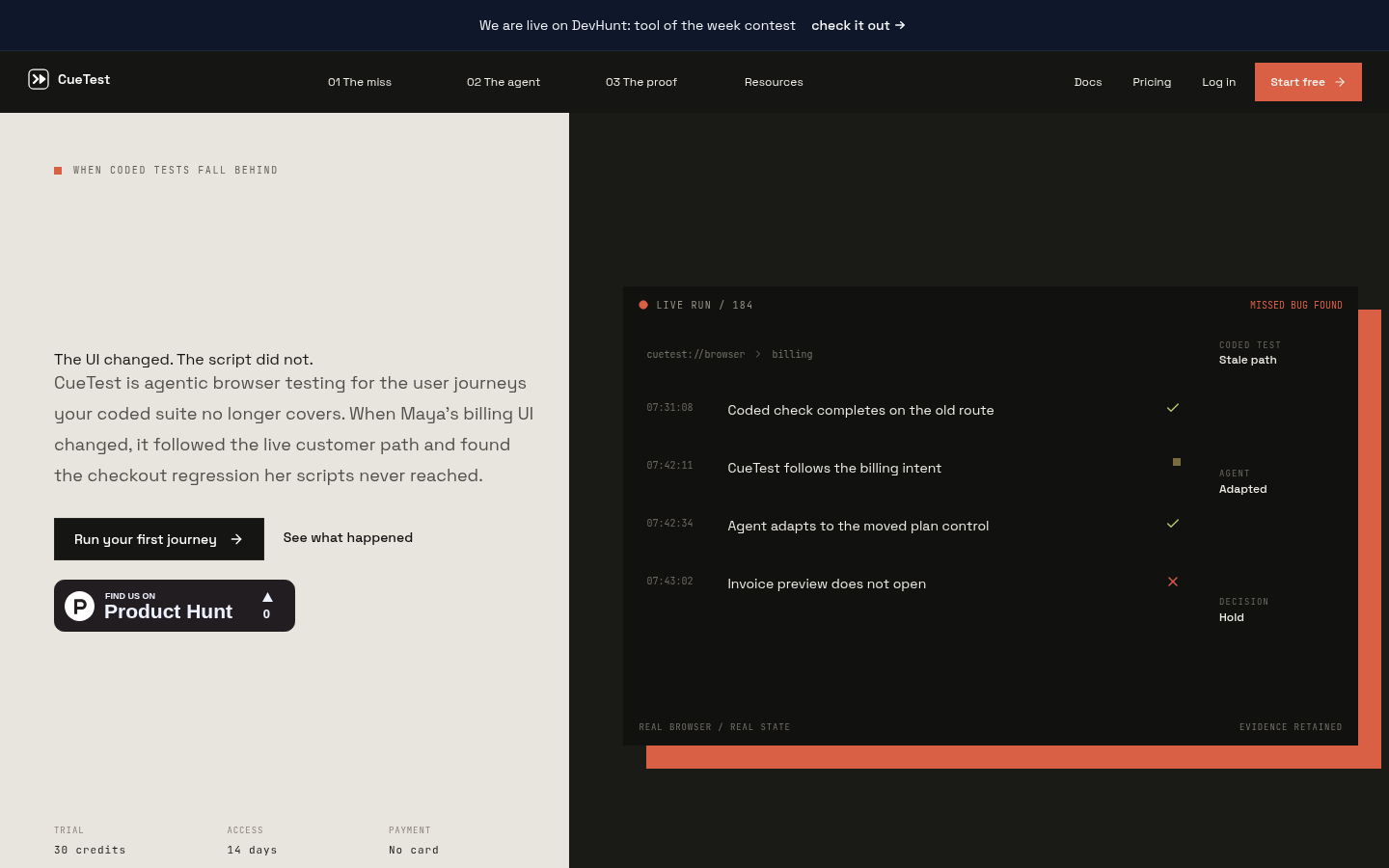
Screenshot archived from the listing page, for preview only.











