CreateDraft
AI drafting tool for legal contractsGenerate contract drafts from many templates
Highlights
What you can do with it
- Draft a non-disclosure agreement for a new project
- Create an employment contract starting point
- Generate a partnership agreement draft to review
How to use it
- 1 Open CreateDraft and choose a document type.
- 2 Pick a template such as an NDA or employment contract.
- 3 Fill in the details the template asks for.
- 4 Generate the draft and use AI tools to simplify it.
- 5 Review and edit the draft before you use it.
Who it is for
Pros
- Fast first drafts from a large template library
- AI tools help simplify dense contract language
- Free plan available to test the workflow
Limitations
- An AI draft is not a substitute for a lawyer's review
- Free plan has word count and template limits
- Complex or unusual contracts still need heavy editing
What CreateDraft is
CreateDraft is a tool designed to simplify drafting and help produce legal documents faster. It offers a large library of templates, including non-disclosure agreements, employment contracts, partnership and operating agreements, shareholder agreements, lease and purchase agreements, and service and consulting agreements. You generate a draft from a template, then use AI analysis tools to simplify or tighten the contract text. Free and paid plans are available, with different word count limits and template access depending on the tier. The appeal is speed for routine paperwork, but it is a drafting aid rather than legal advice, and important or unusual contracts should be reviewed by a qualified professional.
What you can do with it
- Generate a first draft of common contracts quickly
- Start from templates such as NDAs and employment agreements
- Simplify dense contract language with AI tools
- Move from a blank page to an editable draft fast
Who it is for
- People who need a first draft of a common contract
- Small teams handling routine agreements
- Anyone who wants a template-based starting point
What to watch out for
An AI draft is not legal advice and is not a substitute for a lawyer's review, especially for high-value or unusual agreements. The free plan caps word counts and template access, so larger documents need a paid tier. Generated text can miss jurisdiction-specific requirements, so always read and edit the draft before you sign or send it. Start with a small sample to confirm the output meets your expectations before processing the full batch. Free tiers and usage limits can change, so check the current rules on the official page before relying on it long term.
FAQ
What is CreateDraft?
It is an AI tool that drafts legal documents and contracts from templates, with analysis features.
Is it a replacement for a lawyer?
No. It speeds up drafting, but an AI draft should be reviewed by a qualified professional before use.
Is there a free plan?
Yes. Free and paid plans are offered, with different word count limits and template access.
Why it is free
What the official page says: 免费
Free limits, trial length and features are decided by the official site and can change at any time.
Product preview
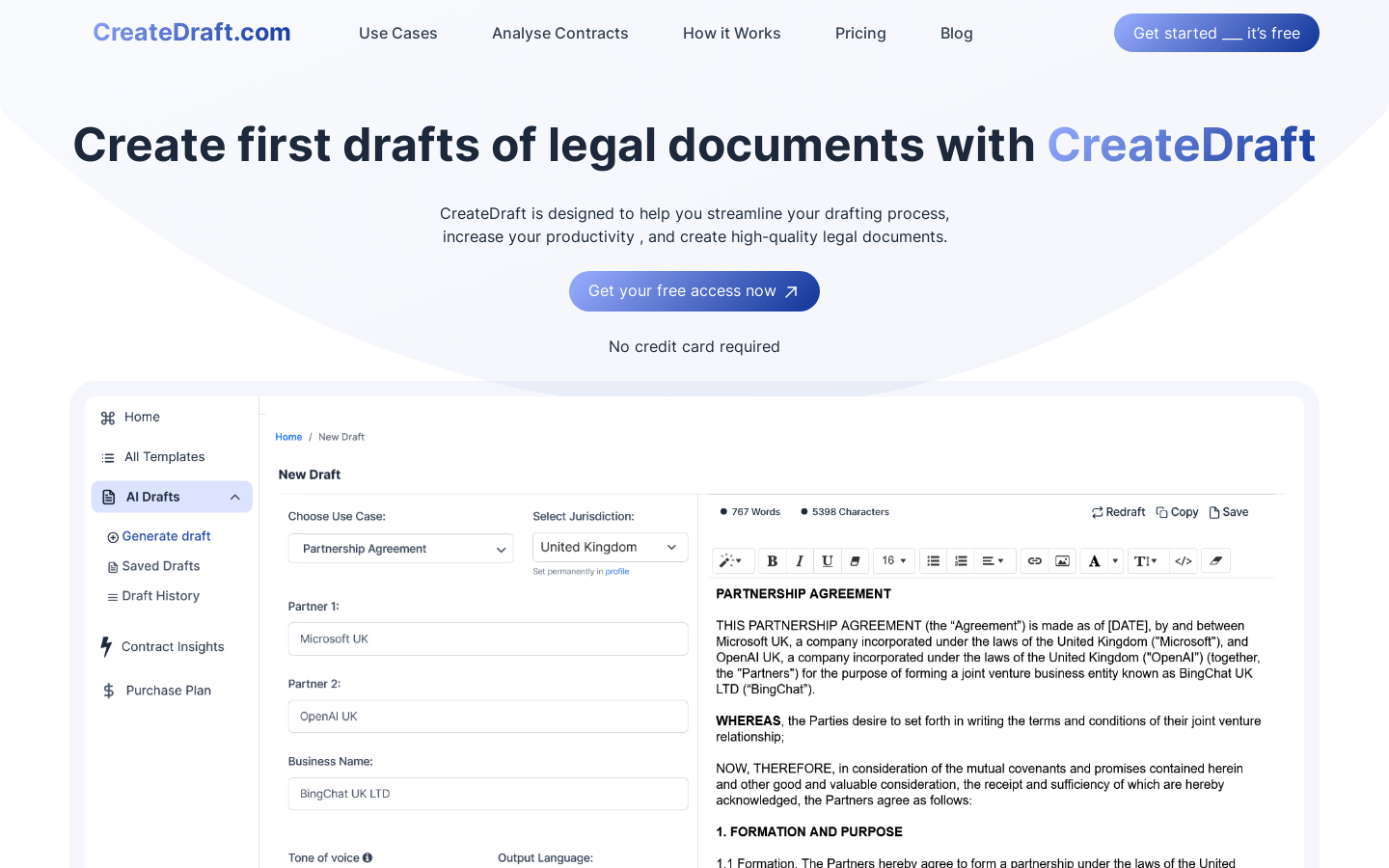
Screenshot archived from the listing page, for preview only.