
Coursebox
AI tool for building online coursesCreate online courses with AI help
Highlights
What you can do with it
- An educator builds a structured online course faster
- A training team creates corporate learning material
- An institution adds assessments and recommendations to a course
How to use it
- 1 Visit the Coursebox website.
- 2 Start the free trial or sign up for a plan.
- 3 Define the topic and structure of your course.
- 4 Use AI content generation to draft lessons.
- 5 Add assessments and review the material before publishing.
Who it is for
Pros
- Automated content generation saves time on course drafts
- Assessment and recommendation features support learners
- A free trial lets you test it before subscribing
Limitations
- The free trial is limited and full use needs a paid plan
- Generated content still needs review for accuracy and tone
- Public details on advanced features and pricing are limited
What Coursebox is
Coursebox is an AI-powered online course creation tool. It helps users build online courses quickly using artificial intelligence, with features such as automated content generation, learner assessment, and intelligent recommendations. It is aimed at the education sector, including educational institutions, training organizations, and corporate training teams. Pricing is flexible, with a free trial and paid subscription plans, so you can evaluate it before committing to a paid plan.
What you can do with it
- Draft course content automatically with AI assistance
- Add learner assessments to check understanding
- Use intelligent recommendations to support the learning path
- Build structured courses for schools, training, or corporate use
Who it is for
- Educational institutions creating online courses
- Training organizations producing employee learning material
- Corporate teams that need structured, repeatable training
What to watch out for
The free trial is limited, and full use requires a paid subscription. AI-generated content should always be reviewed for accuracy and tone before learners see it, since errors can slip through. Public details on some advanced features and exact pricing are limited, so confirm what your plan includes before relying on it for a large course. Generated suggestions are for reference only, so verify anything that affects professional judgment or important data. Start with a small sample to confirm the output meets your expectations before processing the full batch. Run one full task end to end first, then expand once you are comfortable with the workflow and the result quality. Behavior may vary across browsers and devices, so test before production use and consult the help docs if errors appear. Keep a backup of the original file before running large batches so you can restart if anything goes wrong midway.
FAQ
What is Coursebox?
It is an AI-powered tool that helps you create online courses with automated content, assessment, and recommendations.
Is there a free trial?
Yes. It offers a free trial along with paid subscription plans.
Who is it for?
It targets educational institutions, training organizations, and corporate training teams.
Why it is free
What the official page says: free trial
Free limits, trial length and features are decided by the official site and can change at any time.
Product preview
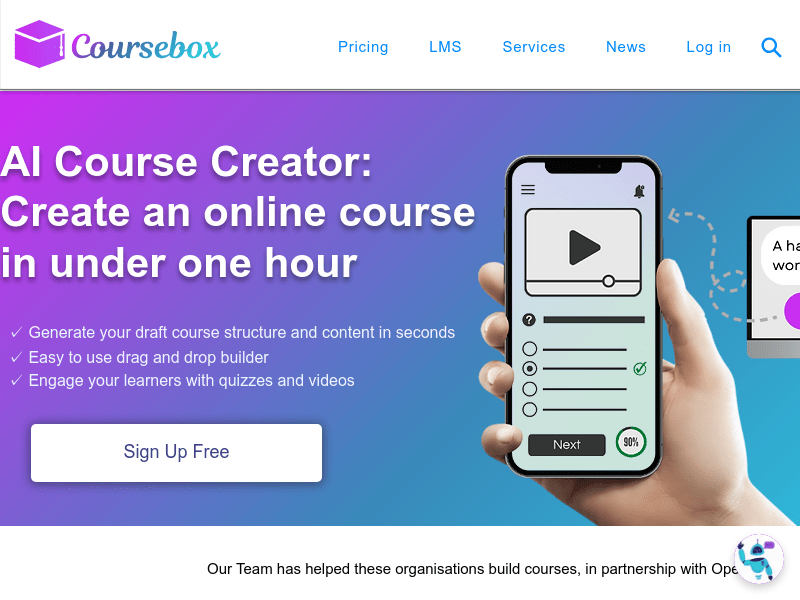
Screenshot archived from the listing page, for preview only.











