
Coloring
AI printable coloring pages for kidsTurn photos and prompts into line art
Highlights
What you can do with it
- Turn a child's photo into a personal coloring page
- Generate pages from a prompt for a classroom activity
- Print detailed pages for older kids and adults
How to use it
- 1 Visit coloring-pages.app
- 2 Upload a photo or enter a prompt
- 3 Choose the detail level
- 4 Download the page or share it
- 5 Log in for free to unlock more generation functions
Who it is for
Pros
- Free of charge
- Works from photos or text
- Detail levels for different ages
- Instant generation and sharing
Limitations
- More functions require a free login
- Line quality depends on the input image
- Free allowances can change
- Printing needs your own paper and printer
What Coloring is
Coloring is a free tool that turns photos or text prompts into printable coloring pages for children. The AI converts your input into a clear line drawing, and you choose the level of detail so the page suits the age in front of you. Simple pages work for young children, while detailed versions can serve adults who color as well. After logging in for free, you get more generation functions, including a set of free coloring pages. You can download the result or share it on social media.
What you can do with it
- Turn a photo into a personal coloring page.
- Generate a page from a written prompt.
- Pick simple, medium, or detailed line work.
- Print pages for kids or detailed pages for adults.
- Download or share the finished image.
Who it is for
- Parents who need a quick activity at home.
- Teachers preparing classroom materials.
- Children who enjoy coloring their own ideas.
What to watch out for
Line quality depends on the input, so a busy photo produces a busy page. More generation functions require a free login, and allowances can change. Printing still needs your own paper and printer, and the output is a picture to color rather than a full activity pack. Behavior may vary across browsers and devices, so test before production use and consult the help docs if errors appear. Features and interface details may change between versions, so review the latest notes on the page before you start. Save a backup of the original file before large batch jobs, and keep an exported copy of key results in case the page or service becomes temporarily unavailable.
FAQ
Is it free?
The tool is free of charge, and logging in for free unlocks more generation functions.
What can I turn into a coloring page?
A photo or a text prompt.
Who is it for?
Children, parents, and teachers.
Why it is free
What the official page says: free of charge
Free limits, trial length and features are decided by the official site and can change at any time.
Product preview
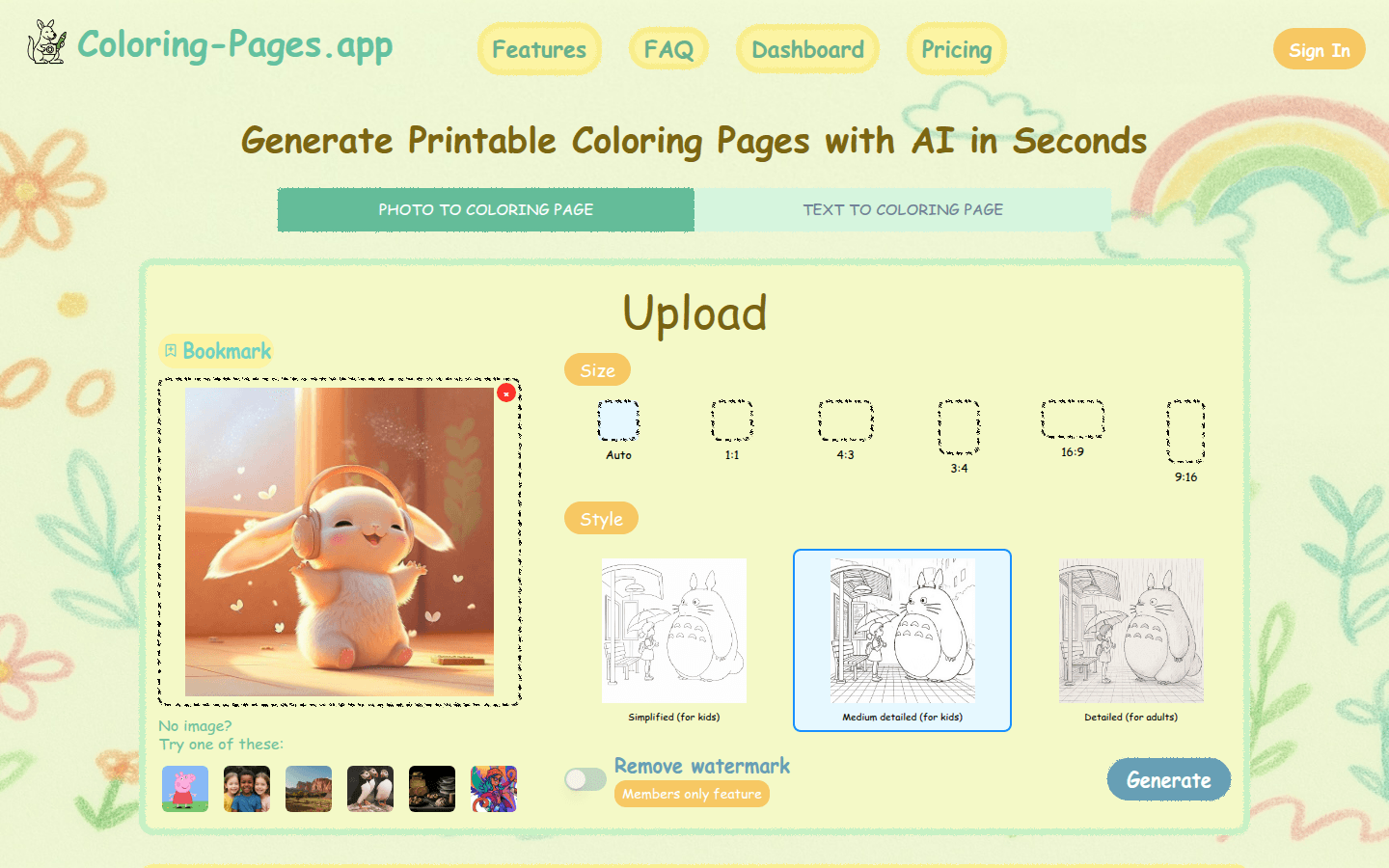
Screenshot archived from the listing page, for preview only.











