Collate
Free AI PDF summarizerSummarize and chat with your PDFs
Highlights
What you can do with it
- Summarize course reading quickly
- Pull key points from research papers
- Manage and analyze company documents
How to use it
- 1 Download the Collate desktop client
- 2 Install it and import your PDFs
- 3 Generate summaries for long documents
- 4 Ask the PDF questions for insights
Who it is for
Pros
- Free to use
- Works offline, documents stay local
- Summaries and questions in one app
Limitations
- A desktop client, not a browser tool
- Offline use means installing updates
- Summaries need checking against the source
- Free status and features can change
What Collate is
Collate is a free desktop tool for working with PDFs. It reads PDFs, summarizes long documents, and lets you ask questions of a file to pull out key insights. The reader supports highlighting, and everything runs offline, so no internet connection is needed and your data stays on your machine. You can keep all your PDFs organized in one place for quick access. The pitch is faster understanding of documents you already have. It is aimed at students summarizing course materials, researchers pulling information from papers, and employees managing company documents. If you spend time in long PDFs, it covers the main loop of reading, summarizing, and questioning in a single app.
What you can do with it
- Read and highlight PDFs in a built-in viewer
- Summarize long documents without length limits
- Ask a PDF questions and extract key insights
- Work offline with data staying on your device
- Keep your PDF library organized in one place
Who it is for
- Students working through course material
- Researchers reading large volumes of papers
- Employees handling internal documents
What to watch out for
It is a desktop client rather than a browser tool, so you install and update it like any software. Offline use is good for privacy, but it also means features and models update when you update the app, so keep it current. Summaries are a starting point, so check the source document for detail before you rely on a summary for anything important. Free status and features can change over time, and very long or scanned files may still need a manual pass. Generated suggestions are for reference only, so verify anything that affects professional judgment or important data.
FAQ
Is Collate free?
Yes, it is described as a free AI PDF tool.
Does it need internet?
No, it works offline and keeps data local.
What can I do with a PDF?
Read, highlight, summarize, and ask questions.
Why it is free
What the official page says: 免费
Free limits, trial length and features are decided by the official site and can change at any time.
Product preview
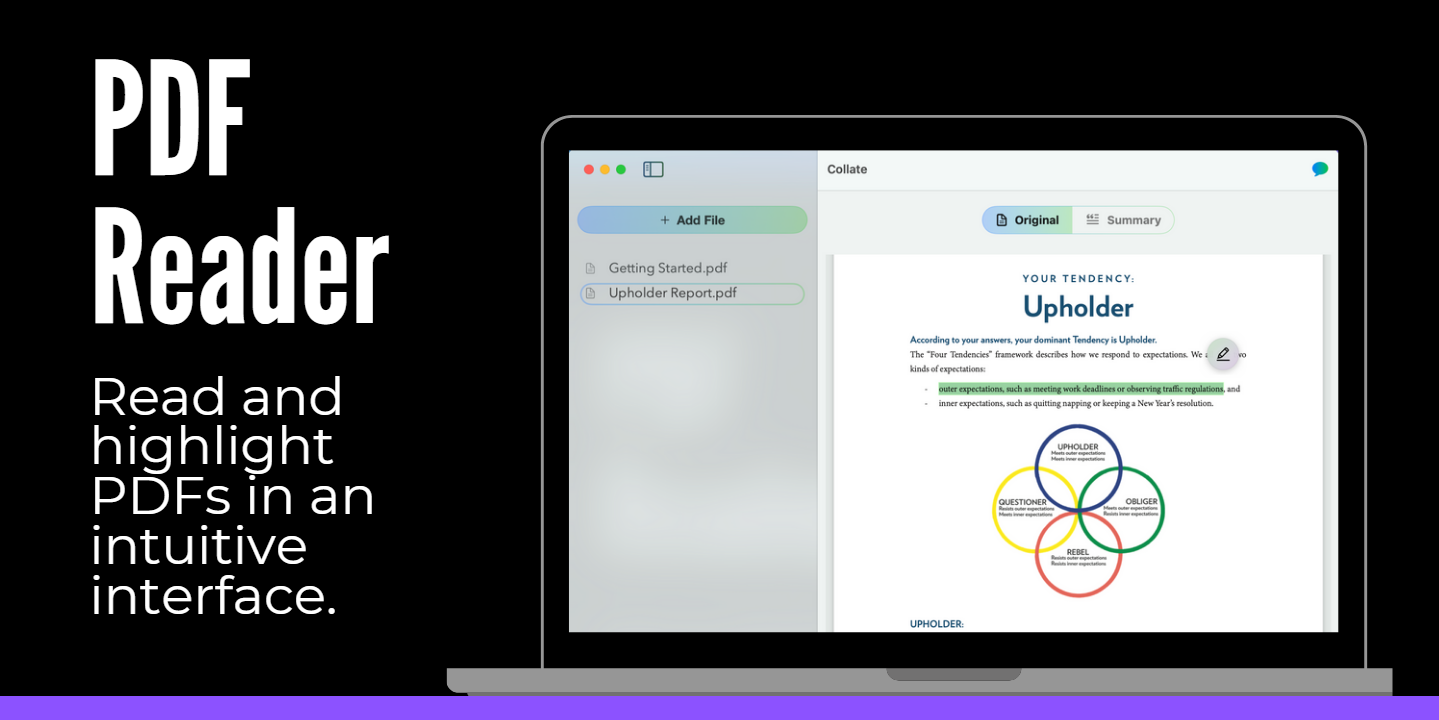
Screenshot archived from the listing page, for preview only.