CodeOrbital
Browser-based code editor with snippet sharing and live previewWrite, run, and share code snippets in your browser
Highlights
What you can do with it
- Developers write and run JavaScript to test and debug code logic quickly
- Web developers build and debug pages with real-time HTML, CSS, and JavaScript preview
- Developers share code snippets to communicate and learn with others
How to use it
- 1 Open the CodeOrbital website and select a programming language
- 2 Enter your code in the editor, with highlighting and autocomplete available
- 3 Click the run button to see the execution results
- 4 For web projects, view the rendering in the real-time preview window
- 5 Save or share the code snippet to communicate with other developers
Who it is for
Pros
- No installation or local setup needed
- Free of charge
- Live preview speeds up web development work
Limitations
- As a smaller online platform, availability and features can change without notice
- A browser editor does not replace a full desktop IDE for large projects
- A stable internet connection is required, and account features depend on the platform's own login system
What CodeOrbital is
CodeOrbital is an online code editor that runs in your browser. It supports multiple programming languages such as JavaScript, so you can write, run, and debug code without installing anything. For web projects, it provides real-time previews of HTML, CSS, and JavaScript, which helps when you want to build and test a page quickly. The editor includes features like code highlighting and autocomplete, and it lets you save, organize, and share code snippets with other developers. CodeOrbital is free of charge and is aimed at both beginners and professionals who want a convenient place to code. There is no need to configure a local development environment before you start.
What you can do with it
- Write, run, and debug code directly in the browser
- Preview HTML, CSS, and JavaScript changes in real time
- Save, categorize, and manage your code snippets
- Share snippets with other developers to exchange ideas
Who it is for
- Beginners learning to code who want a zero-setup environment
- Web developers quickly building and testing pages
- Developers who share snippets and learn from community examples
What to watch out for
CodeOrbital is free of charge, but as a smaller online platform its availability and feature set can change without much notice, so avoid depending on it for long-term storage of important work. A browser-based editor is convenient, yet it does not replace a full desktop IDE for large projects. You also need a stable internet connection, and any account-based features depend on the platform's own login system. Keep local backups of code that matters, and if the site is unreachable when you need it, a local editor is the fallback.
FAQ
Is CodeOrbital free?
Yes. The platform is free of charge.
Do I need to install anything?
No. It runs in the browser, so you can write, run, and debug code online.
Can I share code with others?
Yes. You can save, organize, and share code snippets with other developers.
Why it is free
What the official page says: free of charge
Free limits, trial length and features are decided by the official site and can change at any time.
Product preview
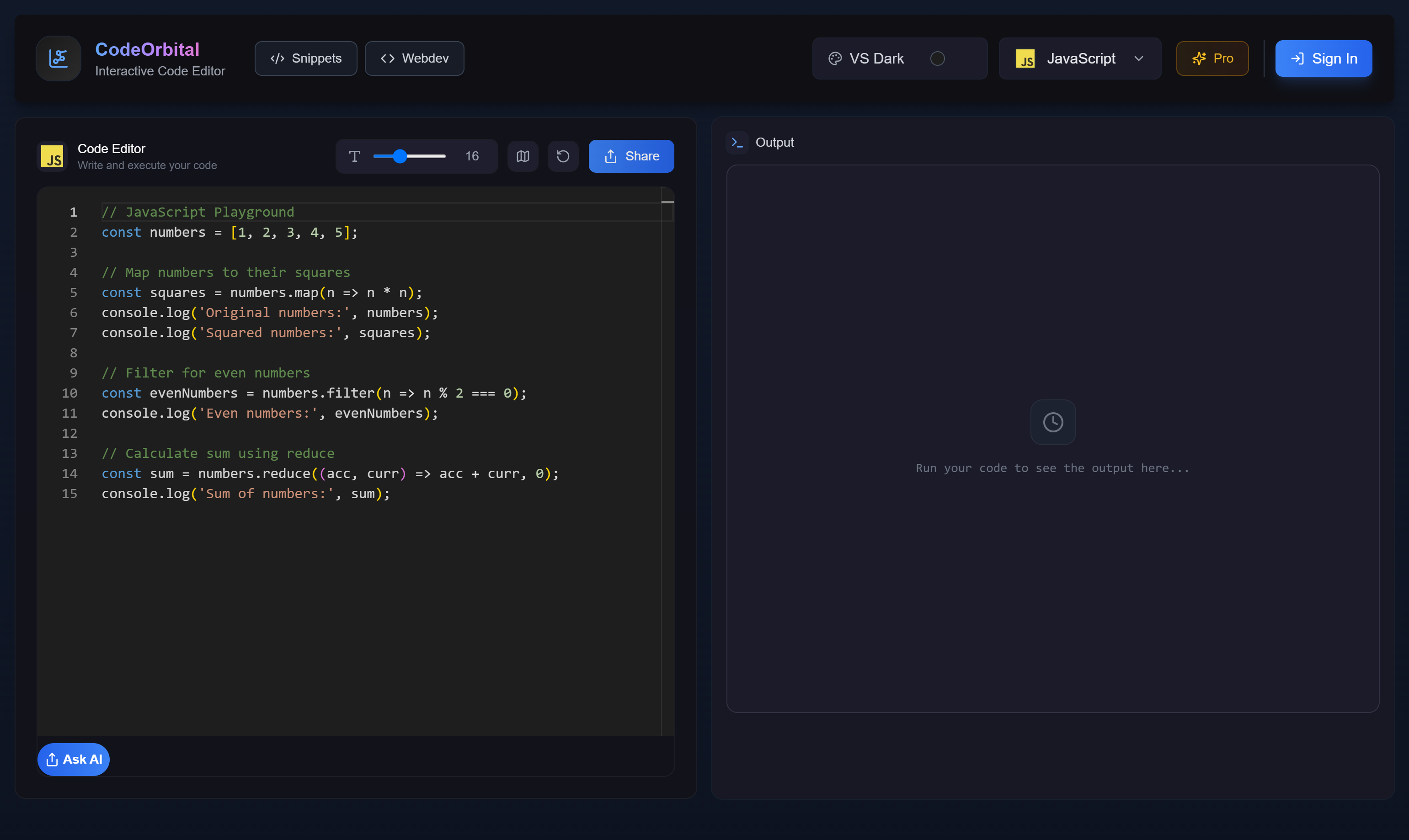
Screenshot archived from the listing page, for preview only.











