
ClipDance
Free AI video generator for text and image to video with audioTurn a prompt or image into a 1080p video with built-in sound
Highlights
What you can do with it
- A user turns an airport fashion prompt into a finished video
- A marketer turns a product image and audio into a promo clip
- A student turns a history prompt into a presentation video
How to use it
- 1 Visit ClipDance and log in or sign up
- 2 Choose text or upload reference images, clips, and audio
- 3 Set resolution and duration, then click Generate
- 4 Wait about 30 to 60 seconds, then download as MP4 or WebM
Who it is for
Pros
- Free version available to try standard-quality output
- Native audio saves a separate sound step
- Fast generation with consistent characters across shots
Limitations
- Higher resolution, longer videos, and priority need payment
- You need an account to use it
- Generated footage should be checked before professional use
What ClipDance is
ClipDance is a free AI video generator that turns text or images into 1080p videos. You type a description or upload references, and it builds a clip with native audio such as dialogue, sound effects, and music, so you do not need a separate sound step. It supports multi-shot storytelling where characters stay consistent across scenes, and most videos finish in about 30 to 60 seconds. You can upload up to 12 reference files and export as MP4 or WebM. The free version covers standard quality, and paid plans add higher resolution, longer videos, and priority.
What you can do with it
- Turn a text prompt into a finished short video.
- Turn images, clips, and audio into guided video output.
- Generate native audio so the video has sound built in.
- Keep characters consistent across shots and export at 1080p.
Who it is for
- Video creators who want to turn ideas into clips fast.
- Marketers making promotional and product videos.
- Social media bloggers and students who need quick video content.
What to watch out for
The free version is limited to standard quality, so higher resolution, longer videos, and priority generation require payment. You need an account to use the service. Generated footage can have small errors, so review it before you publish or use it in client work, and check current pricing and limits since the tool and plans are still evolving. Features and interface details may change between versions, so review the latest notes on the page before you start. For team use, agree on naming and editing conventions in advance to avoid version conflicts or duplicated work.
FAQ
Is ClipDance free?
There is a free version for standard-quality output. Paid plans add higher resolution, longer videos, and priority generation.
Does it add audio?
Yes. It can generate native audio such as dialogue, sound effects, and music along with the video.
How long does generation take?
Most videos finish in about 30 to 60 seconds, and you can export as MP4 or WebM.
What should I keep in mind?
The best resolution and length are paid, you need an account, and you should review generated footage before publishing.
Why it is free
What the official page says: free version
Free limits, trial length and features are decided by the official site and can change at any time.
Product preview
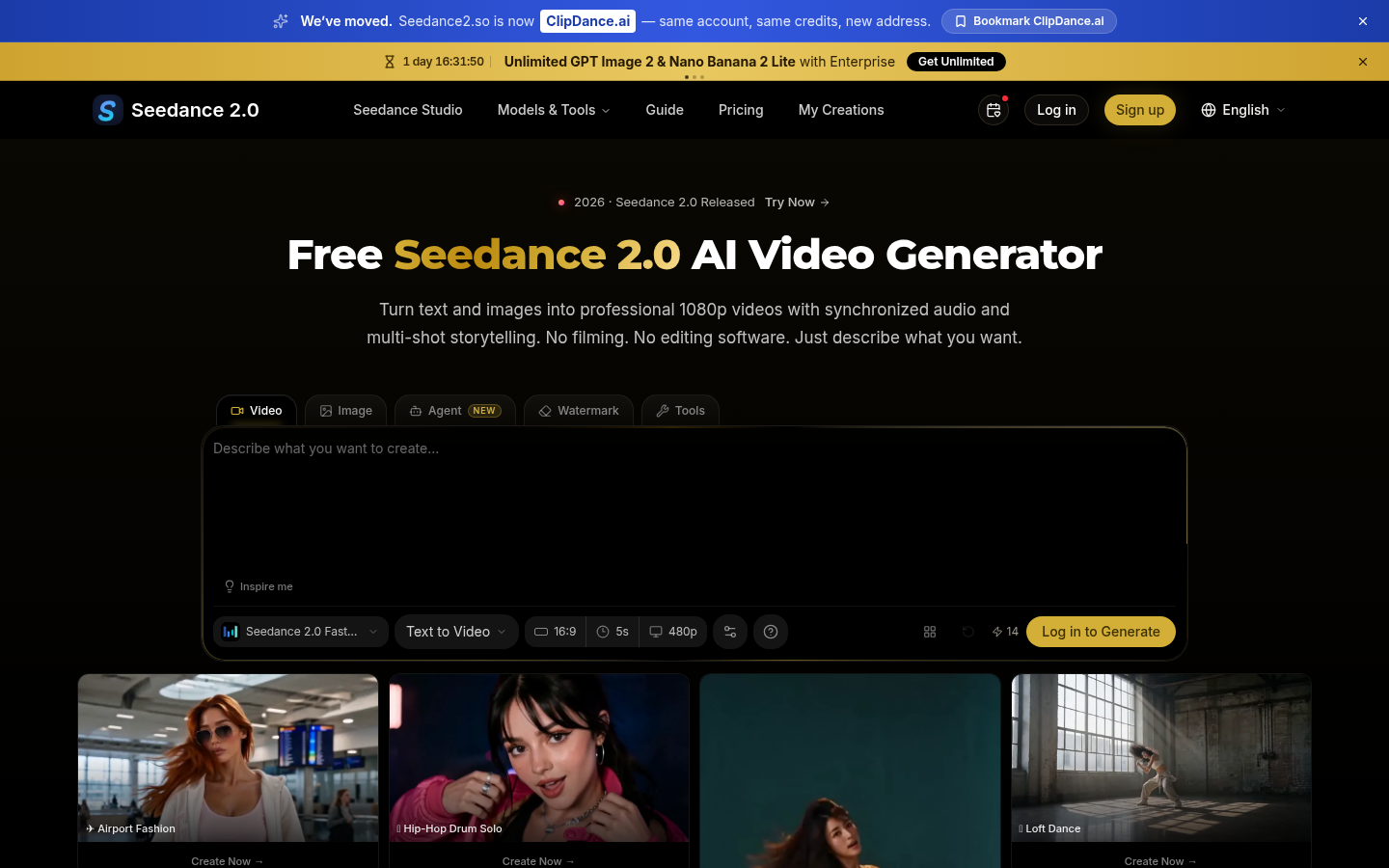
Screenshot archived from the listing page, for preview only.











