Cleanup.pictures
Free tool that removes objects from photosErase objects, text, and blemishes in clicks
Highlights
What you can do with it
- Clean up product images for a listing
- Remove a distracting object from a photo
- Fix a thumbnail before publishing
How to use it
- 1 Upload your photo
- 2 Brush over the area you want removed
- 3 Let the AI fill the space
- 4 Download the cleaned image
Who it is for
Pros
- Very quick, a few clicks per edit
- Free to use
- Works for objects, text, and small blemishes
Limitations
- Large or complex removals can leave artifacts
- Works best on simple backgrounds; busy scenes are harder
- Free tier limits and any paid options should be checked on the site
- Removing people or objects from photos you do not own can raise rights issues
What Cleanup.pictures is
Cleanup.pictures is a free photo editing tool built around one job: removing things you do not want in a picture. It handles unwanted objects, people, text, and blemishes, and it fills the space automatically so you are not cloning patches by hand. The stated applications go beyond simple cleanup, covering clean backgrounds for product images, redesigning objects, filling gaps in YouTube thumbnails, and even smoothing wrinkles on shirts. The interaction is deliberately short: upload, brush over the area, let the AI work. That makes it usable by people with no editing background at all, which is the main appeal for sellers and creators who need a fix in seconds.
What you can do with it
- Remove objects, people, text, and small blemishes
- Create clean backgrounds for product photography
- Fill gaps and clean up YouTube thumbnails
- Smooth wrinkles and small flaws on clothing
Who it is for
- E-commerce sellers who need clean product images
- YouTubers fixing thumbnails before upload
- Anyone retouching a photo without opening an editor
- Social media users cleaning up casual shots
What to watch out for
Automatic filling has limits. Large or complex removals, especially against busy or textured backgrounds, can leave visible artifacts that need a second pass or a real editor. The tool works best when the area you remove is small and the surrounding area is simple. Free tier limits and any paid options are not detailed, so check the site for current terms. Also be careful with rights: removing a person or an object from a photo you do not own, or editing an image in a way that misrepresents a scene, can create legal and ethical problems that sit with you rather than the tool.
FAQ
What can I remove with it?
Objects, people, text, and blemishes from your photos.
How hard is it to learn?
It takes a few clicks per edit, so no editing experience is required.
Will the fill always look natural?
Not always. Simple backgrounds fill cleanly, while busy or textured scenes can leave visible artifacts.
Why it is free
What the official page says: for free
Free limits, trial length and features are decided by the official site and can change at any time.
Product preview
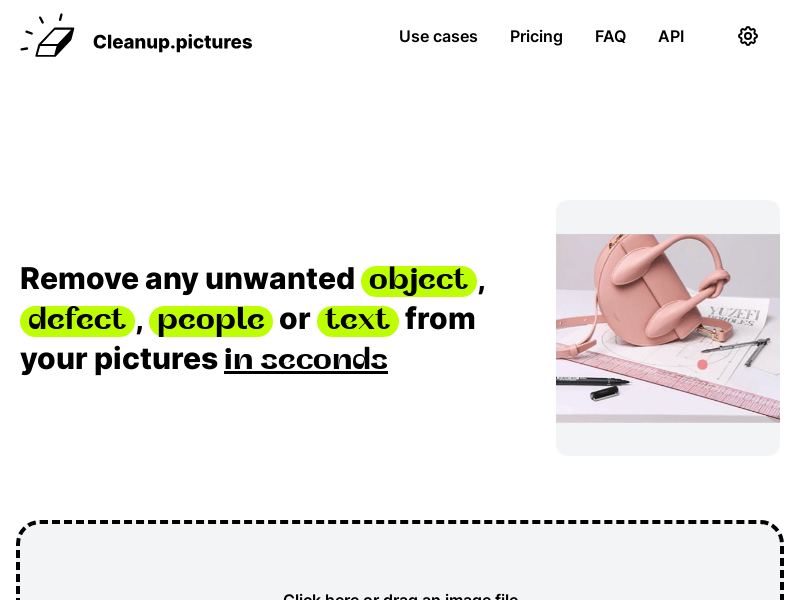
Screenshot archived from the listing page, for preview only.











