Claude Skills Hub
Marketplace of open-source Claude skillsFind and install modular Claude skills
Highlights
What you can do with it
- Add a web app testing skill for debugging
- Use an algorithmic art skill for creative work
- Install a Word document processor for office tasks
How to use it
- 1 Browse the hub by category or search.
- 2 Open a skill card to read details on GitHub.
- 3 Follow the install steps via Claude Code or Claude.
- 4 Use the installed skill in your Claude conversations.
Who it is for
Pros
- Most skills are free and open-source
- Central place to discover skills
- Clear install guidance
Limitations
- Licenses vary, so check before production use
- Third-party skills differ in quality and upkeep
- Install depends on your Claude setup
What Claude Skills Hub is
Claude Skills Hub is a third-party marketplace that collects and organizes Claude skills from sources such as the official Anthropic repository and community contribution platforms. Skills are modular extensions that add specific abilities to Claude, covering tasks from document processing to creative design. The hub lets you browse by category, open a skill card to read its details on GitHub, and follow install guidance, with most skills installable through Claude Code or Claude itself. Most skills are open-source and free, but licenses vary, so you should check the license of any skill before using it in a production environment.
What you can do with it
- Browse and discover Claude skills by category.
- Read a skill functions, usage, and resources on GitHub.
- Install a skill through Claude Code or Claude.
- Submit your own skill as a developer.
Who it is for
- Developers who want tool skills like web app testing.
- Creative workers using skills such as algorithmic art.
- Office workers who need document processing skills.
What to watch out for
Because skills come from different channels, quality and upkeep vary, and licenses are not uniform; official Anthropic skills may use Apache 2.0 or proprietary licenses while community skills can differ. Always check the license before production use. Installation also depends on your Claude setup, so confirm a skill works with how you run Claude before relying on it. Features and interface details may change between versions, so review the latest notes on the page before you start. For team use, agree on naming and editing conventions in advance to avoid version conflicts or duplicated work.
FAQ
What is Claude Skills Hub?
It is a third-party marketplace that collects and organizes modular Claude skills.
Are the skills free?
Most are open-source and free, but licenses vary, so check each one.
How do I install a skill?
Follow the install guidance; most work through Claude Code or Claude.
Why it is free
What the official page says: 免费
Free limits, trial length and features are decided by the official site and can change at any time.
Product preview
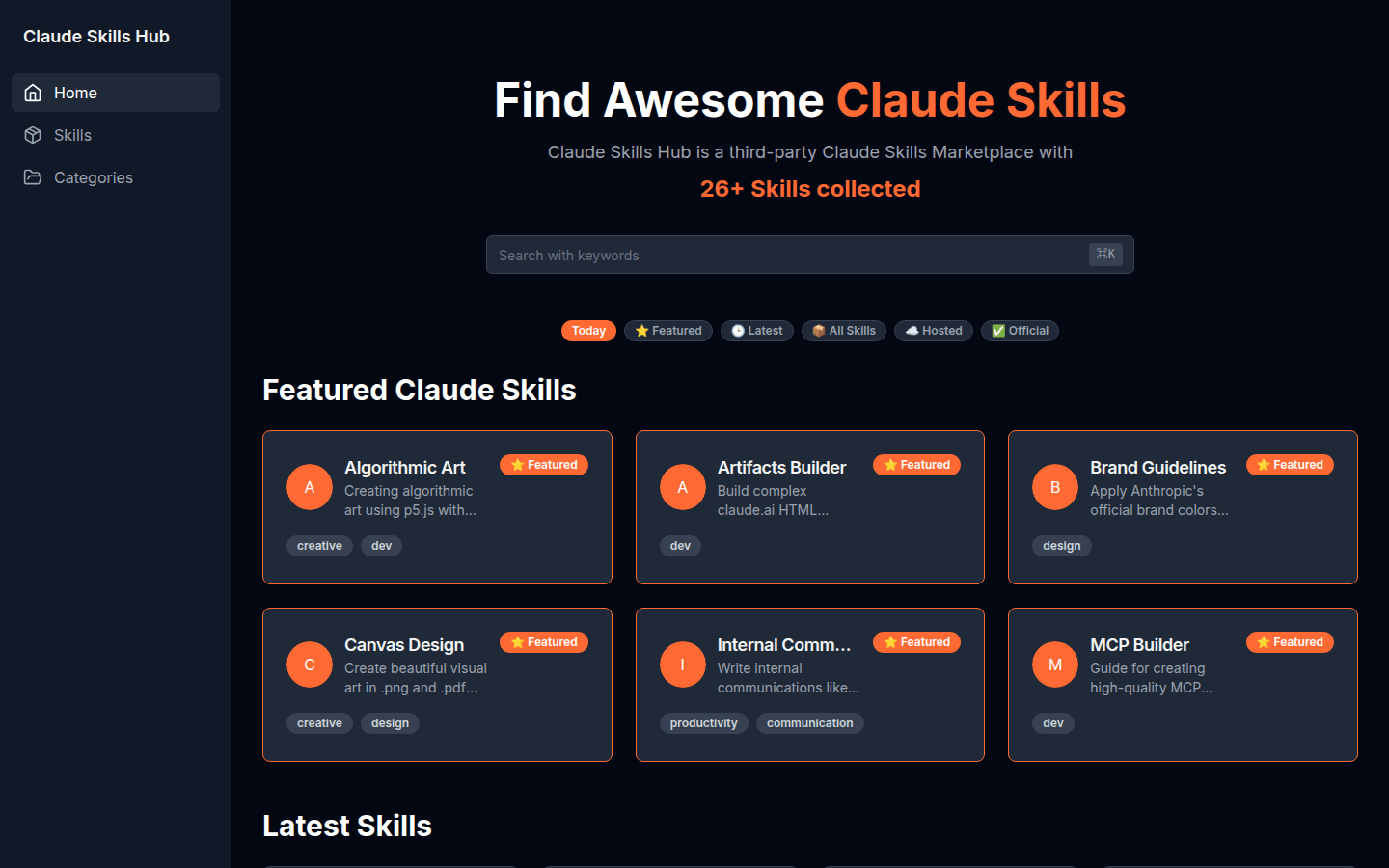
Screenshot archived from the listing page, for preview only.