
Chromakopia Font Profile Picture Generator
Custom font profile picture generatorMake a unique profile picture with fonts
Highlights
What you can do with it
- Make an artistic name picture for a social avatar
- Create a profile picture with a favorite background image
- Design a picture that matches an online event theme
How to use it
- 1 Visit the generator website
- 2 Choose a font style
- 3 Customize text and background colors
- 4 Upload a background image if you want
- 5 Adjust placement and size, then download
Who it is for
Pros
- Free and simple to use
- Font and color customization
- Supports transparent backgrounds and image upload
Limitations
- Focused on font-based profile pictures
- Free tool availability can change
- Limited to the fonts and options provided
What the Chromakopia Font Profile Picture Generator is
The Chromakopia Font Profile Picture Generator is a free online tool for making custom profile pictures. You choose a font style, customize text and background colors, including options like Chromakopia Green and transparent backgrounds, and can upload your own background image. You then adjust the placement and size of the text and image and download the result. It is aimed at people who want a personalized avatar for social media and other platforms without opening image editing software, making a quick, one-off design easy.
What you can do with it
- Create a profile picture from custom text and fonts
- Choose font styles and text colors
- Set background colors, including transparent options
- Upload your own background image and download the result
Who it is for
- Social media users who want a custom avatar
- People personalizing profiles across platforms
- Anyone making a themed profile picture for an event
- Users who want a simple, free design tool
What to watch out for
It is focused on font-based profile pictures, so it is not a full design tool and you are limited to the fonts and options provided. It is currently free, but free tool availability and features can change without notice, so do not rely on it for ongoing work. If you upload a background image, only use pictures you have the right to use, and keep your own copy of any profile picture you make in case the site changes. Behavior may vary across browsers and devices, so test before production use and consult the help docs if errors appear. Features and interface details may change between versions, so review the latest notes on the page before you start.
FAQ
Is it free?
Yes. The tool is currently free to use.
Can I use my own background?
Yes. You can upload your own background image.
What can I customize?
You can choose font styles and customize text and background colors, including transparent backgrounds.
Why it is free
What the official page says: 免费
Free limits, trial length and features are decided by the official site and can change at any time.
Product preview
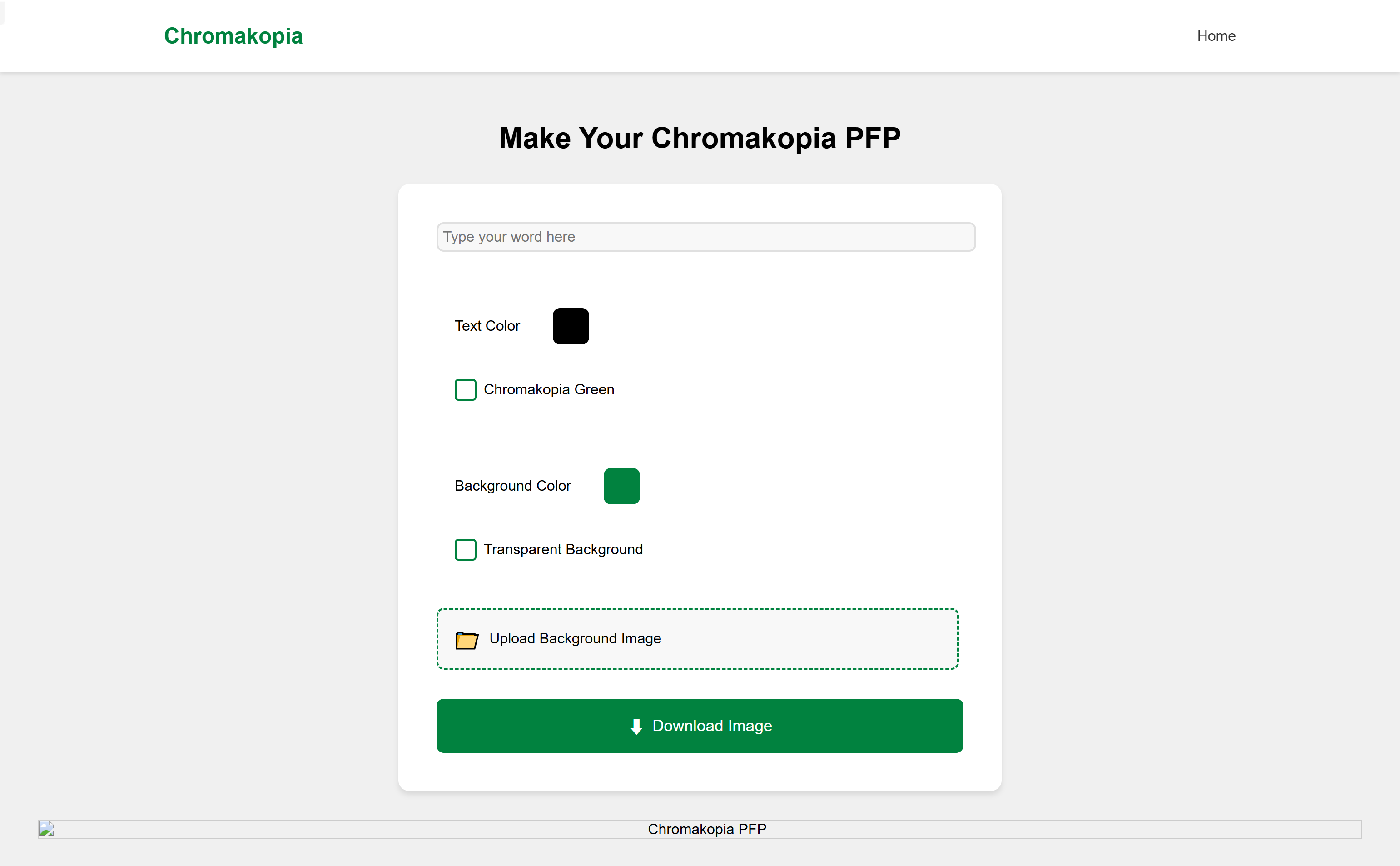
Screenshot archived from the listing page, for preview only.











