ChatWithDocs.co
A smart document assistant for editing, sharing, and team collaboration.Create, edit, and collaborate on documents with version control and comments.
Highlights
What you can do with it
- Drafting and sharing a document with a team
- Tracking versions while several people edit
- Collecting feedback through inline comments
How to use it
- 1 Start the free trial and sign in
- 2 Create a new document or import an existing file
- 3 Edit and format the content
- 4 Invite collaborators and leave comments
- 5 Use version management to track changes, then share
Who it is for
Pros
- Covers editing, sharing, and collaboration together
- Version management reduces lost work
- Free trial before subscribing
Limitations
- Full use requires a paid subscription
- Collaboration features only help if the whole team adopts them
- Multiple packages make choosing a plan slower
What ChatWithDocs.co is
ChatWithDocs.co is a smart document assistant that handles creation, editing, and sharing in one place. It provides editing and formatting tools, supports multiple file formats, and lets you move from drafting to sharing without exporting through several separate applications. The team features cover collaboration, version management, and online comments, which is where a document tool either works or falls apart in daily use. It also recommends related documents and materials based on your needs and preferences, with the aim of cutting the time spent searching for something you know you already have. Access is subscription based with several packages and a free trial, and the site positions it for personal users, teams, and enterprises. The product is also referred to as Docskey in its own description.
What you can do with it
- Create, edit, and format documents in one place
- Import and export across multiple file formats
- Collaborate with teammates and leave online comments
- Track versions so work is not lost or overwritten
Who it is for
- Individuals who want a single place for their documents
- Teams that need version control and inline review
- Enterprises standardising a document workflow across people
What to watch out for
Full use needs a paid subscription, and the free trial is time limited, so decide early whether the feature set justifies the cost. Collaboration features only pay off if the whole team moves over, and a document tool that half a team ignores quickly becomes another place to check. Several packages are offered, which means a real decision rather than a single obvious plan. Recommendations are a convenience, not a search engine, so exact retrieval still needs your own filing discipline. The naming inconsistency between ChatWithDocs.co and Docskey in the site's own material is worth clarifying with the vendor before you buy.
FAQ
What is it?
A smart document assistant covering creation, editing, sharing, and collaboration.
Is there a free trial?
Yes. The service is subscription based and offers a free trial period.
Does it support teams?
Yes. Team collaboration, version management, and online comments are listed features.
What is Docskey?
The product description refers to the assistant as Docskey, which appears to be the same service under a different name.
Why it is free
What the official page says: free trial
Free limits, trial length and features are decided by the official site and can change at any time.
Product preview
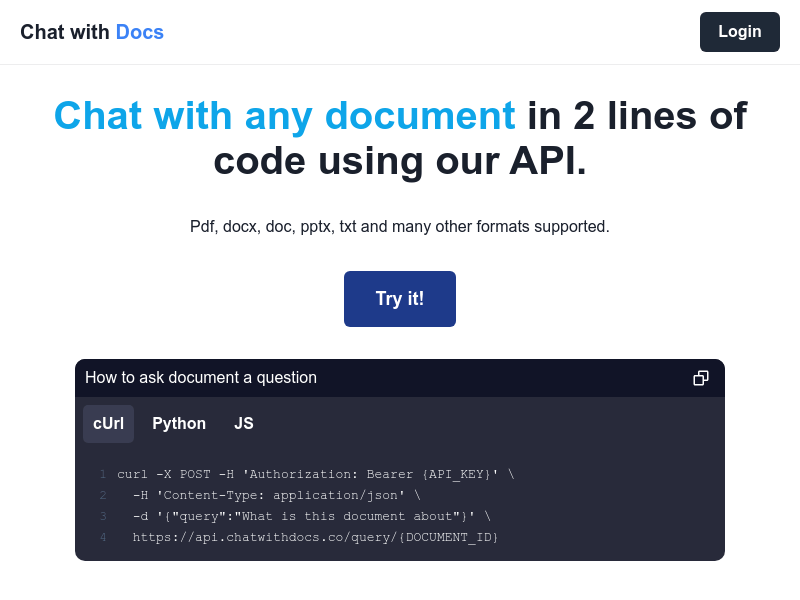
Screenshot archived from the listing page, for preview only.











