
ChatGPT on Telegram
ChatGPT access inside Telegram chats and groupsYour assistant, summoned in any chat
Highlights
What you can do with it
- Get answers and ideas inside a group discussion without switching apps
- Draft emails, weigh decisions, or rephrase text in a private chat
- Use inline queries to pull an answer into the conversation you are already having
How to use it
- 1 Open Telegram and find the ChatGPT bot
- 2 Start a private chat or add the bot to a group
- 3 Send your question directly or summon it with an inline query in a group
- 4 Review the answer and continue the conversation as needed
Who it is for
Pros
- Works where you already chat, so there is no context switch
- Group and inline query support cover both private and shared use
- A free trial plus a 30-day money-back guarantee lowers the risk
Limitations
- It depends on Telegram, so outages or policy changes affect access
- Full use requires a paid monthly or annual plan after the trial
- AI answers can be wrong or outdated and should be checked
- Free trial terms and pricing can change, so confirm details before paying
What ChatGPT on Telegram is
ChatGPT on Telegram is a chatbot that brings ChatGPT into the Telegram app. Instead of opening a separate website, you can summon the assistant inside any group, hold a one-on-one conversation with it, or use inline queries to pull an answer into the chat you are already in. The listing says it supports the GPT-4 version and pitches it as a way to save time, sharpen thinking, solve problems, and get help with decisions, writing emails, and even jokes. A free trial is offered, with paid monthly and annual plans and a 30-day money-back guarantee, so the main draw is having an assistant available wherever your conversations already happen.
What you can do with it
- Chat with the assistant one-on-one for answers, drafting, and ideas.
- Summon it inside a group so everyone can use it in shared discussions.
- Use inline queries to drop an answer straight into a conversation.
- Get help with emails, decisions, and quick creative writing.
Who it is for
- Telegram users who want AI help without leaving the app.
- Communities and teams that share one bot across a group.
- Anyone comparing chat plans who wants GPT-4 access through Telegram.
- People who prefer a chat interface over a full web application.
What to watch out for
The service lives inside Telegram, so any Telegram outage, bot policy change, or account issue can interrupt access, and you are dependent on a platform you do not control. The free trial ends, and continued use requires a paid monthly or annual plan, so check what the paid tiers include before you rely on it daily. Like any chatbot, it can produce confident but wrong answers, so verify important facts before you act on them. Trial terms, pricing, and the refund window can change, so read the current offer before you pay.
FAQ
How do I use it?
Add the bot in Telegram, then either chat with it directly, summon it in a group, or use inline queries.
Does it use GPT-4?
The listing says it supports the GPT-4 version.
Is there a refund option?
The service advertises a 30-day money-back guarantee alongside its free trial.
Can I use it in groups?
Yes. You can summon ChatGPT in any Telegram group as well as in one-on-one chats.
Why it is free
What the official page says: free trial
Free limits, trial length and features are decided by the official site and can change at any time.
Product preview
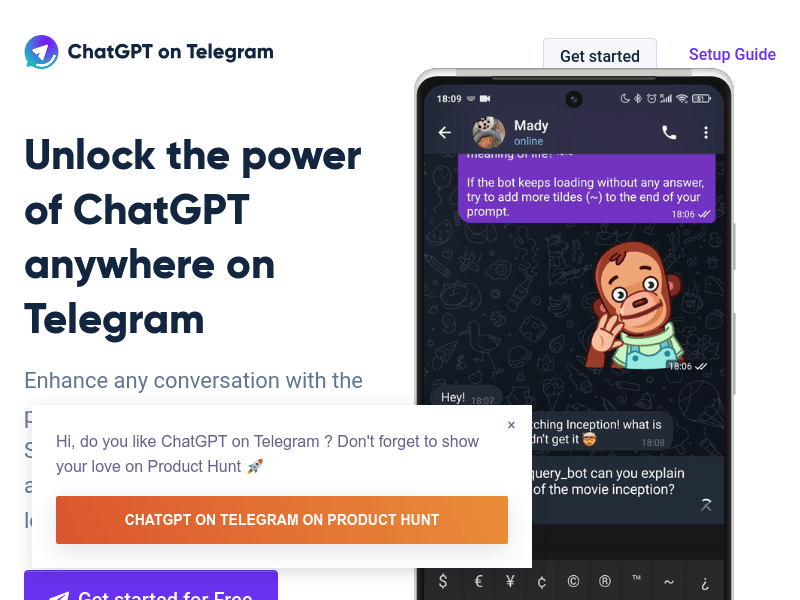
Screenshot archived from the listing page, for preview only.











