ChatGPT Image 2
Free online AI image generatorType a prompt, get images, posters, and design assets
Highlights
What you can do with it
- Create a poster for a campaign
- Generate realistic photos for a mockup
- Produce design assets for a landing page
How to use it
- 1 Open gptimage2app.com
- 2 Type a description of the image you want
- 3 Wait for the generator to return results
- 4 Download the images you want to keep
Who it is for
Pros
- Free to use at the time of writing
- Fast generation with nothing to install
- Covers both realistic and creative styles
Limitations
- Free access may not last; no paid terms were listed
- The listing does not state which model powers it
- Output quality and usage limits are not documented
What ChatGPT Image 2 is
ChatGPT Image 2 is a free online AI image generator. You type a description and the site returns images, which the listing says can include realistic photos, creative posters, design assets, and commercial visuals. Generation is described as fast, and because everything runs in the browser there is nothing to install and no setup steps are mentioned. The tool is currently free to use, which makes it easy to try without entering payment details. It is aimed at individuals and businesses that need image material quickly, whether that is a mockup for a layout, an image for a social post, or a starting point for a design.
What you can do with it
- Create an image from a written prompt
- Produce posters and design assets
- Generate realistic photos for mockups
- Get visual ideas without opening an editor
Who it is for
- Individuals who need a quick image for a personal project
- Businesses making marketing visuals
- Designers looking for draft material to build on
What to watch out for
The listing does not say which model powers the tool or what limits apply, so treat the free status as something to confirm on the site before you plan a batch of work. Free access may not last, and no paid fallback is described in the listing. Results vary with the prompt, and generated images should be checked for accuracy before you use them anywhere public. If you need guaranteed usage rights or consistent output for client work, look for terms that spell those out clearly. For best results, start with a small test file and review the output carefully before working on anything important.
FAQ
Does it cost anything?
The listing says the tool is currently free to use.
What can I make with it?
AI images, realistic photos, creative posters, design assets, and commercial visuals.
Do I need to install anything?
No, it is an online tool that runs in the browser.
Why it is free
What the official page says: 免费使用免费
Free limits, trial length and features are decided by the official site and can change at any time.
Product preview
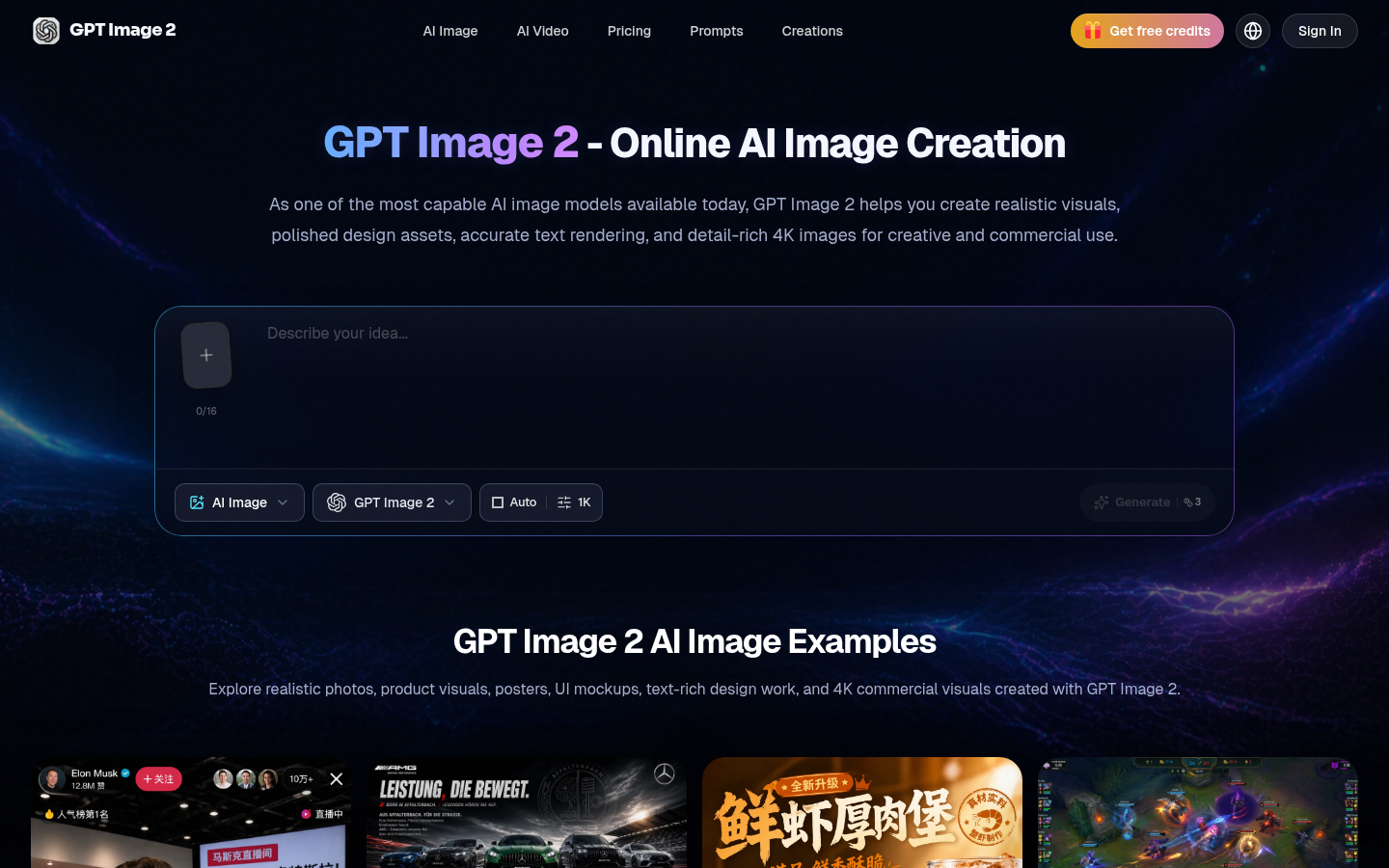
Screenshot archived from the listing page, for preview only.