
CADdillo
Free AI 2D CAD for floor plansDescribe a floor plan, get editable CAD drawings
Highlights
What you can do with it
- Sketch a residential floor plan from a short written brief and export it as DWG
- Turn an existing drawing into a PDF for a client or a permit submission
- Lay out piping routes with the MEP drawing system for a small services job
How to use it
- 1 Open CADdillo in the browser and create an account to claim the free credits
- 2 Describe the building or room you need in plain language
- 3 Review the generated plan and adjust walls, doors, windows and labels in the editor
- 4 Add blocks and room templates from the library as needed
- 5 Export the finished drawing to DWG, DXF or PDF
Who it is for
Pros
- Starts from a written description instead of drawing every line by hand
- Editing and export happen in the browser, so there is nothing to install
- DWG and DXF output keeps the file usable in mainstream CAD workflows
- 50 free credits with no credit card let you test the full loop before paying
Limitations
- The site is young, so the feature set and the free credit allowance may change
- AI generated plans still need a designer to check dimensions, structure and local codes
- Pay-as-you-go means costs scale with use, and there is no subscription cap to protect your budget
What CADdillo is
CADdillo is a free AI-native 2D CAD tool that works in the browser. Rather than drawing every wall by hand, you describe the building or the room you need and the tool returns a floor plan with real walls, doors, windows, dimensions and room labels. The plan is editable in its online editor, which supports standard modification and drawing commands, and you can export the result to DWG, DXF or PDF so it stays usable in other CAD software. There is also a DWG to PDF converter and an MEP piping drawing system, plus a library of 471 blocks and 71 room templates. New users get 50 free AI credits with no credit card required, and beyond that the tool is pay-as-you-go with no subscription commitment.
What you can do with it
- Turn a written description of a building into a dimensioned floor plan
- Edit walls, doors, windows, dimensions and room labels in the online editor
- Export drawings to DWG, DXF or PDF, or convert an existing DWG to PDF
- Draw piping routes with the MEP system and reuse blocks and room templates from the library
Who it is for
- Architects and designers who need a fast concept plan before detailed modelling
- Anyone who has to hand a DWG or a PDF to a client, a contractor or an authority
- Small studios that want a lightweight CAD option without a heavy desktop licence
- Students and hobbyists testing an idea without paying for a full CAD package
What to watch out for
The site is young, so the feature set, the block library and the size of the free credit allowance can all change as the product develops. AI generated plans are a starting point, not a final construction document: dimensions, structural assumptions, door swings and local building codes still need a qualified person to check them. Pay-as-you-go pricing also means costs grow with the number of jobs you run, and there is no subscription ceiling to cap your spend, so keep an eye on credit consumption on larger projects.
FAQ
Is CADdillo free?
New users get 50 free AI credits and no credit card is required to start. After the free credits are used, it is pay-as-you-go with no subscription.
What file formats can I export?
Drawings export to DWG, DXF and PDF. There is also a dedicated DWG to PDF conversion feature.
Do I need to install CAD software?
No. It runs as a browser tool with an online editor for drawing and modification.
Does it handle MEP work?
It includes an MEP piping drawing system alongside the architectural floor plan tools.
Why it is free
What the official page says: no credit card
Free limits, trial length and features are decided by the official site and can change at any time.
Product preview
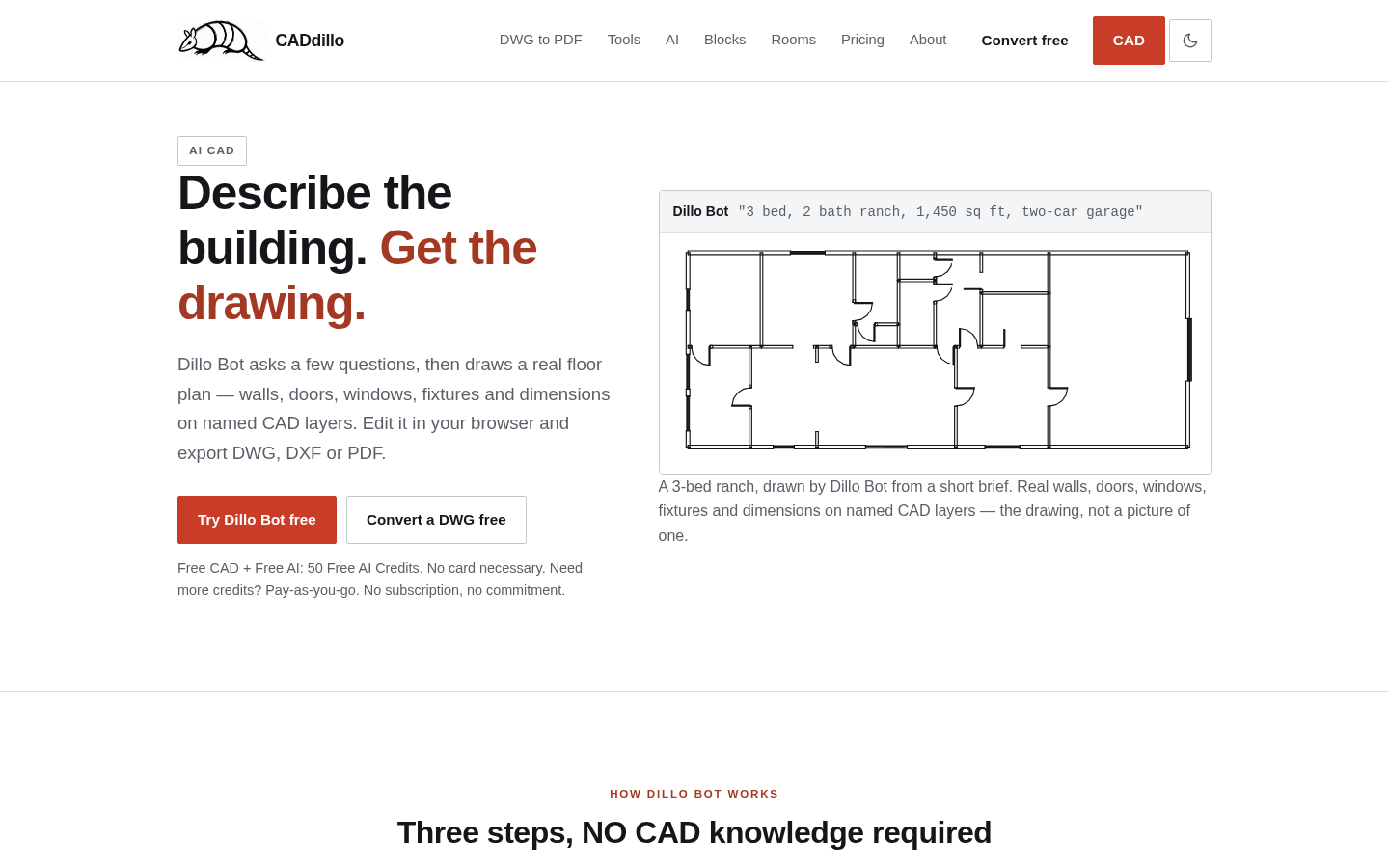
Screenshot archived from the listing page, for preview only.











