
BrainyPDF
Chat with any PDF for freeFree summaries and answers from your PDFs
Highlights
What you can do with it
- Studying for exams and homework help
- Extracting information from scientific papers
- Getting summaries of academic books
How to use it
- 1 Open BrainyPDF in your browser.
- 2 Upload the PDF you want to work with.
- 3 Ask questions or request a summary.
- 4 Use citations to find the source in the document.
- 5 Review the answers in any language.
Who it is for
Pros
- Free summaries and answers
- Supports any language
- Citation feature for source tracking
Limitations
- Files are stored in the cloud, so privacy depends on the service
- Answer accuracy should be checked against the source
- Service availability can change over time
What BrainyPDF is
BrainyPDF is a ChatGPT-like PDF AI tool. It allows users to converse with any PDF and provides free summarization and question-answering services. Students can use it to study for exams, get homework help, and answer multiple-choice questions, while researchers and professionals can use it to read and extract information from scientific papers, academic articles, and books. It accepts PDFs in any language and offers a citation feature, with files stored securely in the cloud.
What you can do with it
- Chat with any PDF.
- Get free summaries and answers.
- Study for exams and get homework help.
- Find references with the citation feature.
Who it is for
- Students studying and doing homework.
- Researchers reading scientific papers and articles.
- Professionals extracting information from documents.
What to watch out for
BrainyPDF stores files in the cloud, so you should be comfortable with how your documents are handled before uploading sensitive material. AI answers should be checked against the source, since summaries and Q and A can miss details. As an online service, its availability and features can change over time. Features and interface details may change between versions, so review the latest notes on the page before you start. For team use, agree on naming and editing conventions in advance to avoid version conflicts or duplicated work. Save a backup of the original file before large batch jobs, and keep an exported copy of key results in case the page or service becomes temporarily unavailable. Save a backup of the original file before large batch jobs, and keep an exported copy of key results in case the page or service becomes temporarily unavailable.
FAQ
What is BrainyPDF?
It is a ChatGPT-like PDF tool that lets you chat with any PDF and get free summaries and answers.
Is it free?
Yes, it provides free summarization and question-answering services.
Does it support other languages?
Yes, it accepts PDFs in any language and can be used in any language.
Why it is free
What the official page says: 免费
Free limits, trial length and features are decided by the official site and can change at any time.
Product preview
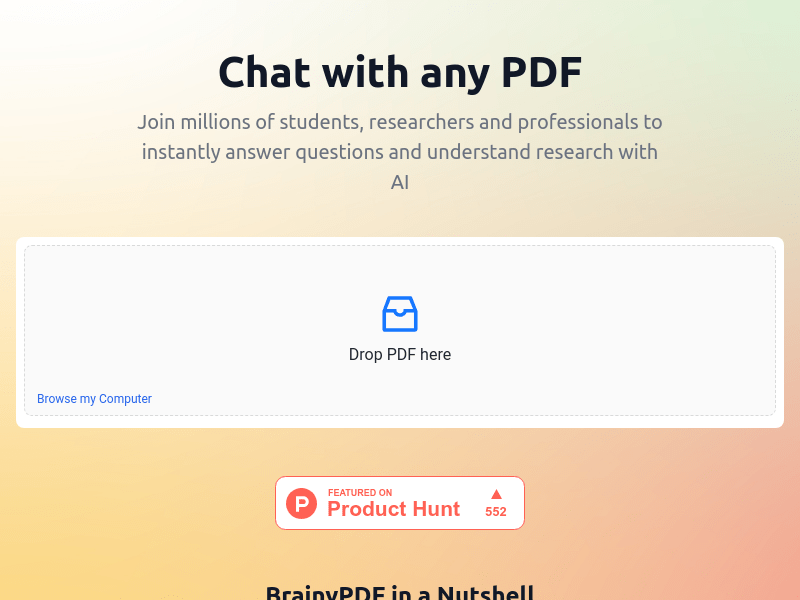
Screenshot archived from the listing page, for preview only.











