bolt.new
A browser sandbox for building and deploying full stack web appsStart, run, edit, and deploy from the browser
Highlights
What you can do with it
- Set up a personal blog or small site quickly from a template
- Collaborate with a team on an enterprise level web application
- Learn and practice full stack development without local setup
How to use it
- 1 Visit bolt.new in your browser
- 2 Choose a template or create a blank project
- 3 Select your preferred technology stack
- 4 Write code and watch real time results in the preview
- 5 Use the built in deployment features to launch the app online
- 6 Use version control and invite teammates for collaborative work
- 7 Integrate APIs and databases as your project needs them
Who it is for
Pros
- No local environment setup is required to get started
- Instant feedback while editing speeds up iteration
- Deployment, version control, and collaboration are built in
Limitations
- Free tokens are a starting allowance; running out means paying for more, with rules set by the official site
- Browser based environments can be slower or more limited than a local setup for heavy builds
- Review what the service stores about your code before putting private work in it
What bolt.new is
bolt.new is a developer sandbox integrated with artificial intelligence technology, designed to help developers rapidly start, run, edit, and deploy full stack web applications. It offers various templates and frameworks, so you can create projects using your preferred technology stack instead of configuring a toolchain from scratch. The environment is interactive with instant feedback, supports online editing and previewing, and includes built in deployment so an application can go live without a separate hosting setup. It also integrates version control and collaborative features, allowing team members to work on the same project, and it provides API and database integration support for more complete applications. Free tokens are available to begin with, and the token allowance and rules are set by the official site.
What you can do with it
- Scaffold a full stack project from a template in the browser.
- Edit code and see real time results in the preview without local setup.
- Launch an application online using the built in deployment features.
- Manage code with version control and invite teammates to collaborate.
Who it is for
- Beginners who want to learn and practice full stack development without installing anything.
- Developers prototyping an idea quickly and sharing a running link with others.
- Teams that collaborate remotely and want editing, version control, and deployment in one place.
What to watch out for
Free tokens are a starting allowance rather than unlimited use, and running out means paying for more, with amounts and rules set by the official site and subject to change. Browser based environments can be slower or more constrained than a local setup for heavy builds, and long lived projects may eventually need a local workflow. Because your code runs on the service's infrastructure, review what bolt.new stores and how it handles private work before putting anything sensitive in it.
FAQ
What is bolt.new?
It is a developer sandbox with AI built in, designed to start, run, edit, and deploy full stack web applications in the browser.
Do I need to install anything?
No local installation is required to begin; you open the site, pick a template or blank project, and start coding in the browser.
Is there a free option?
Free tokens are available to start with, and the token allowance and rules are set by the official site.
Can teams use it together?
Yes. It integrates version control and collaborative features so team members can work on the same project.
Why it is free
What the official page says: free tokens
Free limits, trial length and features are decided by the official site and can change at any time.
Product preview
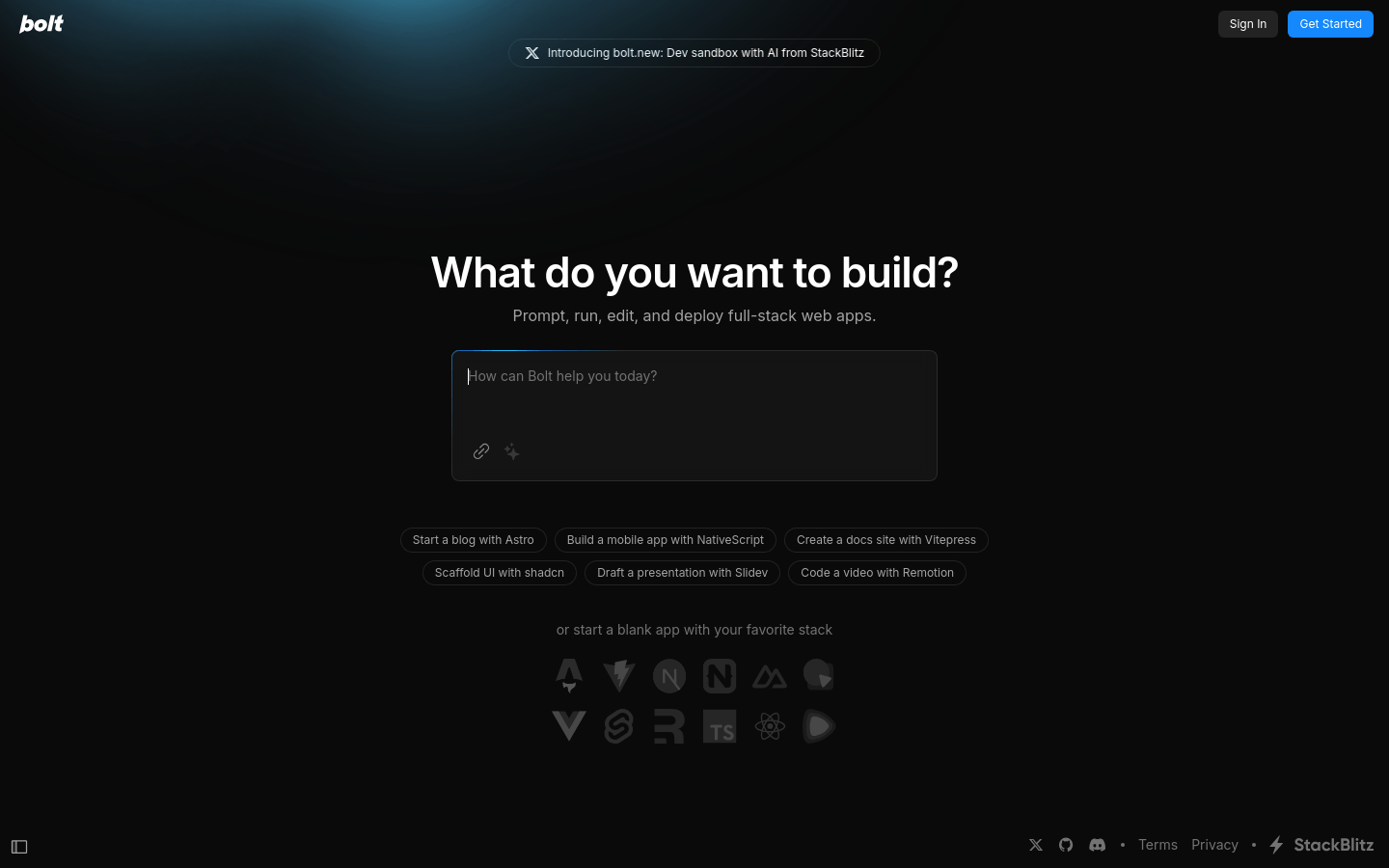
Screenshot archived from the listing page, for preview only.