
Bige
AI image generator for design and adsOne-click AI images, posters, and edits
Highlights
What you can do with it
- A designer quickly created design sketches with text-to-image
- An ad agency made one-click product ads
- A social media manager removed unwanted elements from images
How to use it
- 1 Visit the Bige website
- 2 Register and log in
- 3 Enter an image prompt describing what you want
- 4 Choose a style such as film or anime
- 5 Select an aspect ratio such as 1:1
- 6 Click Generate and download the image
Who it is for
Pros
- Text-to-image plus editing in one place
- One-click product posters speed up ad work
- Aimed at non-designers, so the barrier is low
Limitations
- Still in a free trial, so pricing is not settled
- AI images may need cleanup for professional use
- Trial terms and features can change
What Bige is
Bige, also presented as AI Design, is an online AI image generation platform. You type a text description of what you want, pick a style and an aspect ratio, and it uses deep learning to produce an image quickly. It is aimed at design, advertising, and social media work, and it is built as a tool for non-professional designers so that people without design training can still create usable visuals. Alongside generation it includes editing features such as smart erase, image sharpening, AI upscaling, and one-click product posters. The product is currently in a free trial phase, with pricing and final positioning still to be set.
What you can do with it
- Turn text descriptions into images in a chosen style and ratio
- Edit images with smart erase, sharpening, and AI upscaling
- Generate product posters in one click for ads
- Use image-to-image and style transfer for new looks
- Pick aspect ratios for profile pictures, posts, and other layouts
Who it is for
- Non-professional designers who need quick visuals
- Advertising teams making product creatives
- Social media managers editing and preparing images
- Anyone who wants a simple way to make graphics without design software
What to watch out for
Bige is still in a free trial, so its features and pricing are not settled and can change once it moves to a paid model. AI-generated images often need cleanup or checking before professional use, and results depend heavily on how you write the prompt, so vague prompts give vague images. Because it targets casual users, advanced control may be limited compared with dedicated design software, so review the output carefully and confirm you have the right to use any style or content you generate before you publish it.
FAQ
Is Bige free?
It is currently in a free trial phase, with specific pricing and positioning still to be set.
What can it generate?
It turns text descriptions into images and also supports editing like smart erase, sharpening, upscaling, and product posters.
Who is it for?
It is designed as a tool for non-professional designers to lower the design barrier.
Why it is free
What the official page says: free trial
Free limits, trial length and features are decided by the official site and can change at any time.
Product preview
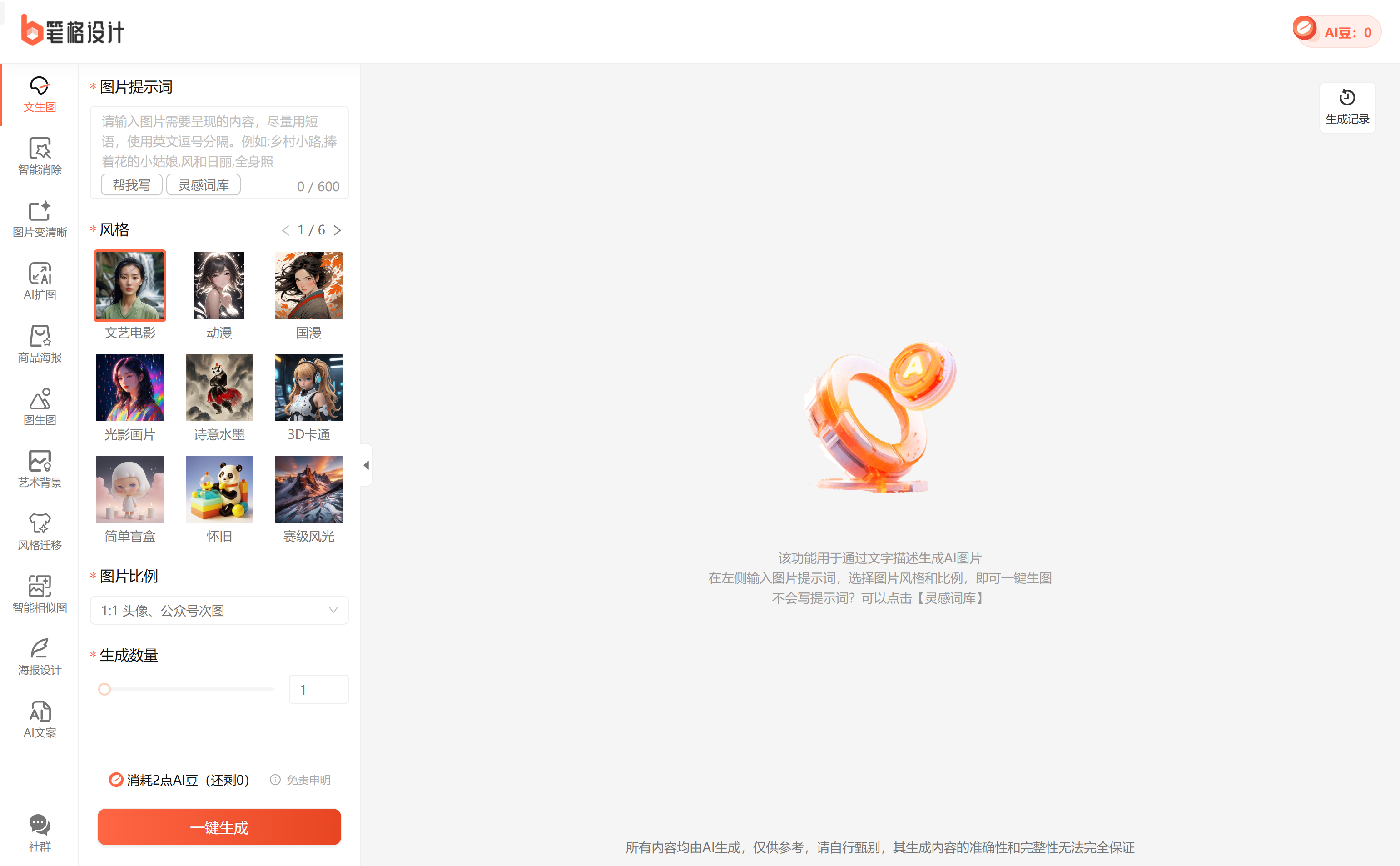
Screenshot archived from the listing page, for preview only.











